


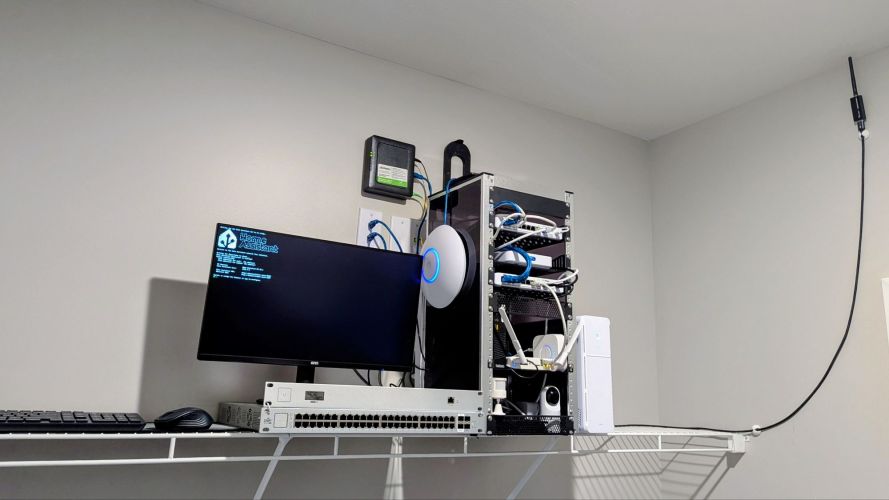
One of the things I enjoy most about having a home lab is that it’s never truly “finished.” There’s always another project to tackle, another setting to optimize, or another device to integrate. Since moving into my apartment, I’ve spent a considerable amount of time refining both my network and smart home infrastructure, with a focus on reliability, coverage, and automation rather than simply adding more hardware.
These latest updates have made the biggest difference yet.
A Quick Look at the Network
When I first moved in, my goal wasn’t to build the largest rack possible—it was to build a network that behaved like enterprise infrastructure while fitting comfortably inside an apartment.
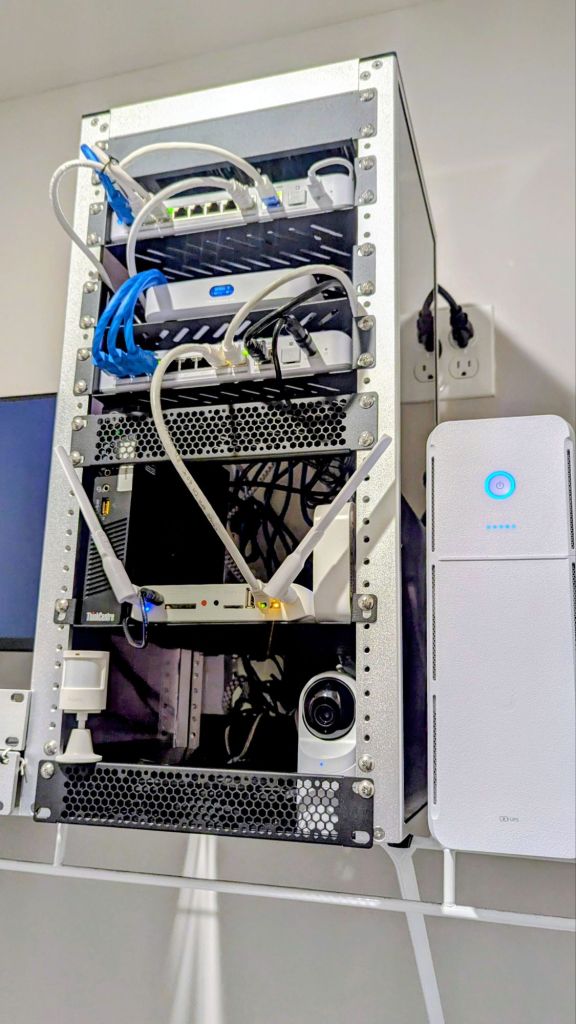
The core of my network now consists of:
- UniFi Cloud Gateway Max
- UniFi Flex 2.5G PoE Switch x2
- UniFi 2.5G UTP Switch
- UniFi E7 Wi-Fi 7 Access Point
- UniFi U7 Pro Access Point
- HomeAssistant OS running on a Lenovo ThinkCentre SFF PC
- Zigbee coordinator for local smart home devices
- Google Nest and UniFi cameras
- Smart thermostat and front door lock w/Z-Wave hub
- Various smart lights, sensors, automations, and IoT devices
Running everything through the UniFi ecosystem has made network management incredibly straightforward. Having a single dashboard for monitoring clients, switches, access points, security events, and performance has been one of my favorite aspects of the platform.
Separating Power Protection

One of the biggest improvements I’ve made recently had nothing to do with Wi-Fi speeds—it was improving power resiliency.
Instead of placing everything on a single UPS, I decided to split my infrastructure across two dedicated battery backups.
Office UPS
In my office, I’m using a Tripp Lite SMART1500LCDT UPS, which is responsible for powering:
- My primary desktop
- My work computer
- Office peripherals
These systems can consume several hundred watts during normal use, especially while gaming or compiling code, so dedicating a UPS to the office ensures those workloads don’t impact the rest of my infrastructure.
Rack UPS
For my networking equipment, I recently purchased the UniFi UPS Tower.

This UPS is dedicated exclusively to my rack, powering my Cloud Gateway Max, switches, access points, and eventually my HomeAssistant server. Based on my estimated load, I expect roughly 20–30 minutes of runtime with HomeAssistant connected, or approximately 30–40 minutes when running only my core networking equipment.
The biggest advantage isn’t just battery runtime—it’s keeping the network alive even if my desktop eventually shuts down. Internet connectivity, Wi-Fi, and remote management remain available during short outages, making the entire lab far more resilient.
Improving Zigbee Reliability
One issue I’ve continued to optimize is Zigbee performance.
Originally, my Zigbee coordinator was positioned fairly close to the networking rack. While everything functioned, it wasn’t an ideal location. Networking equipment, power supplies, metal rack components, and USB 3.0 devices can all introduce radio interference that negatively affects Zigbee communications.
To improve reception, I relocated the Zigbee USB coordinator using a USB extension cable, placing it significantly higher and farther away from the rack itself.
The result has been a stronger, more consistent Zigbee mesh with improved responsiveness from sensors and smart devices throughout the apartment. It’s a small change that costs very little but can have a surprisingly noticeable impact on network stability.
Finally Installing the Doorbell Camera
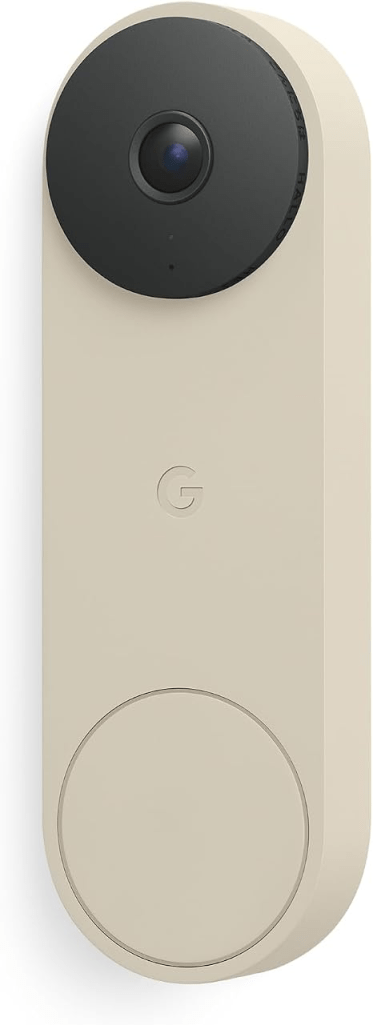
One project I’d been putting off was installing my Google Nest Doorbell.
Rather than drilling into the apartment or using a permanent mounting solution, I opted for a simple heavy-duty Velcro mount.
So far, it’s been surprisingly secure while allowing me to remove the camera easily if I ever relocate. Sometimes the simplest solution really is the best one, especially in an apartment where minimizing wall damage is always a consideration.
Once installed, I spent some time verifying signal strength and making sure the camera maintained a solid Wi-Fi connection from the front entryway.
Chasing Better Wi-Fi Coverage
After installing the doorbell, I noticed the front entrance wasn’t receiving quite the signal quality I wanted.
Instead of simply increasing transmit power, I took the opportunity to rethink the placement of my access points.
I relocated my UniFi E7 access point to a much more centralized position within the apartment and spent time fine-tuning Wi-Fi settings, roaming behavior, channel selection, and radio configuration.
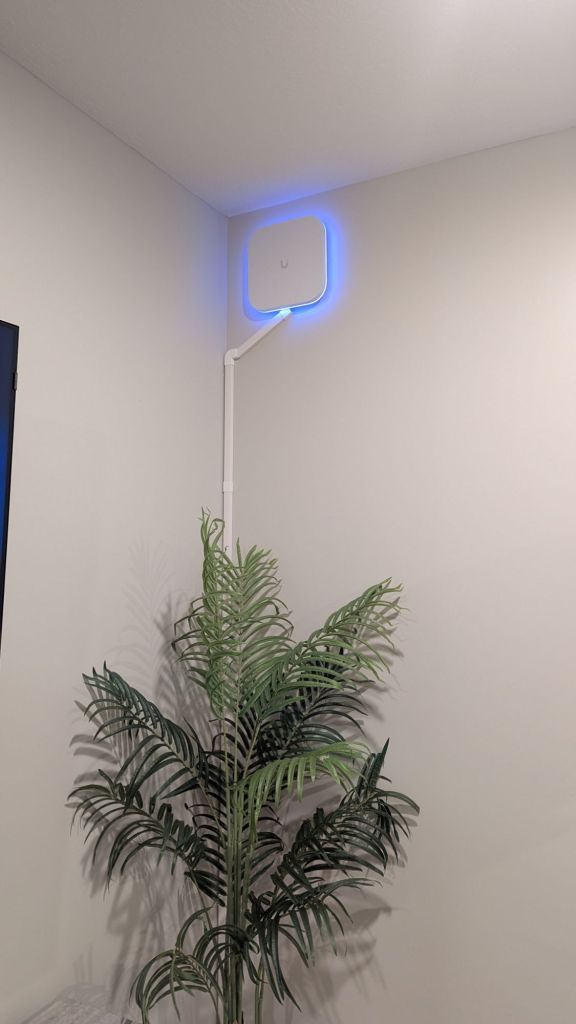
The improvement was immediately noticeable.
Coverage throughout the apartment became far more consistent, and speed tests now routinely approach 300 Mbps higher in areas that previously experienced weaker signal levels—including directly outside my front door where the Nest Doorbell is installed.
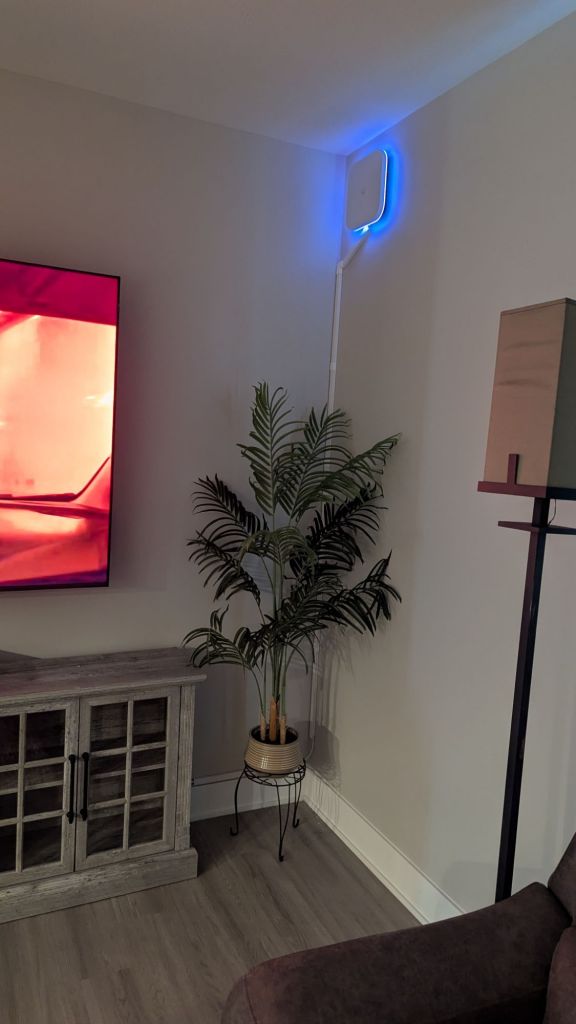
I also had to move the U7 Pro a bit to have it face towards my front door to push 2.4G further in that direction. I have another mount for it that I just got, so I will probably move the E7 to the wall in my closet that the Zigbee dongle is installed.
This has been a great reminder that access point placement is often more important than simply buying more hardware.
Power Adapters
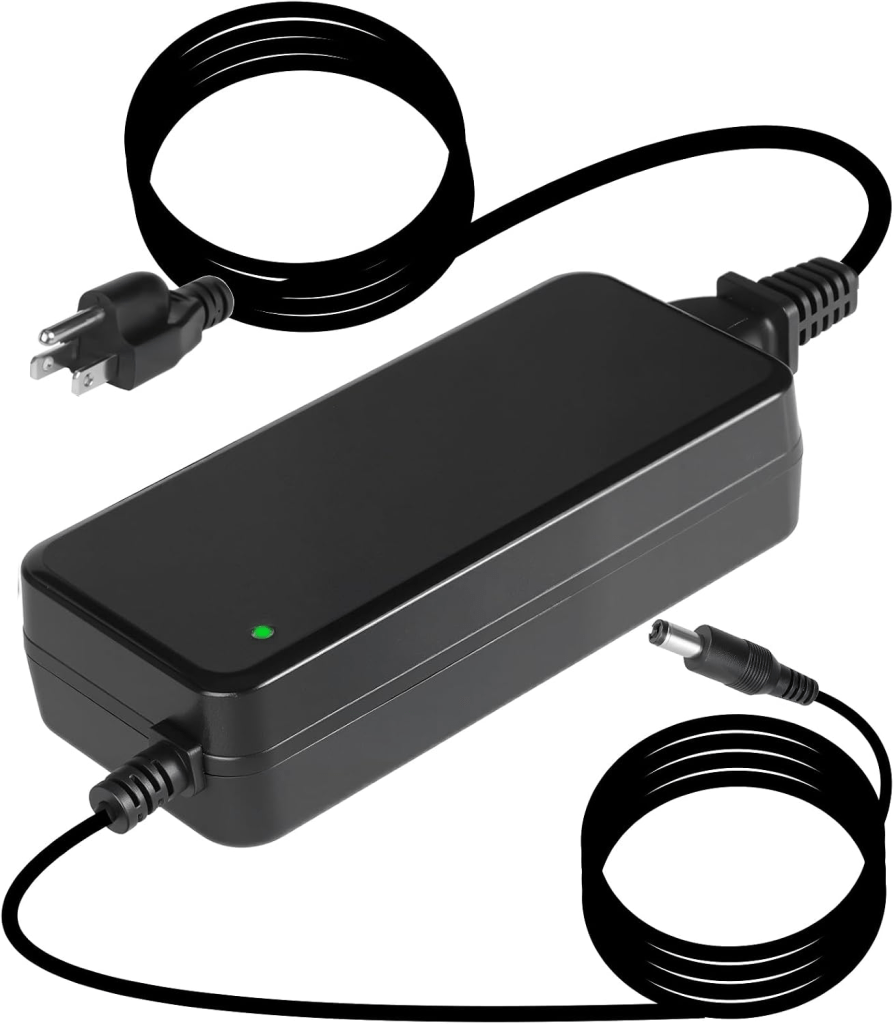
I recently got an alert on my main rack switch, a 2.5G Flex PoE, due to reaching the maximum allowed power draw through PoE. I was puzzled at first, but realized this is the switch that I lost the power supply for, so it is drawing power from another switch. So, I went ahead and purchased a 210W charger on Amazon as UniFi’s version was out of stock. I would like to get a few more for the other Flex switches I have, but I will see how the first one does.
Update: Got the power adapter and it seems to power the switch properly. My only complaint is that it is black and not OEM white, but hey, we can’t get everything we want!
HomeAssistant Continues to Grow

As the network has matured, so has my HomeAssistant installation.
Running HomeAssistant OS on a Lenovo ThinkCentre SFF PC has given me a fast, reliable platform that’s capable of handling all of my smart home integrations locally.
Over the past few weeks, I’ve added several new automations that make the apartment feel much more responsive without requiring any manual interaction.
Some of my favorites include:
- Motion-activated lighting that automatically illuminates key areas after dark.
- Time-based lighting schedules that adjust throughout the day.
- Scheduled robot vacuum cleaning routines that run while I’m away.
- Indoor temperature alerts that notify me when rooms become warmer or cooler than expected.
- Smart device status monitoring and notification automations.
- Presence-based routines that prepare the apartment when I arrive home.
These automations aren’t flashy, but they’re the ones that make everyday life noticeably more convenient. The best smart home is one that quietly does its job without constantly reminding you it’s there.
Looking Ahead
Like every home lab, this one continues to evolve.
The upcoming wall-mounted access points should further improve wireless coverage, and I’m looking forward to testing the UniFi UPS Tower now that it is installed.
I’m also planning to continue expanding HomeAssistant with additional sensors, more advanced automations, and deeper integrations between UniFi, Google Nest, and my growing collection of smart home devices.
One project I’m particularly excited about is building more intelligent, context-aware automations—using occupancy, time of day, environmental sensors, and device state together to create routines that feel less like scripted events and more like the home is anticipating what I need.
Final Thoughts
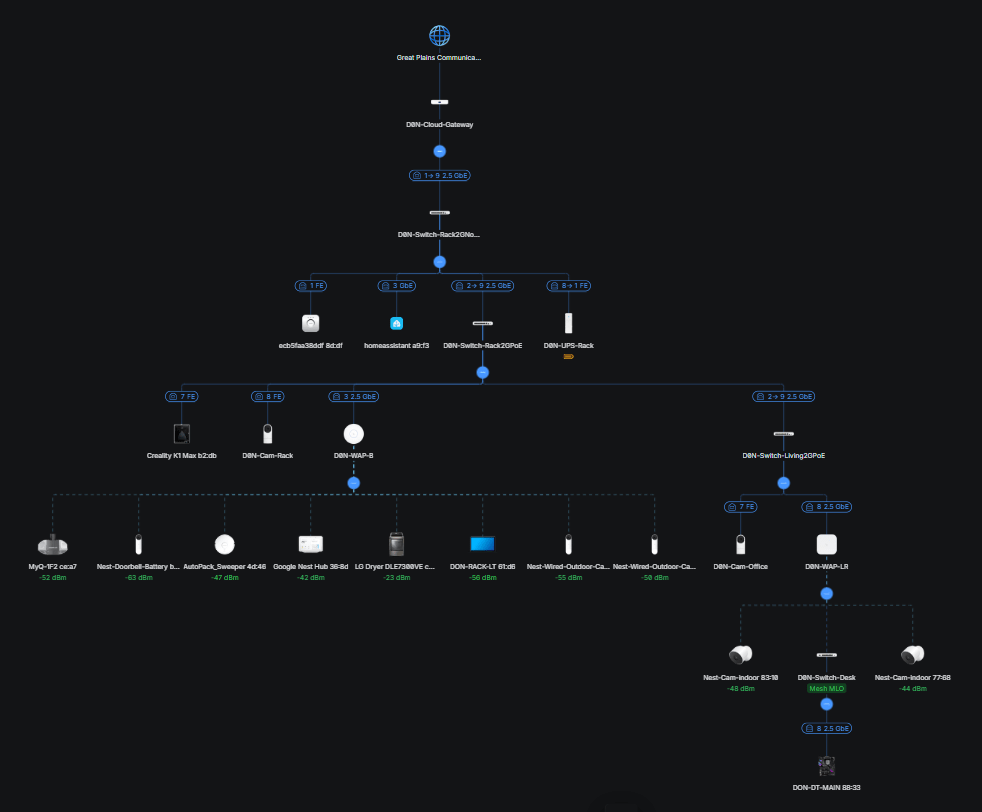
One thing I’ve learned throughout this project is that the biggest improvements rarely come from buying the newest hardware. More often, they come from refining what you already have.
Moving an access point a few feet, relocating a Zigbee coordinator, separating power protection, or spending an evening tuning Wi-Fi settings can often produce bigger real-world improvements than replacing perfectly good equipment.
That’s what has made this round of upgrades so satisfying. The network is faster, the wireless coverage is more consistent, the smart home is more reliable, and the entire infrastructure is better prepared for whatever project comes next.
As always, the lab continues to evolve—and that’s half the fun.
Categories: Networks


