


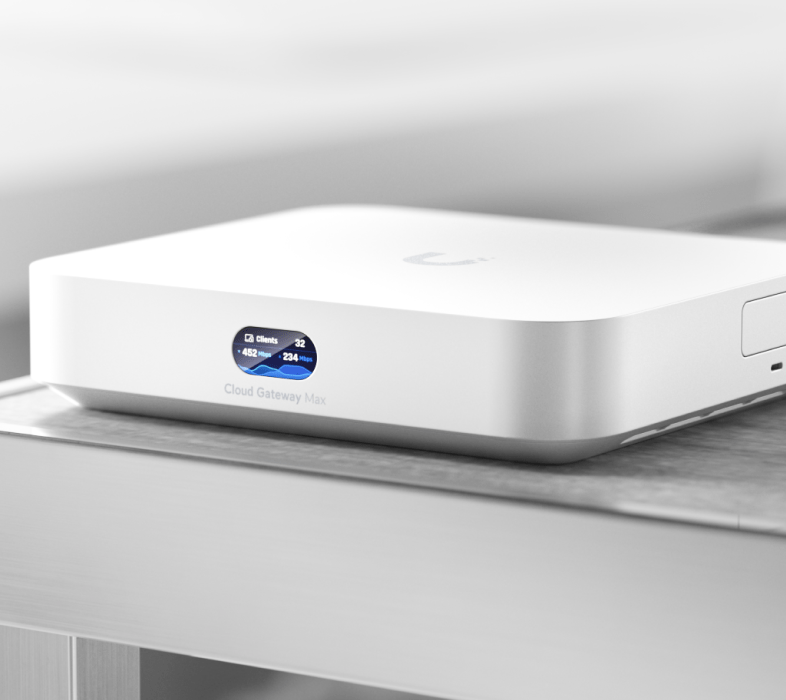
I recently moved my entire home network into a new setup and decided to standardize everything around the UniFi ecosystem. At the center of that rebuild is the UniFi Cloud Gateway Max (UCG-Max) from Ubiquiti—and it’s completely changed how my network is structured compared to my previous setup built around a CloudKey+.
This post breaks down what the Cloud Gateway Max is, what it actually does in a real home environment, how it compares to the CloudKey+, and how it fits into my new full-stack network build.
What the UniFi Cloud Gateway Max actually is
The Cloud Gateway Max is essentially a next-generation UniFi gateway + controller in one device.
Unlike older UniFi deployments where you had separate components (gateway/router + CloudKey/controller + sometimes NVR), the UCG-Max consolidates several roles:
- Network gateway (router/firewall)
- UniFi Network controller (management brain)
- Application host for UniFi services (Protect, Network, etc.)
- Optional storage expansion via SSD (for Protect/NVR workloads)
In simple terms: it’s the device that sits at the center of your network and runs everything UniFi.
Design, build quality, and ports
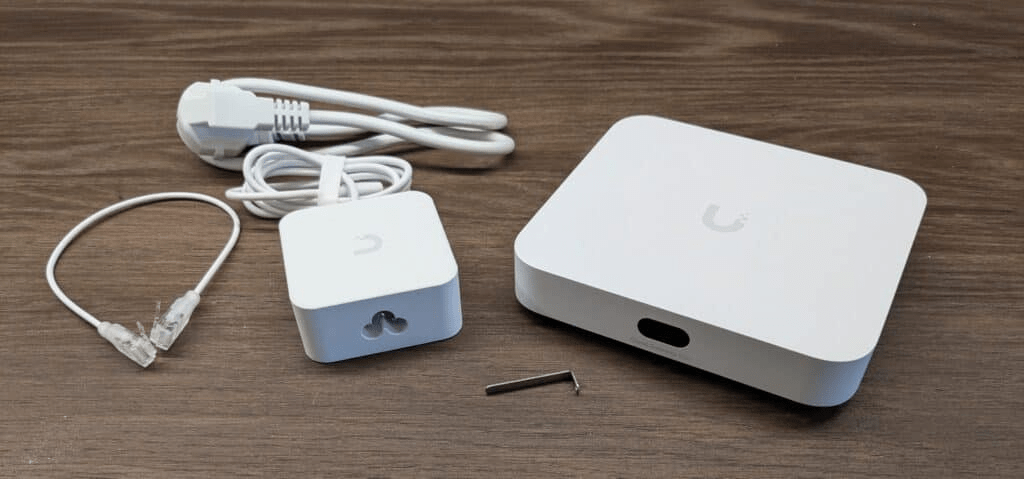
One of the first things you notice about the Cloud Gateway Max is that it feels like a purpose-built network appliance, not a repurposed mini PC.
Physical design
The UCG-Max is compact and minimal—very consistent with modern UniFi hardware design language:
- Small desktop footprint
- Clean, matte finish enclosure
- Front-facing status indicators (simple LED-style feedback)
- Designed to sit on a shelf or network rack surface rather than be hidden away
It has that typical UniFi “silent appliance” aesthetic—no unnecessary visuals, just status and function.
Internally, it is actively cooled, but in normal home use it stays quiet enough that it blends into an office or media closet setup without drawing attention.
Port layout and connectivity
Where the device really stands out is in how it’s built for multi-gig home networks.
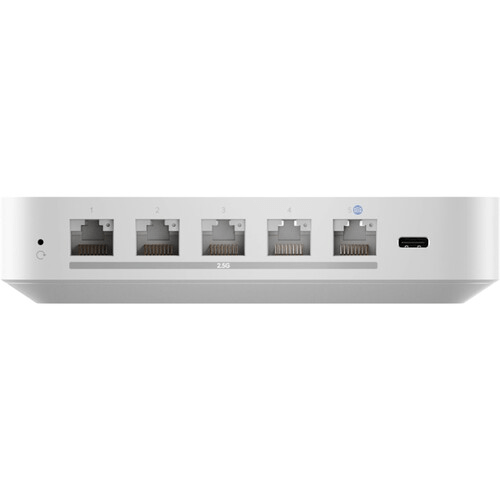
On the back, you get a clean row of multi-gig Ethernet ports designed to replace a traditional router entirely:
- Multiple 2.5 GbE RJ45 ports for WAN and LAN flexibility
- Dedicated WAN/LAN assignment depending on configuration
- High-speed internal switching capability for local traffic
- Full support for VLAN trunking into UniFi switches and APs
This matters a lot in a modern setup like mine, where I’m pushing:
- 2G fiber internet
- Multiple wired endpoints
- High-throughput Wi-Fi 6/7 access points
- VLAN-separated IoT and lab networks
Instead of relying on an external router plus controller, everything is directly anchored through these ports.
Storage expansion (SSD support)
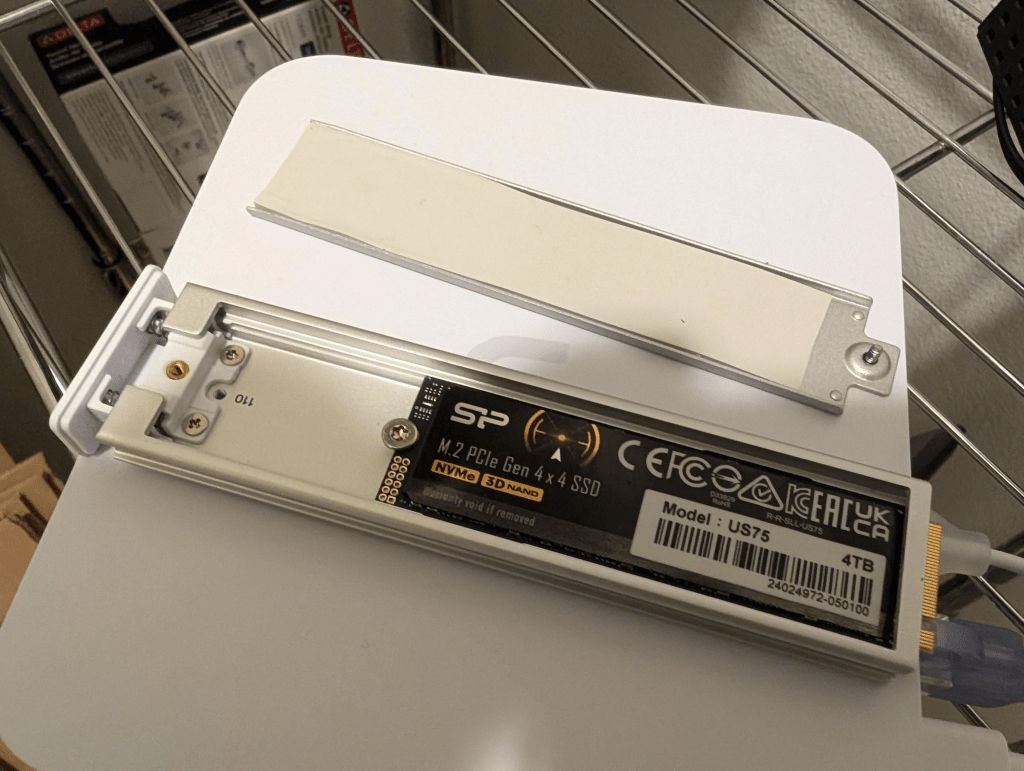
On the underside/internal expansion side, the Cloud Gateway Max also includes support for an NVMe SSD via tray/slot expansion.
This is specifically intended for:
- UniFi Protect video storage (NVR use case)
- Local recording from UniFi cameras
- Future expansion into full surveillance storage without a separate UNVR
I’ve already ordered the SSD tray, but I’m still waiting on the SSD to arrive. Once that’s installed, I’ll be testing it as a lightweight NVR layer in my environment.
Right now, it’s running purely as a gateway/controller—but it’s clearly designed to scale into more of an all-in-one UniFi hub over time.
What it does in a real-world home setup
In my apartment setup (about 1600 sq ft, 2G fiber), the UCG-Max is handling:
- Routing full multi-gig internet traffic
- VLAN segmentation for IoT, trusted devices, and lab traffic
- Firewall policies and traffic inspection
- UniFi device management (APs, switches, etc.)
- Network telemetry and monitoring
What stands out immediately is how unified everything feels. Instead of logging into multiple devices or juggling a controller running elsewhere, everything is centralized in one appliance that also happens to be your gateway.
That matters more than it sounds like it would—especially in a build where I’m mixing:
- UniFi E7 access point
- UniFi U7 access point
- UniFi switches (including PoE and aggregation layers)
- A dedicated Home Assistant server
- Multiple wired workstations and media devices
The Cloud Gateway Max becomes the “source of truth” for the entire network.
Comparison: Cloud Gateway Max vs CloudKey+
Before this, I was running a CloudKey+, which served as my UniFi controller.
CloudKey+ (old setup)
The CloudKey+ is primarily:
- A management controller
- Optional UniFi Protect NVR
- Lightweight always-on management device
But it does not:
- Route traffic
- Act as your firewall
- Serve as your network gateway
- Handle advanced network services natively
It depends entirely on having a separate router/gateway upstream.
Cloud Gateway Max (new setup)
The UCG-Max replaces multiple pieces of the old architecture:
- Gateway/router (previously separate device)
- Controller (CloudKey role)
- Optional NVR storage layer (via SSD)
This shift matters because it removes a layer of abstraction. Instead of:
ISP modem → router → CloudKey → switches/APs
I now run:
ISP ONT → Cloud Gateway Max → switches/APs → clients
Fewer hops. Less complexity. Better visibility.
Performance and usability impressions
So far, the Cloud Gateway Max has been extremely stable under load.
What I’ve noticed in day-to-day use:
- Multi-gig routing is smooth with no noticeable bottleneck at my usage level
- VLAN segmentation is easier to manage than my previous setup
- Device visibility is significantly improved in the UniFi dashboard
- Network topology maps are more accurate and responsive
It also handles my “messy” lab-style setup without complaint—lots of IoT devices, cameras, and test VLANs running at once.
How it fits into my new full network build
My current network design at the new place is built around separation and clarity:
Core network stack
- UniFi Cloud Gateway Max (gateway + controller)
- UniFi E7 access point (primary high-performance AP, running 5/6G network)
- UniFi U7 access point (running 2.4G network)
- UniFi switching layer (PoE + distribution)
- Home Assistant server running on a small form factor PC
- HUE hub
- UPS
Network design goals
- Separate IoT traffic from trusted devices
- Keep Home Assistant isolated but reachable via rules
- Optimize wireless performance across two AP generations
- Maintain 2G fiber throughput where possible
- Build a scalable foundation for future devices (cameras, sensors, automation)
The Cloud Gateway Max is what makes this topology feel “clean.” It acts as the enforcement point for all segmentation rules and keeps everything consistent.
SSD tray expansion (and waiting on storage)
One of the more interesting features of the Cloud Gateway Max is its SSD expansion support for storage-based services like UniFi Protect.
I’ve already ordered the SSD tray, but I’m currently waiting on the SSD itself to arrive. The first one must have never come, or I threw it away accidentally while cleaning the mountain of empty boxes.
Once installed, my plan is to:
- Use it for UniFi Protect camera storage (future expansion)
- Test local NVR performance
- Potentially integrate it into my broader home monitoring setup
Right now, it’s running without storage expansion, but that’s a temporary limitation. The hardware is clearly designed to scale into a more complete “all-in-one UniFi hub” once storage is added.
Where it fits in the broader ecosystem
What makes the Cloud Gateway Max interesting isn’t just the hardware—it’s how it integrates into the broader UniFi ecosystem:
- Seamless adoption of UniFi APs and switches
- Centralized configuration across all devices
- Real-time network insights without third-party tools
- Tight integration with VLANs, Wi-Fi tuning, and traffic analysis
In my setup, it effectively becomes the control plane for everything on the network.
Even my Home Assistant environment benefits from this—especially when I’m segmenting IoT devices and controlling what can talk to what.
Final thoughts
The UniFi Cloud Gateway Max is not just an upgrade from the CloudKey+—it’s a fundamental architecture change.
The biggest difference isn’t performance alone; it’s consolidation. Instead of managing separate roles across multiple devices, everything now lives in one unified gateway.
For my new apartment network build, it’s become the anchor point that ties everything together:
- Routing
- Security
- Device management
- Future storage expansion
- Network visibility
Once the SSD arrives and gets installed, it will move from being just a gateway/controller hybrid to something closer to a full UniFi “network brain + storage hub.”
For anyone building a modern UniFi stack—especially in a multi-gig environment—the Cloud Gateway Max makes a lot of sense as the central piece.
And in my case, it’s the device that finally made the whole network feel intentionally designed instead of pieced together over time.
Categories: Reviews


