


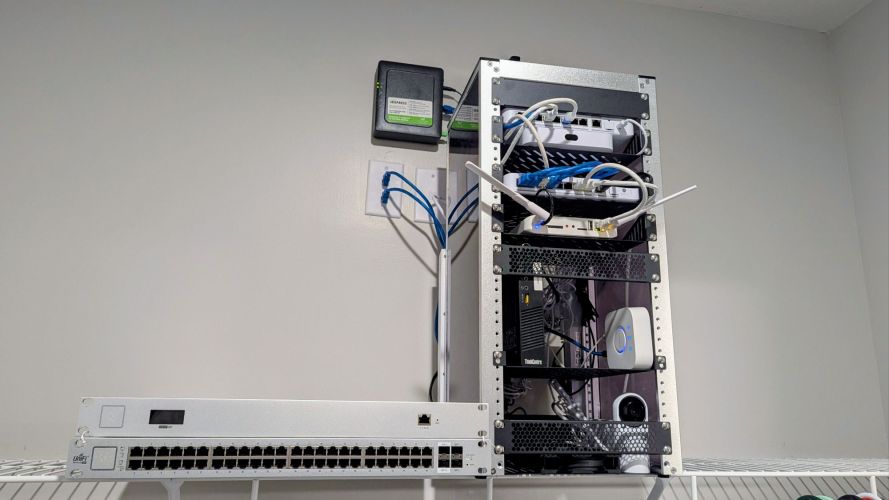
For many homelab builders and networking enthusiasts, finding a rack that balances size, aesthetics, and functionality can be surprisingly difficult. Full-size server racks are often overkill for home environments, while wall-mounted cabinets can be limiting when it comes to flexibility and future expansion.
The DeskPi RackMate T2, purchased via Amazon for $149, aims to bridge that gap by offering a compact freestanding enclosure designed for networking gear, mini PCs, switches, patch panels, and other homelab equipment. After spending time assembling and populating the rack, it has proven to be a practical solution for anyone looking to organize a growing home network without dedicating an entire room to IT equipment.
What Is the DeskPi RackMate T2 Rack?
The DeskPi RackMate T2 is a compact open-frame network rack designed to accommodate standard 19-inch rack-mounted equipment. Its footprint is significantly smaller than traditional floor-standing server racks, making it well-suited for home offices, utility rooms, closets, and apartment homelabs where space is at a premium.
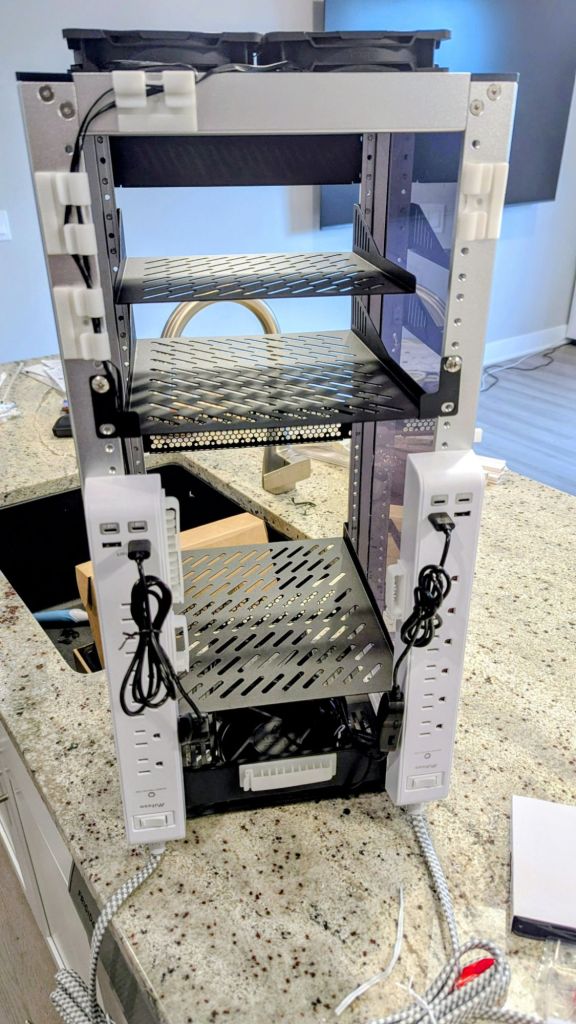
The rack includes transparent side panels, adjustable mounting rails, and a modular design that allows users to customize the interior with shelves, switches, patch panels, mini PCs, NAS devices, and other equipment.
What immediately stands out is that it looks more like modern furniture than enterprise infrastructure. That’s an important consideration when your networking equipment shares space with your office or living area.
Assembly and First Impressions
The rack arrives as a flat-packed kit requiring full assembly. Most experienced DIY builders won’t find the process particularly difficult, but it does require patience.
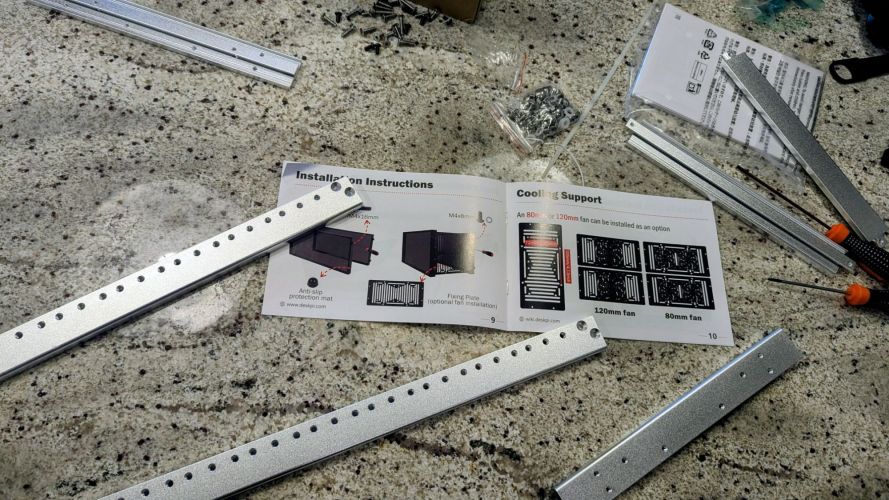
The biggest challenge isn’t the hardware itself—it’s the documentation. The included instructions rely heavily on diagrams, and some illustrations make it difficult to determine part orientation and mounting locations. The images that show how the frame’s holes line up are visualized using their ‘black’ model, so it is practically impossible to see. Expect to spend some time double-checking placement before tightening everything down.
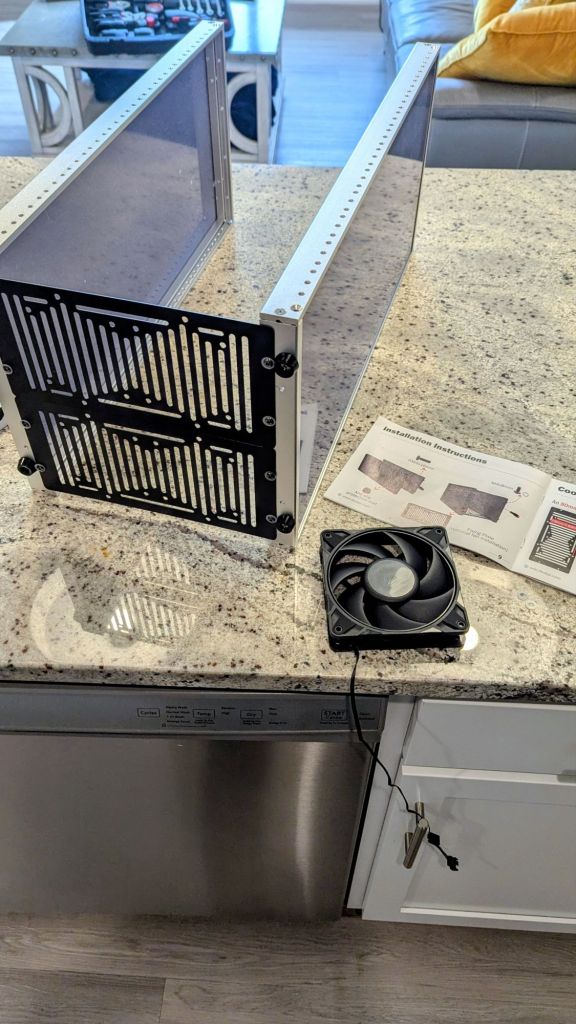
A dry-fit approach works well here. Loosely assembling major sections before final tightening can save considerable frustration later. Also, don’t be like me and install everything without removing the protective film on the side panels; it was a pain to do once fully assembled!
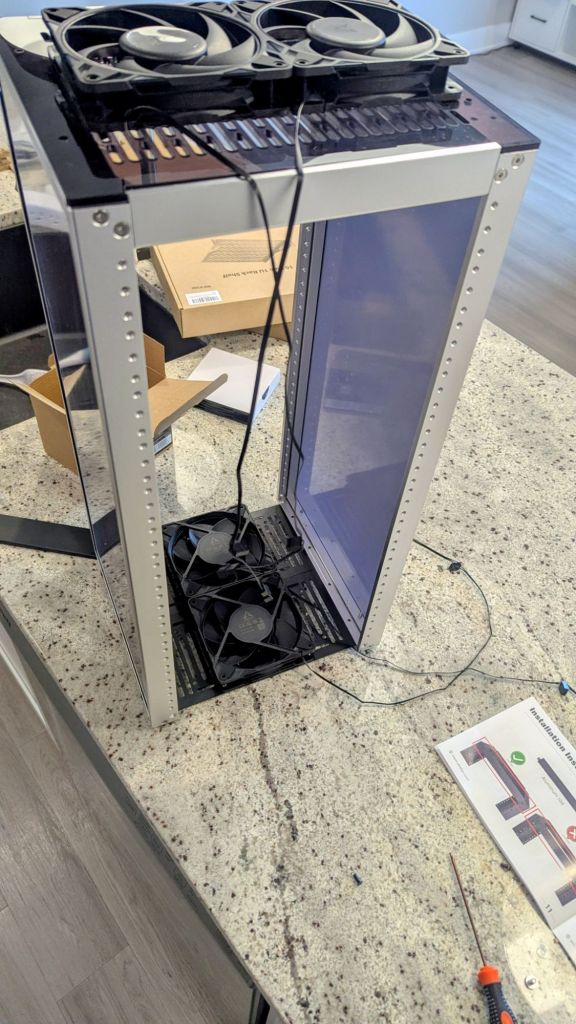
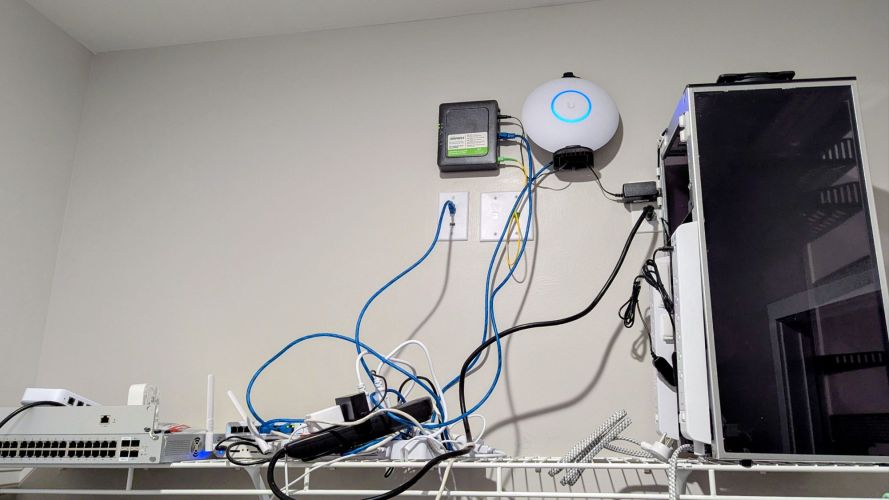
Once completed, however, the rack feels far more substantial than its compact size suggests. The frame is rigid, shelves feel secure, and the overall construction inspires confidence even when loaded with networking equipment.
Design and Build Quality
One of the strongest aspects of the DeskPi RackMate T2 rack is its appearance.
Many compact racks look industrial or unfinished. The DeskPi RackMate T2 strikes a nice balance between utility and presentation. The clear side panels provide visibility into the equipment while helping contain cables and improving the overall aesthetic.
From a distance, it resembles a purpose-built networking cabinet rather than a collection of shelves holding random hardware.
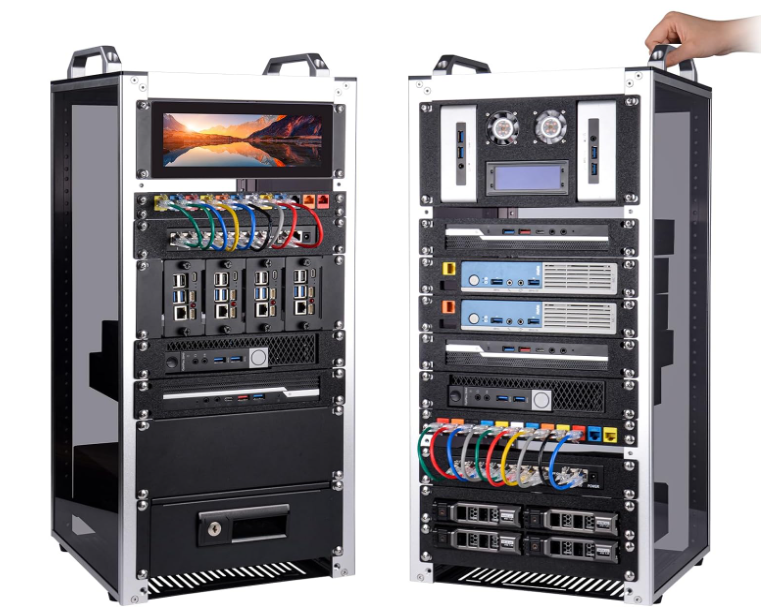
The compact dimensions also make it practical for environments where a traditional rack would be visually overwhelming.
Pros
- Attractive design suitable for home environments
- Compact footprint
- Sturdy frame once assembled
- Supports standard 19-inch equipment
- Good visibility through side panels
- Easy access to equipment
Cons
- Assembly instructions could be significantly improved
- Initial setup takes time
- Some accessories may need to be purchased separately
- Cable management requires planning in a compact enclosure
Cooling and Airflow
Thermal management is often overlooked in smaller racks, but it becomes increasingly important as equipment density increases.
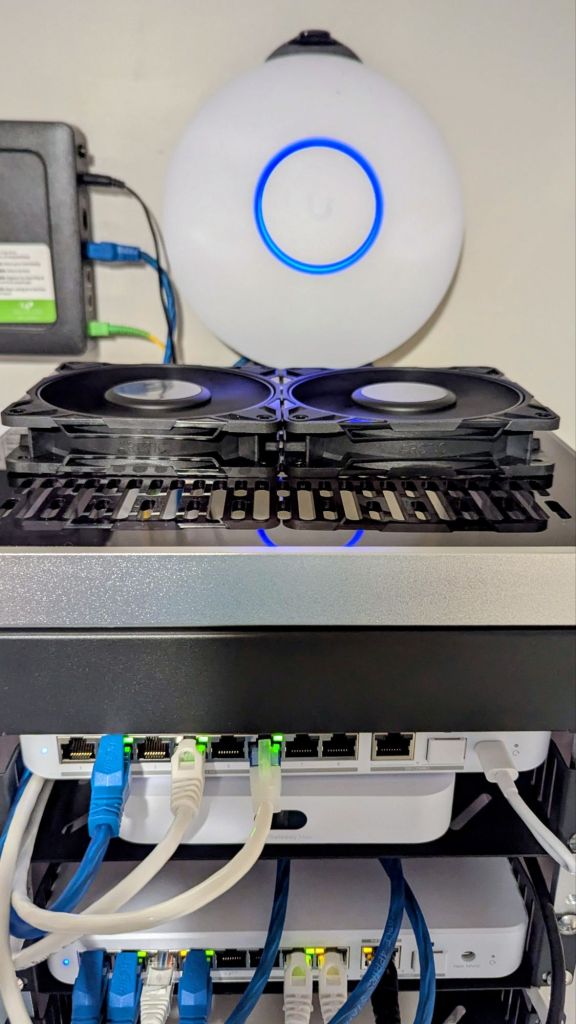
For this build, four 120mm ARCTIC fans were installed to create a vertical airflow pattern. Two fans were positioned near the bottom as intake, while two fans were mounted at the top as exhaust.
The result is a consistent bottom-to-top airflow path that helps remove heat from switches, routers, mini PCs, and other active equipment.
The fan configuration offers several benefits:
- Improved cooling efficiency
- Reduced heat buildup around networking gear
- Lower operating temperatures for densely packed equipment
- Quiet operation suitable for home use
Because the rack is relatively open, airflow remains unrestricted as long as equipment placement is planned carefully.
The ability to customize cooling is a major advantage over many enclosed budget cabinets that often struggle with heat management.
Power Management Upgrades
One of the most worthwhile upgrades is the addition of rack-mounted or vertically mounted power strips.
In this setup, dual surge-protected power strips were installed along the sides of the rack. The units include traditional AC outlets alongside USB-A and USB-C charging ports.
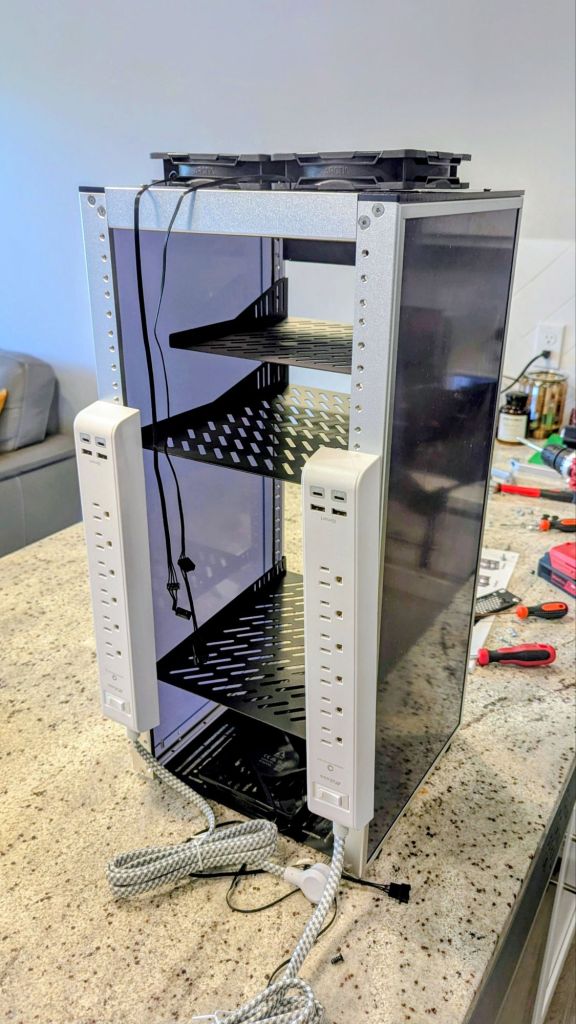
Benefits include:
- Cleaner cable routing
- Simplified power distribution
- Reduced reliance on extension cords
- Convenient charging ports for accessories and test devices
For homelab environments, power organization quickly becomes as important as network organization.
Shelving and Equipment Placement
The rack’s flexibility becomes apparent once equipment starts moving in.
Additional shelves allow users to mount devices that aren’t rack compatible, including:
- Mini PCs
- NAS units
- Modems
- Home automation hubs
- UPS systems
- External storage devices
The open design encourages experimentation. Equipment can be rearranged easily as network requirements evolve.
This is particularly valuable for homelab users who frequently upgrade hardware or test new configurations.
Ideal Use Cases
The DeskPi RackMate T2 is especially well-suited for:
Home Labs
A perfect size for routers, switches, mini PCs, patch panels, and storage devices.
Small Business Networks
Provides a professional-looking networking solution without the size and cost of a full server cabinet.
Media and Smart Home Installations
Excellent for housing home automation controllers, media servers, surveillance equipment, and networking hardware in one centralized location.
Learning Environments
Students and IT professionals building certification labs will appreciate the compact footprint and easy equipment access.
Things I’d Like to See Improved
While the rack performs well overall, there are a few areas where future revisions could improve the experience.
Better Documentation
This is by far the biggest opportunity for improvement. Larger diagrams, clearer part labeling, and step-by-step photographs would dramatically reduce assembly time.
Integrated Cable Management
Built-in cable routing channels or additional tie-down points would help users create cleaner installations.
I ended up adding on some third-party cable straps and such, and would thoroughly recommend it.
Included Fan Mounting Options
Since cooling is a major consideration for networking equipment, dedicated fan brackets or mounting accessories would be a welcome addition.
Final Verdict
The DeskPi RackMate T2 fills an important niche between oversized enterprise racks and makeshift shelving solutions.
Its compact size, attractive appearance, and surprisingly sturdy construction make it an excellent choice for homelab builders, networking enthusiasts, and small office deployments. While the assembly process can be more challenging than it needs to be due to the documentation, the finished result feels polished and professional.
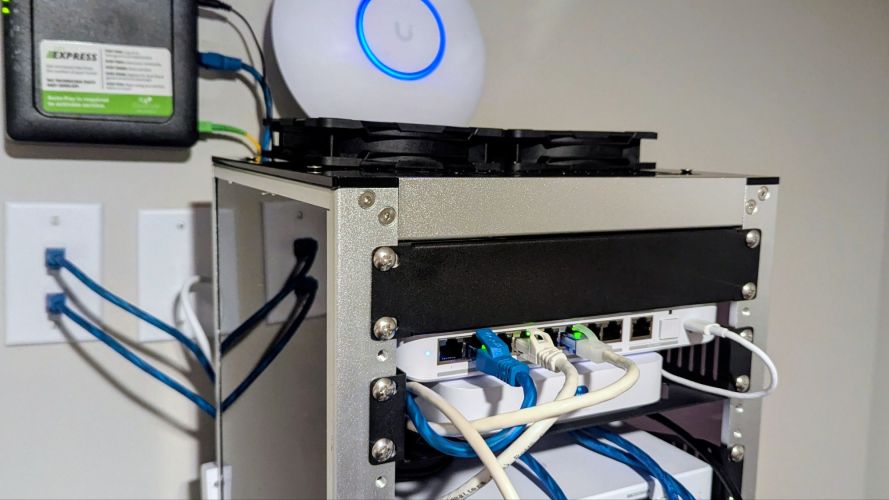
After adding a few accessories such as shelves, cooling fans, and organized power distribution, the rack transforms into a highly capable networking hub that can grow alongside your infrastructure.
Rating: 4.5/5
For homelab users who want something more refined than a wire shelf but don’t have room for a full-height rack, the DeskPi RackMate T2 hits a sweet spot that few products in its price range currently match.
Reach out to me with any questions you have!
Categories: Reviews


