


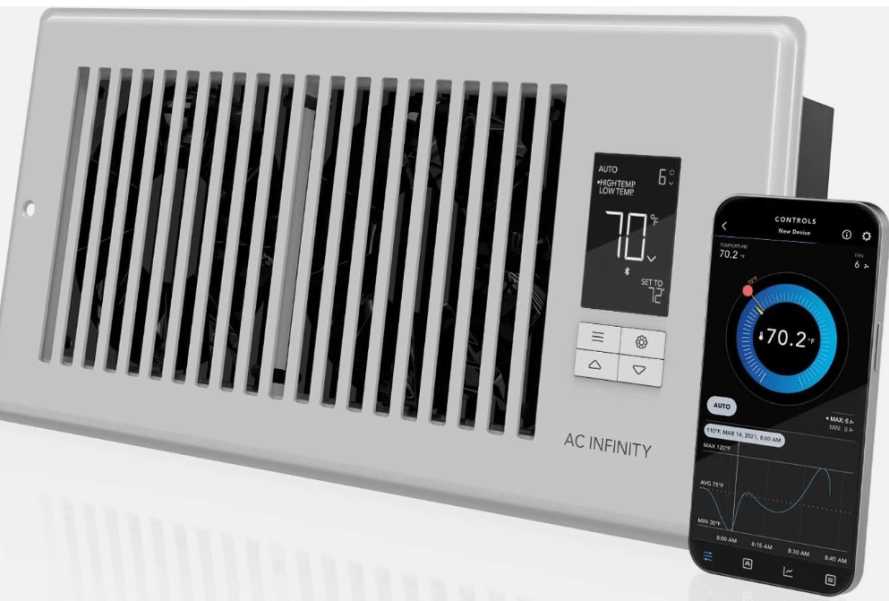
Due to having an open floor plan, the top floor of my home gets cooked in the spring and summer due to heat rising up there from the 2 floors below. Furthermore, the current HVAC system seems to push all of the AC to the basement and middle floors, leaving the top floor to only get a fraction of the airflow. So, naturally, I decided to throw some technology at the situation until I can get the HVAC ducting routed a bit better. Enter the AC Infinity AIRTAP T4, paired with their Controller 63.
AC Infinity AIRTAP T4
What It Is
The AC Infinity AIRTAP T4 is a smart register booster fan designed to improve the airflow coming out of your HVAC (heating, ventilation, air conditioning) registers — especially in rooms that feel stuffy or don’t get good airflow from vents. It fits 4″ x 12″ registers and installs directly into the opening, pulling more conditioned air into the space.
There are similar AIRTAP T4 models in white or bronze finishes and slightly different notch sizes (e.g., 4″×10″) — the main idea is the same: boost airflow where your HVAC system is weak.
What It Does
✔ Boosts Airflow
Where registers normally struggle to push enough warm or cool air into a room (e.g., bedrooms, basements, corners), this booster fan adds active airflow so temperatures even out faster and comfort improves.
✔ Smart Controller with Thermostat
The included controller has a built-in thermostat and offers:
- 10 speed levels
- Heating & cooling triggers (fan can kick on automatically based on temperature)
- Timer and cycle programming
- On-board LCD controls
These features help automate the fan rather than just running it at full blast all the time.
✔ Bluetooth App Connectivity
You can connect the unit to the AC Infinity app via Bluetooth to unlock advanced controls — set custom programs, view climate data and historical charts, export CSVs, and get alerts or notifications.
How It Performs
➤ Airflow & Noise
The dual 92 mm fans produce around 120–130 CFM of airflow, which is solid for a register booster, and it’s very quiet — around 17–18 dBA, thanks to efficient PWM motor control.
Many users note that it noticeably improves airflow with minimal noise and feels like a meaningful boost versus just relying on the HVAC’s own output.
Ease of Installation
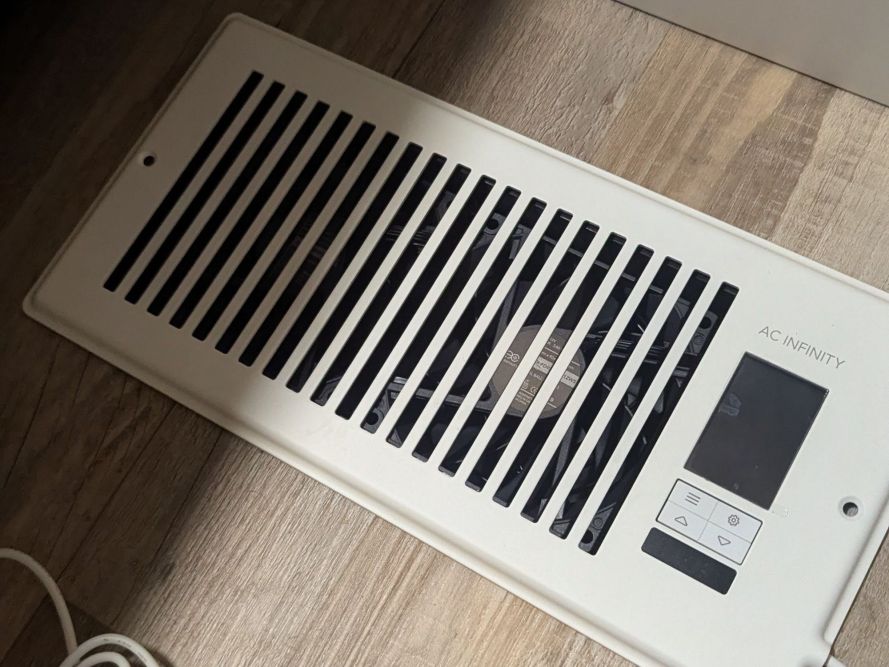
Installation is generally straightforward — you mount the booster in the register slot and plug it into a standard wall outlet. It can go horizontal or vertical depending on your register orientation.
Some reviewers have found the thermostat sensing clever — the unit can run only when it detects appropriate warm or cool air, so it doesn’t spin all day unnecessarily.
User Caveats
- A few users online have reported occasional quirks with the thermostat or controls — like the fan running unexpectedly or not triggering as expected.
- Compared to basic register boosters, this unit is relatively pricier, though the smart features help justify the cost for many.
Home Assistant Compatibility
Out of the box, the AIRTAP T4 does not natively integrate with Home Assistant or other smart home hubs (no official Wi-Fi or cloud API). It uses Bluetooth primarily for its app and settings — and that isn’t directly supported by Home Assistant on its own.
However, community solutions exist:
- Some Home Assistant users have successfully made it work via Bluetooth Low Energy (BLE) proxy devices (like an ESP32 with custom firmware) and third-party Home Assistant components. This allows Home Assistant to see and control the fan attributes such as speed or on/off.
So:
✔ Possible with hacks/custom integrations
✘ *Not directly supported officially
If Home Assistant integration is critical to you, plan for a Bluetooth-BLE workaround.
There are also third-party integrations available on GitHub, such as https://github.com/dalinicus/homeassistant-acinfinity. I will try this out this weekend most likely.
Strengths & Advantages
Effective Airflow Boost
Really improves airflow and comfort in weak-vent rooms without duct modifications.
Quiet & Efficient
Low noise levels even at higher speeds; good for bedrooms/offices.
Smart Controls
Thermostat triggers, timers, and programmable speeds make it more useful than simple inline fans.
Bluetooth App Features
Remote setting adjustment, data logging, alerts — useful for tuning and diagnostics.
Sleek & Built-in Appearance
CNC aluminum faceplate blends nicely with registers.
Weaknesses & Tradeoffs
No Native Smart Home Integration
No direct Home Assistant or other hub support without custom tinkering.
Some UI/Control Quirks Reported
A handful of users note odd thermostat triggering behaviors.
Fit Specificity
Make sure you measure your register opening (4″×12″ in this model) — it only fits that size.
Who Is It Best For
✔ Homeowners struggling with poor airflow in specific rooms
✔ People who want more automation than a basic booster fan
✔ Those who don’t mind using an app for advanced control
✔ DIY smart home enthusiasts willing to use BLE workarounds
Who Might Want Something Else
❌ You need plug-and-play Home Assistant compatibility
❌ You want support for multiple automation platforms natively
❌ You’re on a tight budget and don’t need smart features
AC Infinity Controller (63)
What the AC Infinity Controller (63) Is
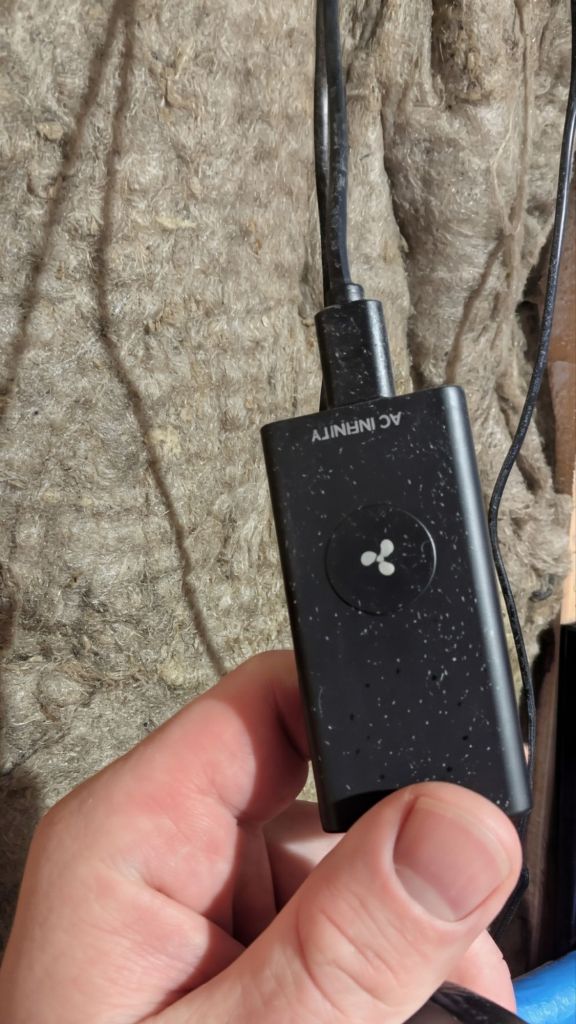
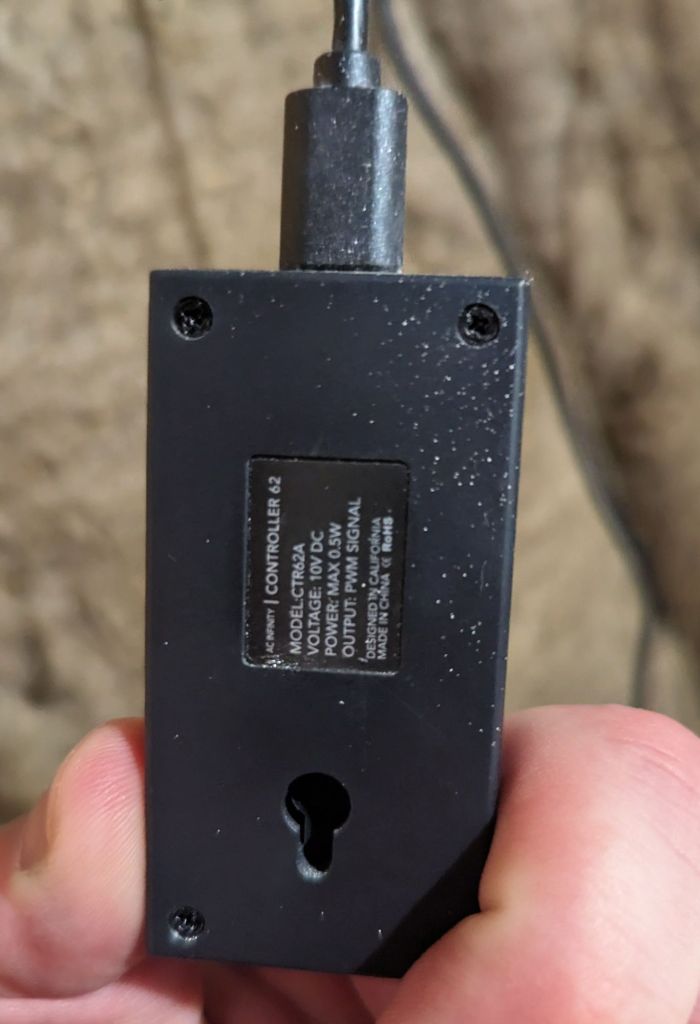
The AC Infinity Controller 63 is a wireless fan speed controller designed to work with AC Infinity fans that use a UIS or Molex connector (EC-motor fans like Cloudline, Airlift, etc.).
- It’s basically a remote control + receiver that lets you choose from up to 10 fan speeds.
- Pair the remote with the receiver, and it will adjust speed via PWM (pulse-width modulation), which helps tune airflow and noise.
- Setup is simple: slide matching pins to pair and then use the remote to pick speeds.
What it does
- Wireless fan speed adjustment (up to ~65 ft range with 2.4 GHz).
- Retains speed setting when powered off.
- Works with compatible EC fans using the supplied receiver and adapter.
What it is not
- It’s not a climate controller with temperature/humidity logic.
- It does not automatically respond to temp/humidity triggers or integrate with an app — it’s just speed control.
How It Works With Your AIRTAP T4
The AC Infinity AIRTAP T4 already has its own built-in smart controller with temperature triggers, timers, cycles, and Bluetooth connectivity for use with the AC Infinity app.
So, what happens when you pair it with Controller 63?
- The Controller 63 can adjust fan speed if the hardware fan inside the AIRTAP uses a compatible EC motor and connector — similar to how it works for Cloudline fans.
- However, the onboard controller inside the AIRTAP will still manage automatic functions (e.g., “on when temp < X”) through Bluetooth/app and its own logic.
Important Notes
- Many AC Infinity controllers (especially older/wireless ones like 63) are very basic and don’t communicate with the device app or automatically sync AIRTAP smart features. The AIRTAP’s intelligent programming stays separate.
- If you’re just trying to set a baseline speed or override the fan manually, the Controller 63 works fine. But you’ll often be managing two separate systems (the AIRTAP logic and the Controller 63’s speed dial).
Strengths & Weaknesses
Strengths
- Simple and cheap way to add adjustable speed control to fan hardware like AIRTAP’s internal fan.
- Wireless remote — no direct wiring hassles.
- Works with a variety of EC fans from AC Infinity (e.g., Cloudline/Airlift).
- Retains last speed on power cycles.
Weaknesses
- Not a smart climate controller — no environmental triggers (temp/humidity/VPD) or schedules.
- No native app or remote data logging — contrast with AIRTAP’s Bluetooth controls.
- Limited automation — only speed control, no external logic or scheduling.
- Not part of modern UIS ecosystem (69/AI+ controllers expand much more).
Automation & Smart Home Integration
Home Assistant / Smart Home?
- Official Bluetooth/App/Cloud Control:
The Controller 63 does not have built-in Wi-Fi or cloud connectivity, so it cannot natively integrate with Home Assistant. - Community/Custom Efforts:
Some users make efforts to integrate AC Infinity fan devices into Home Assistant using custom BLE reverse integrations or ESPHome proxies — but these are typically for AIRTAP Bluetooth controls or UIS Wi-Fi controllers (like the 69 models), not the basic Controller 63. - Practical Reality:
Without modifying the hardware (e.g., using an ESP32 hack on the AIRTAP itself), the Controller 63 will remain outside most smart home automation platforms.
Summary
| Feature | AC Infinity Controller 63 |
|---|---|
| Fan speed control | ✅ |
| Temperature/humidity automation | ❌ |
| Bluetooth/app control | ❌ |
| Home Assistant / Wi-Fi | ❌ |
| Works w/ EC motors (EC fans) | ✅ |
| Screens/data logging | ❌ |
Bottom line: The Controller 63 is a straightforward manual wireless fan speed controller — useful for basic speed adjustment but not a replacement for smart environmental automation. If your goal is advanced automation (e.g., temp/humidity triggers or Home Assistant integration), you’d typically look to smarter controllers like those in the 69 or AI+ series or consider custom firmware/hardware mods for the AIRTAP or controller itself.
Closing thoughts
Overall, I am quite satisfied with the products, helping to push air into where I need it the most. Currently, I have it installed in the spare room on the top floor and will be adding at least 2 more for the other rooms up there. The Controller 63 is installed in my utility room, which houses my HVAC system, water softer, water heater, and my main rack (firewall, 48-port switch, etc.) I am excited to see if I can get this system paired with my HomeAssistant server, as I can get it automated based on my already installed temperature sensors, especially if the built-in system doesn’t work well. This weekend, I will do some testing and update this post with my results. What a fun project so far!
Categories: Reviews


 Securing The Universe