


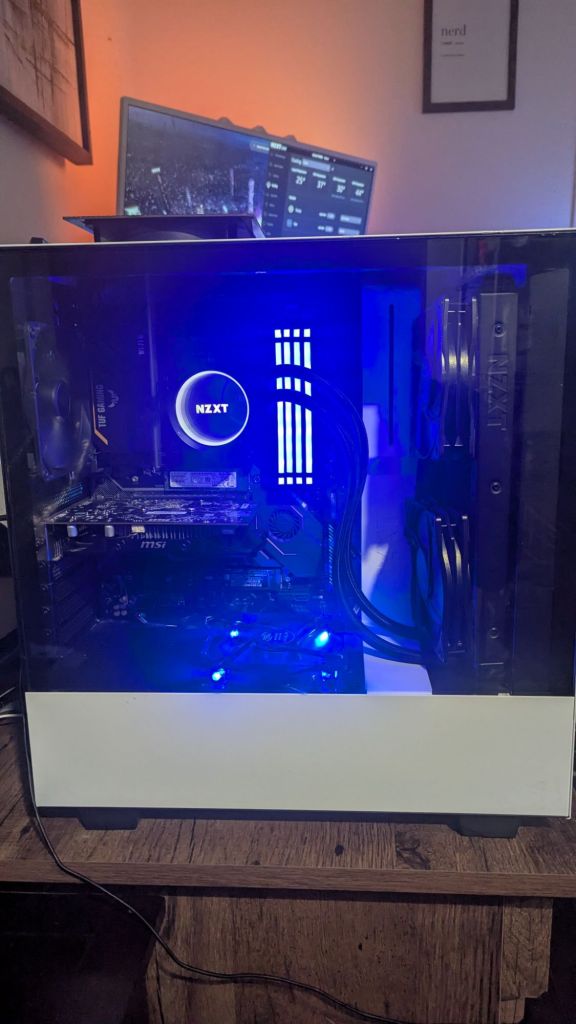
After upgrading my main PC, I have some leftover parts that I want to use to build another. At the moment, this new PC will probably serve as a NAS of sorts until my son is ready to game on it, so I will focus on both functions as I progress with this build.
Here is my current part list:
Case: Older NZXT White Case (will mod)
Graphics Card: Very old R7 250 at the moment due to my 3090 dying. Will replace with a 5070 or something similar.
Power Supply: EVGA 850W
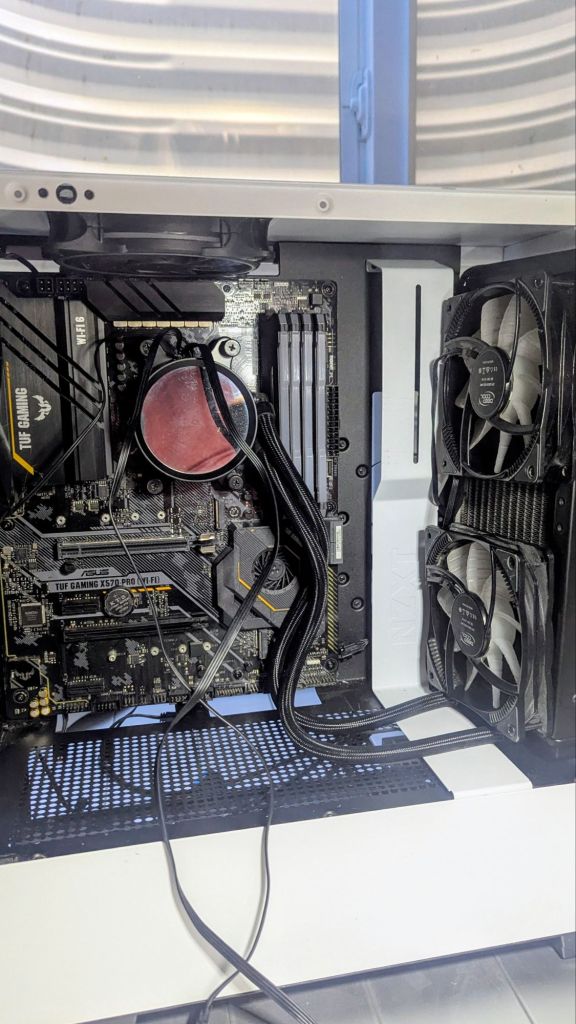
Motherboard: TUF Gaming X570-Pro (Wi-Fi 6)
CPU: AMD Ryzen 7 5800X
Cooling: NZXT Kraken X63 AIO 280mm (Push/Pull Fans)
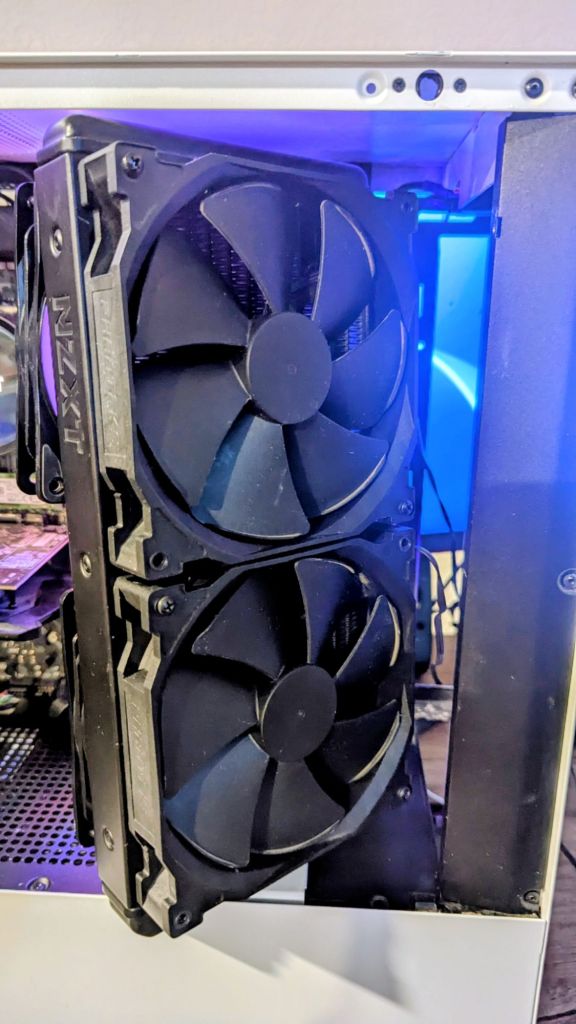
Fans: 2 DeepCool RF120 RGB (exhaust setup on radiator), 2 140mm NZXT fans (intake setup on radiator) 2 120mm NZXT fans (rear and top exhaust), 1 120mm as intake on bottom of case)
Memory: 32GB Corsair Vengeance RGB Pro DDR4-3600
Storage: Samsung 980 NVME SSD (boot), Samsung 240g SSD, 5TB HDD
The Build
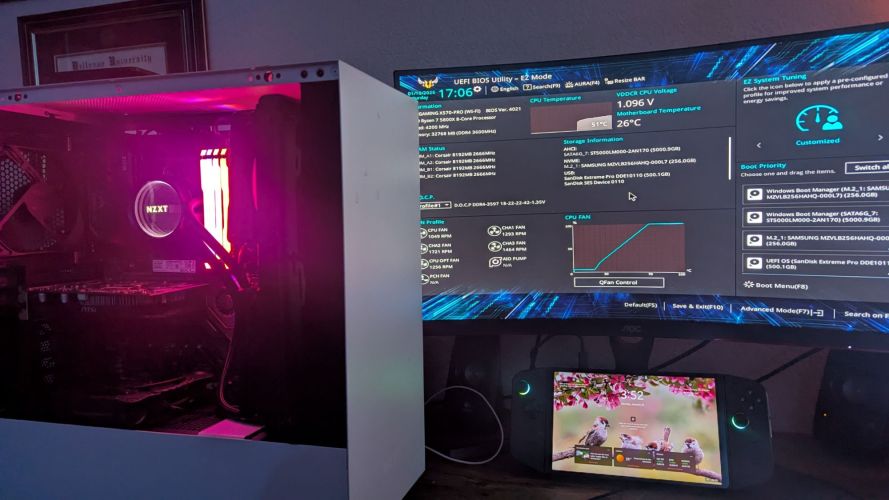
Finally found some free time this weekend and got this PC built. It was one of my easier projects, as the CPU, RAM, and AIO were already installed in the motherboard. Most of the time was spent trying to get my 280mm AIO to work in the smaller case and ended up having to just use it as an intake, even though that method is less than ideal. At the moment, the radiator is just resting up against the front of the case, but unless you really shake the case, this shouldn’t move much.
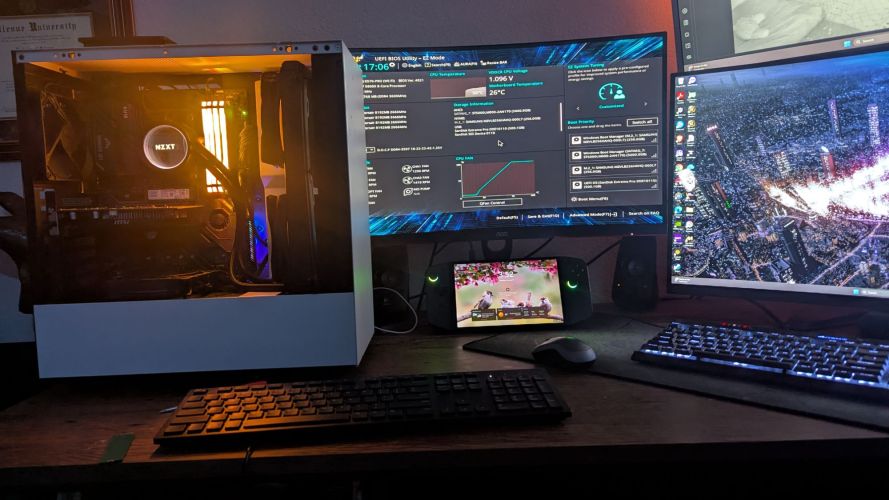
Once I got everything installed, I spent some time trying to get my old EVGA 3090FTW to work after it died in a previous build but was unable. Gladly, I had a very old GPU to use to just get video working as my CPU doesn’t have this capability. I will need to get another GPU for this build but will probably go with a 5070 or something as my son primarily plays Roblox and other non-demanding titles.
I am now working on the storage, having added a 1TB boot drive, 240G SSD (storage), and a 5TB HDD (storage). I also have a few more HDDs lying around at home, so will get those added, hoping to get around 10TB of total storage (at 6.5TB or so at the moment).
I shouldn’t need to upgrade much of anything else, besides the GPU, to allow this machine to run most titles, and there are only a few things left to do before I call this build complete.
Here is my to-do list:
Fix RBG: The 2 DeepCool fans I am using as exhaust on the radiator are RGB-enabled, but I couldn’t locate the proper cord to get it attatched to the motherboard, so at the moment, these fans are not lighting up. Not too big of a deal, but I am sure my son would love if this worked.
GPU: Replace current GPU with an RTX 5070 or something cheaper.
Case cooling mods: The older NZXT’s cooling is less than ideal, offering just small slots for intake air. I believe I will modify the case by drilling some holes in the front panel to allow for better airflow, and sealing the case a bit more, especially around the radiator at the front of the case.
Fans: While all possible fan locations are filled, the mix and match of brands and sizes leave me with some avenues of upgrades. First, the 2 120mm fans I have serving as exhaust on the radiator are obviously the wrong size, and not intended for static pressure. I would like to get 2 more 140mm fans (same brand/speed as the 2 140mm fans as intake), to increase surface coverage, look better, and provide the same airflow.
Next, I could upgrade the 3 other non-RBG fans (top and rear exhaust, bottom intake) to something a bit better in terms of fan speed and appearance.
Storage: Need to add some storage and get it accessible over the internet to local machines at my home.
Tips for building a FrankensteinPC
Building a PC from leftover parts can be very cost-effective, but it’s also where most compatibility and reliability issues show up. Here are practical, experience-based tips to help you avoid common pitfalls and get a stable build.
1. Inventory and Compatibility First (Before You Build)
Do this before putting anything in a case.
- List every part: CPU, motherboard, RAM (speed + DDR gen), GPU, PSU, storage, cooler, case.
- Check socket + chipset compatibility
- CPU ↔ motherboard socket
- CPU generation ↔ motherboard BIOS version
- Confirm RAM compatibility
- DDR3/4/5 must match the motherboard
- Mixed RAM sticks can work but often cause instability
- Check PSU connectors
- 8-pin CPU power (some older PSUs lack it)
- GPU power (6-pin vs 8-pin)
- Case clearance
- GPU length
- CPU cooler height
- PSU form factor
👉 Tip: If parts are from multiple eras, motherboard compatibility is the #1 failure point.
2. Assume Old Thermal Paste Is Bad
Any reused CPU or cooler should be treated as bare metal.
- Clean with isopropyl alcohol (90%+)
- Reapply fresh thermal paste
- Check cooler mounting hardware matches the socket
Old paste = bad temps = random shutdowns.
3. Don’t Trust Old Power Supplies Blindly
PSUs degrade over time, even if they “still work.”
- Avoid very old or no-name PSUs
- Check:
- Wattage headroom (especially with GPUs)
- Bulging capacitors (if visible)
- Fan noise or grinding
- If the build will be used by someone else → replace the PSU
A bad PSU can kill good parts.
4. Breadboard Before Final Assembly
This saves hours.
Test outside the case:
- Motherboard on box
- CPU + cooler
- One RAM stick
- GPU (if no iGPU)
- PSU
Power it on and confirm:
- POST
- BIOS access
- CPU and RAM detected
If it fails here, it would’ve failed in the case too—without scraped knuckles.
5. Expect BIOS Updates (Plan for Them)
Leftover parts often span generations.
- Older motherboard + newer CPU = possible no-POST
- Check:
- BIOS Flashback support (no CPU needed)
- Availability of a compatible “helper CPU”
If no flashback and no helper CPU → the build may be blocked.
6. Storage Gotchas
- Old drives may:
- Be slow
- Have failing sectors
- Contain legacy OS installs
- Always:
- Secure erase or fresh format
- Check SMART health
- Mixing SATA + NVMe is fine, but confirm the board doesn’t disable SATA ports when NVMe is used.
7. Cooling and Airflow Matter More in Frankenbuilds
Mixed parts often = mismatched thermals.
- Replace dried-out case fans
- Make sure airflow direction makes sense
- Watch VRM temps on older boards with newer CPUs
A “working” build that throttles is still a bad build.
8. Don’t Overclock at First
Stability first.
- Run stock settings
- Enable XMP only after confirming stability
- Stress test:
- CPU (Cinebench, Prime95 light)
- RAM (MemTest)
- GPU (Heaven, 3DMark)
Only tune once you know the baseline is solid.
9. Plan the Use Case Honestly
Ask yourself:
- Is this for a kid, media PC, server, or backup machine?
- Does it need:
- Windows 11 compatibility?
- Wi-Fi?
- Quiet operation?
This helps decide where it’s okay to compromise—and where it’s not.
10. Label and Document the Build
Future you will thank you.
- Write down:
- Exact parts used
- BIOS version
- PSU wattage
- Label cables if it’s messy
Frankenbuilds are hardest to troubleshoot later.
Summary
Overall, I am glad I got this PC put together, and while there are some things I would like to do, I am now thinking on whether to just throw the 3090 into it to sell the entire machine ‘as-is’ or if it is worth keeping for my son when he is older. Not sure when he will be ready to jump into PC gaming, and if by the time he is ready, if these parts will be outdated. For now, I will continue tinkering away, onto the next project!
Categories: Hardware


 Securing The Universe