


My son is a big McDonald’s fan, so every year we end up diving into their Monopoly promos. This time, luck was on our side—we won a Roku Indoor Camera SE. Since I still have a couple of Roku TVs floating around the house, I figured it might fill a niche in my smart-home setup. After spending some time testing it, mounting it, and trying (and mostly failing) to integrate it with my smart-home ecosystem, here are my impressions.
Build Quality and Design
One of the Roku Camera SE’s strongest points is its overall build quality. The frame feels solid and noticeably sturdy, and the unit has a reassuring weight that keeps it from feeling cheap or disposable.
What really impressed me, though, were the mounting options. Roku includes:
- A magnetic base (why don’t more brands do this?)
- Hardware for wall or ceiling mounting
- An adjustable stand with smooth articulation
The magnetic mount alone adds tremendous flexibility. Being able to stick the camera to metal surfaces without committing to screws or adhesive pads makes setup incredibly convenient—especially in areas like utility rooms, garages, or basements.

Sensors and Smart Features
Roku advertises several built-in sensors, including motion, sound, CO₂, and smoke detection. These features could make this small camera much more than a simple video device—if they’re available without a paywall.
Since mine came bundled with a trial of Roku’s Smart Home subscription, all features were unlocked at first. I strongly suspect some of these alerts may be subscription-gated once the trial expires. Because my smart-home ecosystem is already a patchwork of brands (UniFi Protect, Google Nest, etc.), I don’t plan on adding another paid service on top.
That said, the feature set made it an excellent candidate for monitoring my utility room, where my networking gear and HVAC systems live. I wanted:
- 24/7 video on the rack area
- Motion alerts to keep an eye on equipment access
- Sound alerts (HVAC cycles, UPS beeps, or odd noises)
- Smoke and CO₂ warnings
It’s a surprisingly capable camera for environmental monitoring.

Video and Night Vision Quality
I was pleasantly surprised by the image quality. The 1080p stream is crisp, with sharp detail rivaling some of my more expensive indoor cameras.
Night vision is where it really shines. Many cameras claim “enhanced night vision,” but the Roku SE delivers genuinely clear infrared footage. In my utility room—essentially pitch black unless I flip a switch—the night-vision image is bright, clean, and easy to decipher. For a budget-friendly camera, this is a standout feature.
Smart-Home Integration: Where Things Get Messy
Now for the downside: ecosystem integration.
I run Home Assistant as my smart-home backbone, tying together UniFi, Google Nest, smart switches, HVAC, sensors, and everything else. Naturally, I hoped I could drop this Roku camera into my Home Assistant instance and manage everything in one place.
Unfortunately, the Roku integration in Home Assistant only supports Roku TV devices, not Roku Smart Home cameras.
I did manage to:
- Display the Roku camera feed on my Roku TVs
- Configure alerts for motion, sound, CO₂, and smoke
- Trigger on-screen notifications when someone enters the utility room
The Roku TV notifications are genuinely slick and surprisingly useful, especially in rooms where the TV is routinely on.
But getting the camera feed or sensor notifications into Home Assistant is another story. From what I can tell, Roku doesn’t offer an RTSP stream or any official hooks. I experimented with a couple of third-party hacks, but none of them worked reliably.
You can connect Roku to Google Home, which I realized I had never done. After linking everything, I suspect I may be able to route some functionality through Google → Home Assistant indirectly. TBD, but there’s a small glimmer of hope.
Side Quest: Wire Management
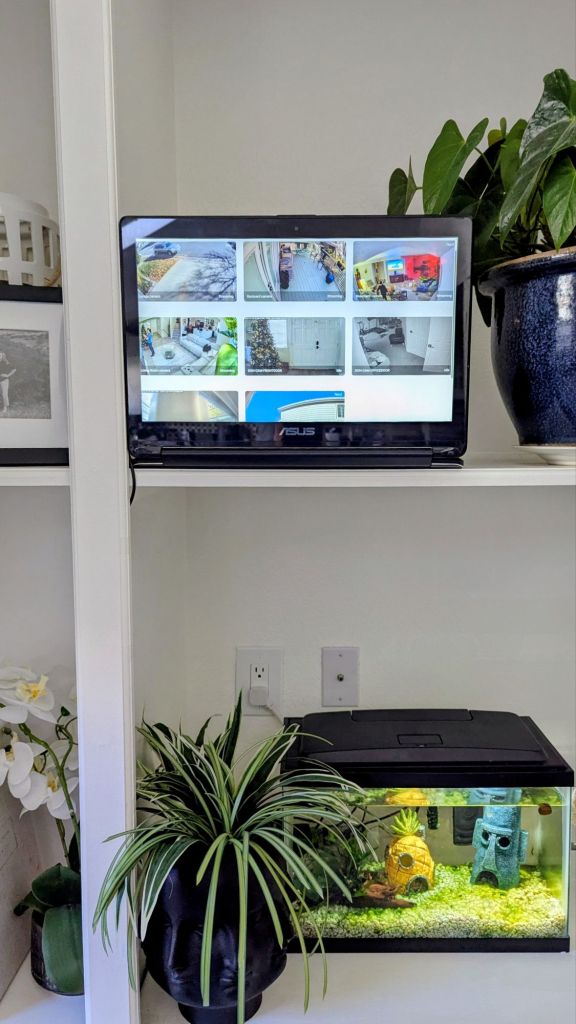
While testing all this, I ended up reorganizing some wiring around my Home Assistant dashboard in the living room. It looks significantly cleaner now—an unexpected but welcome bonus.


Verdict: Worth Using, but Not a Great Ecosystem Fit
The Roku Indoor Camera SE is an impressive little device in terms of:
- Build quality
- Night vision
- General video performance
- Magnetic mounting system
For basic indoor monitoring—especially if you’re already in the Roku Smart Home ecosystem—it’s a strong budget pick.
However, if you’re running a heterogeneous smart-home setup (or your entire life is inside Home Assistant), this camera may frustrate you. Lack of integrations, proprietary features, and subscription-dependent alerts limit its long-term usefulness outside of Roku’s walled garden.
Still, as a free prize from the McDonald’s Monopoly game, it’s hard to complain. And in my case, it’s doing a respectable job keeping an eye on the utility room.
Categories: Reviews


 Securing The Universe