


Hello all,
I spent some time this weekend trying to find the optimal setup and installation locations for my new UniFi E7 and U7 access points and I believe I have landed on the perfect configuration. I have been having issues with my U7 In-Wall getting hung up on clients, rather than connecting to the E7, which is the superior AP, as well as some speed issues. Upon first testing of the E7, I was getting a max of 1.2GB download speeds and could hit them pretty regularly; this was on just PoE+, and not PoE++, had both 2.4G and 5G/6G networks broadcasting, and didn’t use high availability mode (having two PoE network connections for redundancy).
I have set up probably around 10 different placements and configurations at this point, all without actually mounting the E7 and U7 as I am just testing at this moment in time. I wanted to utilize both the E7 and U7 but found issues with the U7 handling most of the clients, leaving the E7, the better device, to just handle just a few devices. I ended up removing the U7 for now and simply placing the E7 in an upward-facing position at the top of the ‘rack’ in the basement utility room; this room is in the center-most location of the house and is in the stairway that connects to each of the top floors, giving it plenty of open spaces to reach each floor. While I would have liked it to not have to broadcast through multiple floors from the very bottom of the house, this position enables each of the three floors to get excellent speeds and coverage, however, this was only true for about a day or two. Last night into this morning, speed tests to each floor were significantly reduced, leading to around 600-700Mbps around the house. This may be due to just sharing the cable connection with my neighbors, which would be limited a bit due to the weekend (more people at home), but I will need to continue testing.
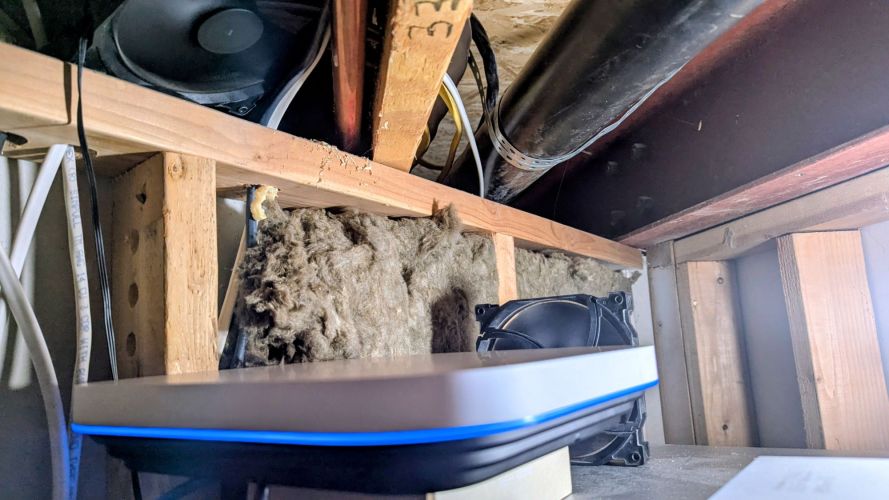
Right now, the E7, seen below, is placed on top of my 48-port switch, firing upwards, while sitting on the box that the PoE++ adapter came in (lol) to reduce some of the heat spreading from the switch. I also placed a 140mm fan firing at the AP as they seem to run hot and installed the other 140mm fan I had as an exhaust above the ‘rack’. I also opted to enable high availability mode by plugging in the PoE++ line from the PoE++ adapter and a second ethernet cable running to a different port in the switch; this will allow the AP to stay powered on if one of the ports powering the device fails (or the PoE++ adapter that the primary line into the device is using).


I also have been playing around with my 2.4G network, that is used by various IoT devices but primarily configured for my 5 Google Nest cameras and other Nest products. My Nest cameras have been going offline quite a bit, so I changed the network to run on WPA2 security while enabling Enhanced IoT Connectivity; this helped both the initial setup of the Nest devices, and their connection strength.
Next Steps:
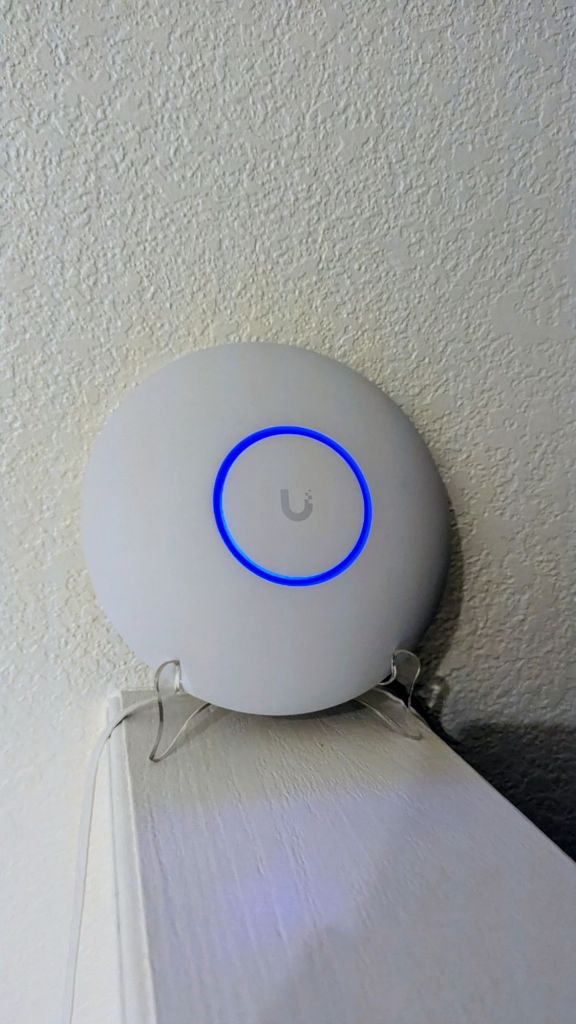
While the new network is up and running, I still have questions about why my initial placement of the E7 gave me the best performance, installed in my doorway, as seen below:

This setup gave me the best download speeds wherever I was in the house, even with the device firing towards my front door, away from the rest of the home. I am thinking this spot just may have less interference (less walls with electrical, plumbing, insulation, etc.) Due to this, I think I may keep my E7 in the basement firing upwards, and install the U7 In-Wall here, running only the 2.4G network, leaving the E7 to handle 5 and 6G. As the E7 is a $500 piece of engineering beauty, having it only run the higher networks should keep my 5/6G-enabled devices running on it, leaving older hardware to utilize the lesser AP. With this setup, I would disable wireless meshing, a setting that I have found to not like with any of my E7 and U7 configurations.
I also want to try one more placement of the E7, up the stairs in that utility room, closer to the vertical middle of the house; this would be easier to install than mounting in the visible interior of the home, and would allow me to just simply place it resting on something, rather than mount it with the included hardware (still just in the testing phase).
I believe my optimal build would include an additional E7 on the ceiling at the top floor firing down, with the existing E7 in its current position, in the basement firing upwards. With wireless meshing enabled, this placement should cover the entire house with full 1.2G download speeds, theoretically. However, before dropping $500 on another E7, I think I will keep tinkering until I am satisfied.
11/4/25 Edit
My initial suspicious were true, the speed variations I am experiencing are just due to fluctuations with my ISP. Sharing cable internet with a tightly-packed gated neighborhood is always fun! I did some more speed tests last night and the speeds are fine, max download speeds are around 1.2G like before, and I would say the average is about 700-900 wherever you go in the house. I think I will still separate the two Wi-Fi networks (5/6G and 2.4G) into separate access points (adding the U7 In-Wall back into the mix) and will install it in the original location of the E7 (entryway).
I also played around with trying to get my Nest cameras able to be seen within the UniFi ecosystem, but they are not ONVIF compatible (not surprised). While I love Nest’s simple-to-use app (great for older people or kids), I can’t wait to replace all 5 of them with UniFi products.
Overall, the E7 is just amazing, a truly overpowered device for my use, but man, no regrets!
11/10/25 Edit
I believe this will be my final post for at least this part of this network build as I finally have everything dialed in. I moved the U7 In-Wall to the middle floor entryway, which only broadcasts the 2.4G network utilized by my Google camera system and various Alexa devices. The E7 is now in my basement, firing upwards, and the U7 Pro is on the top floor, kind of firing towards that floor, but positioned as close to the middle of the house as I could. Both the E7 and U7 Pro are broadcasting 5/6G only, granting excellent coverage to all devices. Max download speeds are around 1.2G down, which is exactly what my ISP allows, and I would say the average is about 700-900Mbps wherever you go in the house.
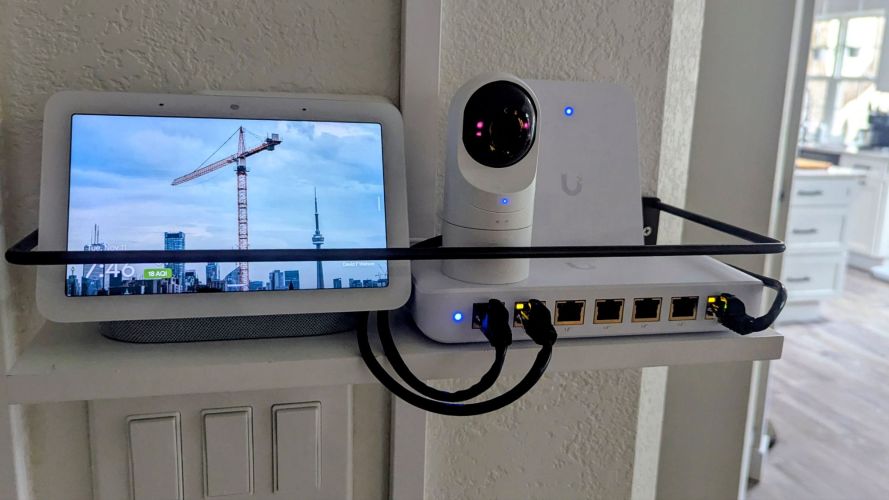
I also redid the UPS’s connections so that my 48-port switch, firewall, and cable modem are actually utilizing its battery backup capabilities, and since these devices only pull around 120W, I should have ample time for my core network to operate in the case of a power failure. With the 3 above devices powered, the switch will then provide power to the E7 above it (granting wireless coverage to the whole house, even with the other 2 APs not powered). I think I can get more of the network devices onto the 48-port switch’s PoE capabilities by removing 1 or 2 of the 8-port switches, but I do like to have extra ports on each floor (I think I have 6 free on the top floor, 5 on the middle, and probably around 30 in the basement). With the removal of 1 or 2 of the switches, I could theoretically continue to provide power and internet to each floor’s WAP, which would provide greater coverage, but reduce the time that the UPS can provide power. So, removing the non-critical devices on the UPS and opting for saving the spots for my future full UniFi camera build (once my Google cameras fail or are no longer supported) is my plan, which would allow for internet, security, and video surveillance to maintain during a power outage, which during an emergency scenario, would be ideal.
I still would like to mount the E7 in a better, higher spot in the basement utility room, but as I am using high availability mode (2 PoE connections), running new cables is something not high on my to-do list.
What should my next project be?
Categories: Networks


 Securing The Universe