


For years, my home and office networks have relied on aging NETGEAR Nighthawk and Asus equipment. It’s served me well — but between maintaining multiple ecosystems and keeping firmware, security, and configuration aligned, the system has become cumbersome.
It’s finally time to unify everything under one platform — Ubiquiti UniFi — for a seamless, high-performance network that covers my entire property with Wi-Fi 7.
This post documents my upgrade journey, the network design changes I’m planning, and my first impressions of the UniFi E7 access point — one of the most advanced APs currently available.
Current Setup
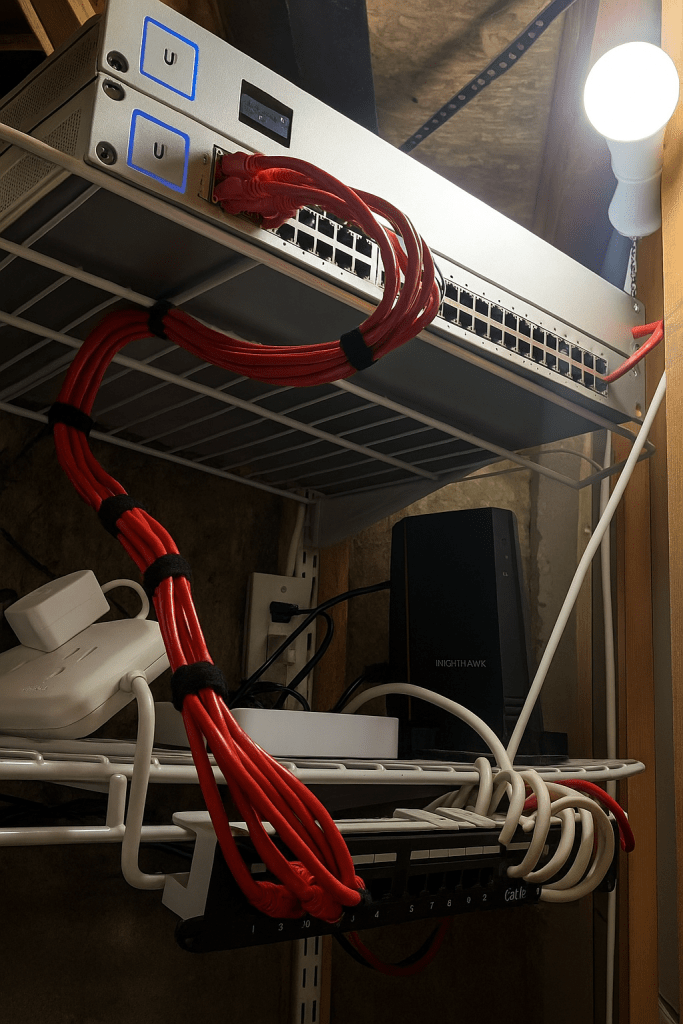
Right now, I’m running a mix of Nighthawk gear throughout the house — one access point per floor, all wired together. My main rack (firewall, 48P switch, cloud key, etc.) sits in my office, but space and noise considerations have me thinking about relocating it.
Current layout highlights:
- Office rack: Gateway Light firewall, 48P switch, Cloud Key.
- Access points: Three Nighthawk units, one per floor.
- Cabling: Each floor wired with Cat6 Ethernet backhaul.
The plan:
- Move the main rack to the utility closet in the basement, keeping it centralized and quiet.
- Replace the office rack with a smaller UniFi switch for local devices.
- Deploy a UniFi E7 access point as the primary WAP on the middle floor.
- Add a UniFi U7 In-Wall AP to support the office area and extend coverage upward.
- Possibly remove the top-floor Nighthawk AP (depending on E7 range) and repurpose the wiring there for a switch or another In-Wall AP later.


💡 The goal: simplify everything — one ecosystem, one management console, and rock-solid coverage across all three floors.
Future Setup: A Unified UniFi Network
Here’s the vision for my full-house UniFi project:
- Main Equipment Rack (Utility Room):
- UniFi Gateway Light firewall
- UniFi Switch Pro 48 PoE++
- Cloud Key Gen2 Plus for management and backups
- Patch panel + UPS + structured cabling
- Access Points:
- UniFi E7 — centrally located on the middle floor
- UniFi U7 In-Wall — office area
- (Optional) future U7 In-Wall on the top floor
- Office Setup:
- Small UniFi PoE switch for desktops, NAS, and printers
- Dedicated VLANs for office vs. home traffic
- Guest Wi-Fi isolated through UniFi Controller
After the migration, I’ll finally be able to manage home and office networks through a single UniFi interface, rather than juggling the UniFi, NETGEAR, and Asus apps separately.
Even better, the home network will gain dedicated firewall protection, something my current setup lacks for non-office devices like TVs and IoT.
This upgrade also brings me into the Wi-Fi 7 era — higher speeds, lower latency, and a network ready for the next generation of devices.

UniFi E7 Access Point Review: Wi-Fi 7 Performance for the Future of Enterprise Networking
The Ubiquiti UniFi E7 is a powerhouse — a tri-band, Wi-Fi 7 access point capable of delivering enterprise-grade speeds and reliability. Designed for high-density environments, it’s built to handle hundreds of simultaneous connections without breaking a sweat.
Below is my detailed review after unboxing, installation, and initial testing.
Overview: The E7 at a Glance
| Feature | Specification |
|---|---|
| Wireless Standard | Wi-Fi 7 (802.11be) |
| Bands | Tri-band: 2.4 GHz / 5 GHz / 6 GHz |
| Antenna Configuration | 4×4 MIMO (5 GHz and 6 GHz) |
| Max Throughput | ~11.5 Gbps combined |
| Uplink Ports | 1× 10 GbE PoE++ (primary), 1× 1 GbE (secondary/redundant) |
| PoE Standard | 802.3bt PoE++ (Class 6) |
| Client Capacity | 1000+ concurrent clients |
| Management | UniFi Network Controller (local or Cloud) |
| Price (2025) | ~$499 USD |
The E7 sits at the top of UniFi’s access point lineup — a true flagship positioned above the U7 Pro and U7 Enterprise. It’s clearly aimed at enterprise users, but advanced home networks can absolutely benefit as well.
Design & Build Quality: Premium, Solid, and Silent
The E7 feels heavy-duty. Its metal heatsink base not only gives it substantial weight but allows passive cooling, eliminating the need for noisy fans.
Everything about the construction feels professional — no flimsy plastic here. The E7 is designed for continuous, high-load operation.
Physical layout:
- 10 GbE PoE++ port for main uplink and power
- 1 GbE secondary port for redundancy or management
- Standard UniFi mounting options (ceiling or wall)
It’s larger than older APs, but that’s a small trade-off for the thermal efficiency and power it delivers.
Wi-Fi 7 Performance: Blazing Speed and Low Latency
The E7 uses tri-band architecture — each band optimized for different scenarios:
- 2.4 GHz: Extended range, legacy device compatibility
- 5 GHz: High throughput for most modern devices
- 6 GHz: Cutting-edge speed for Wi-Fi 6E/7 clients
Key Wi-Fi 7 improvements:
- 320 MHz channels on 6 GHz (double the bandwidth of Wi-Fi 6E)
- 4096-QAM modulation for 20% higher data rates
- Multi-Link Operation (MLO) for simultaneous multi-band connections
- Automatic Frequency Coordination (AFC) for higher transmit power on 6 GHz
Real-world results:
- Over 2 Gbps wireless throughput on compatible Wi-Fi 7 laptops and phones at ~15 ft LoS
- Stable multi-client performance during simultaneous streaming and file transfers
- Noticeably lower latency, particularly in gaming and Zoom calls
The jump from Wi-Fi 6 to 7 isn’t subtle — latency feels tighter, handoffs are smoother, and throughput spikes are impressive.
Enterprise Hardware & Integration
10 GbE Uplink for True Multi-Gig Performance
The 10 GbE PoE++ uplink is a major win. If your switches and cabling support multi-gig, you’ll unlock the E7’s full potential.
The secondary 1 GbE port works for redundancy or secondary management, but it’ll bottleneck performance if used as the main uplink.
Seamless UniFi Integration
The E7 fits perfectly into the UniFi ecosystem:
- Unified SSID, VLAN, and guest management
- Deep traffic analytics and heatmaps
- Centralized firmware management
- Easy scaling for multi-AP setups
The UniFi controller continues to be a standout — polished, intuitive, and reliable for both small and large deployments.
Power Considerations
The E7 draws around 22–25 W under heavy load and requires PoE++ (802.3bt). If you’re upgrading from an older PoE+ switch, make sure it can supply the necessary wattage or invest in a PoE++ injector.
Range & Coverage
Coverage has been excellent in early testing:
- 5 GHz delivers strong, consistent throughput through standard walls.
- 6 GHz is extremely fast but drops off faster — that’s normal for the band.
- 2.4 GHz maintains long-range coverage for IoT and smart home devices.
In a three-floor house, a single E7 on the middle level provided usable signal throughout the structure, though I’ll likely add a second AP later for symmetry and load balancing.
Software Experience: The UniFi Edge
The UniFi Network App and Controller Dashboard make setup nearly effortless. Within minutes, I had the E7 adopted, updated, and broadcasting across multiple SSIDs.
Highlights:
- Clean, responsive UI
- Integrated Wi-Fi scanning and optimization
- Visual coverage maps
- Traffic classification per device or VLAN
The one limitation — there’s no standalone web interface. The E7 expects to be part of the UniFi ecosystem. For me, that’s fine (it’s the goal!), but it’s worth noting for anyone wanting a plug-and-play AP.
Pricing & Value
At $499 USD, the E7 is premium, but not overpriced for its capabilities. Compared to the competition, it delivers serious performance for less than many enterprise Wi-Fi 7 APs.
| Model | Wi-Fi Standard | Uplink Speed | Price (USD) | Best For |
|---|---|---|---|---|
| U7 Pro | Wi-Fi 7 | 2.5 GbE | ~$199 | Home / SMB |
| U7 Enterprise | Wi-Fi 7 | 10 GbE | ~$299 | Small Enterprise |
| E7 (Enterprise 7) | Wi-Fi 7 | 10 GbE | ~$499 | High-Density / Campus |
If you’re running a gigabit WAN and mostly Wi-Fi 6 devices, you won’t see full benefit — but if you’re ready for multi-gig and Wi-Fi 7 adoption, it’s a worthy investment.
Pros & Cons
Pros
- Top-tier Wi-Fi 7 performance with tri-band support
- 10 GbE PoE++ uplink for true multi-gig throughput
- Silent, durable, fanless design
- Enterprise-grade build quality
- Excellent UniFi controller integration
- Future-proof with AFC support and 6 GHz capabilities
Cons
- High price vs. mid-range UniFi APs
- Requires PoE++ power (injector or switch)
- 6 GHz range shorter than 5 GHz
- No standalone mode (UniFi controller required)
- Limited benefit for networks with older Wi-Fi 6 clients
Verdict: Should You Buy the UniFi E7?
The UniFi E7 is a statement piece — fast, stable, and future-ready. It’s ideal for power users, business networks, or smart homes transitioning to multi-gig Ethernet.
For most users, it’s overkill — but for those chasing maximum performance, reliability, and ecosystem simplicity, it’s worth every dollar.
Final Rating: ⭐ 4.7 / 5
Outstanding performance, enterprise-grade build, and true future-proofing — though a bit excessive for smaller home setups.
Closing Thoughts: Ready for the Next Chapter
Once I complete my full UniFi migration, I’ll finally have:
- A unified home + office network.
- Simplified management through a single dashboard.
- Better security segmentation.
- The latest Wi-Fi 7 performance for work and entertainment.
It’s a big leap from my old Nighthawk and Asus setup — but a long-term investment that brings control, consistency, and reliability back to my network.
Wish me luck — and happy tinkering!
Update: 10/28/25
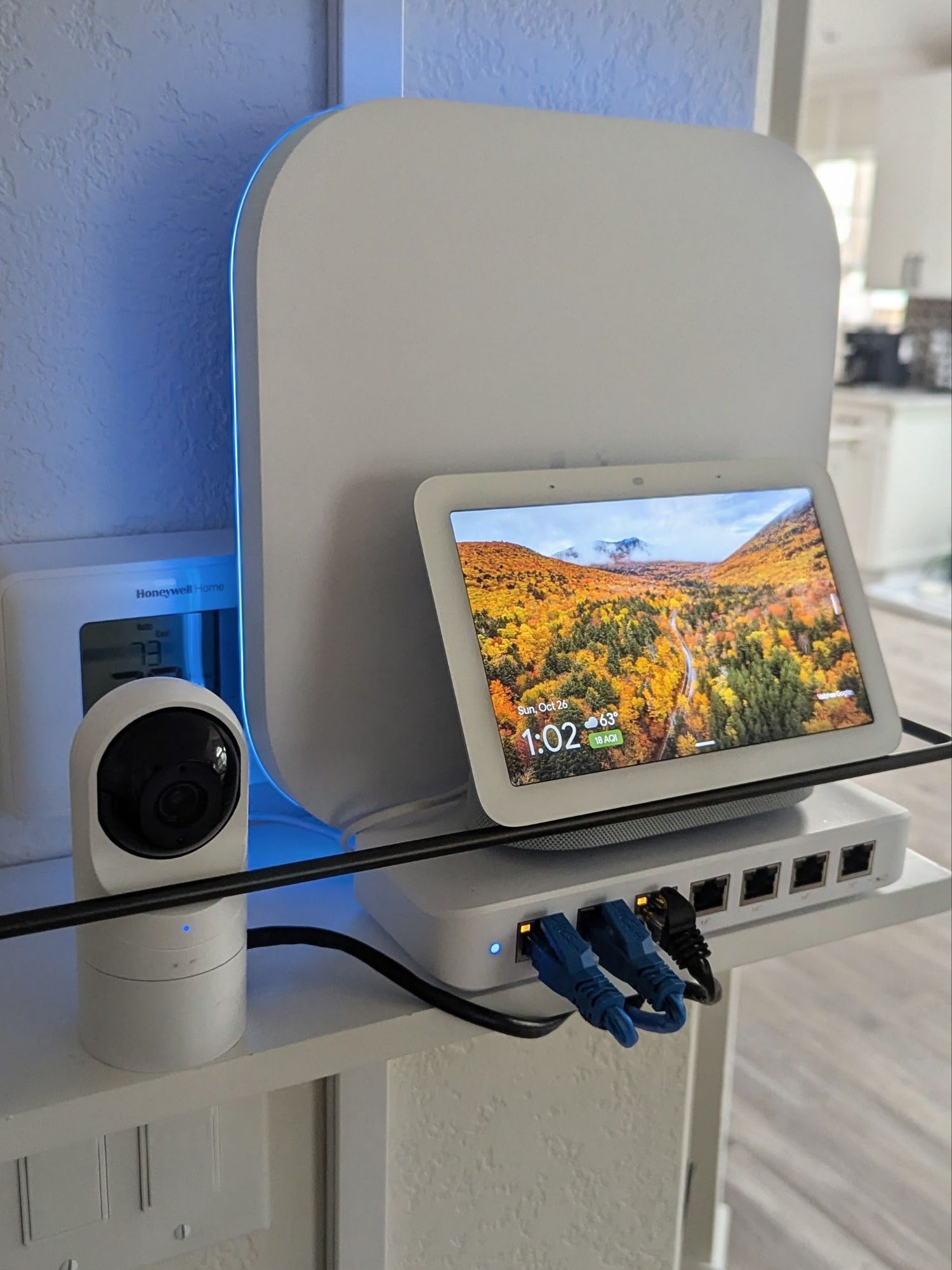
Over the weekend, I got everything finished, replacing the three NIGHTHAWK WAPs with a UniFi E7 and U7 In-Wall. I must say, I wasn’t expecting such an improvement, but pretty much anywhere in the house I can pull a max 1.2GB download via wireless connection. Before, I would struggle to get 500GB download speeds, which were pretty much max I could do. The install was pretty painless, simply keeping my current UniFi network settings, minus a few tweaks. The coverage of the E7 is insane and let me to believe it can handle the entire house, as I would hang onto that AP even when closer to the U7 In-Wall; due to this, I will probably remove the U7 or have it firing at my backyard to increase range. The E7 is a beautiful product, and its LEDs are quite bright, leading to some complaints from the wife, but those stopped once I changed the colors to something more reasonable! Next up, I have one more switch in my office to replace with UniFi, but after finding 3 used 8-port switches online for a great price, I think I can afford to just buy a new one. I also want to try to adopt my multiple Google/Nest cameras into UniFi, but I will need to research a bit to see if that is possible.
Pics incoming!




Categories: Reviews


 Securing The Universe