


With both my wife and son starting school, things have been quite hectic at home, so I have not been able to make any posts lately. However, I just picked up a Legion Go, so I wanted to share my thoughts on the product.
Overview & Design
The Lenovo Legion Go 8APU1 marks the company’s first major step into the handheld gaming PC market. Powered by AMD’s Ryzen Z1 Extreme APU, paired with 16 GB of soldered LPDDR5X-7500 MT/s memory and up to 1 TB PCIe Gen 4 NVMe SSD storage, the device delivers serious hardware in a portable form factor. Running Windows 11 Home (64-bit), it offers the full desktop OS experience without compromises, enabling access to all major game stores and PC tools.
A defining feature is the 8.8-inch QHD+ (2560 × 1600) IPS touchscreen. Branded as the Lenovo PureSight Display, it boasts a 144 Hz refresh rate, 500 nits of brightness, 97% DCI-P3 color coverage, and Gorilla Glass 5 protection. It stands out as one of the sharpest and most immersive displays in the handheld category.
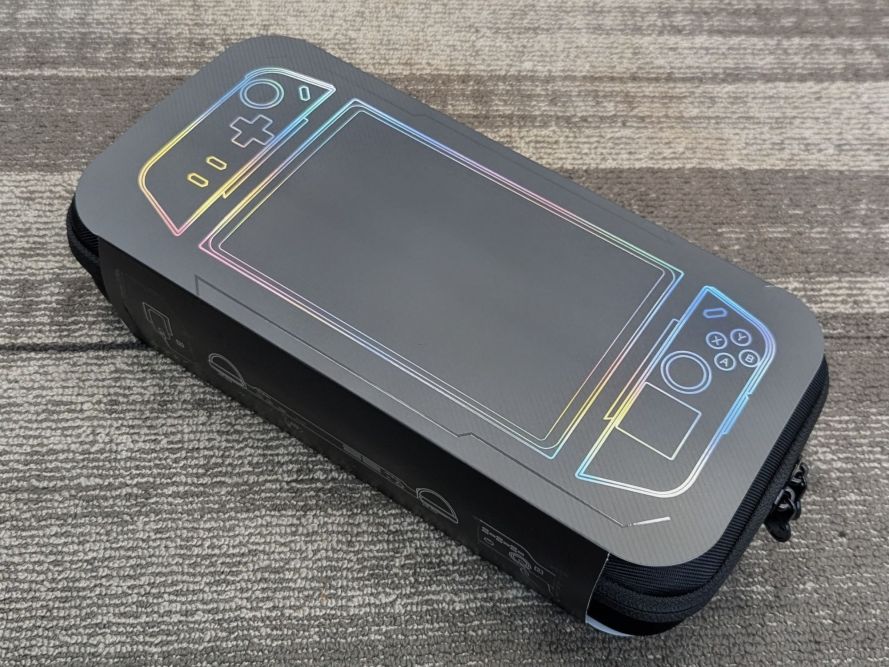
At just under 854 g (1.88 lb), the Legion Go is heavier than its main rivals. However, it compensates with premium features such as dual USB-C (USB4 with DisplayPort 1.4 and PD 3.0), a microSD card reader (up to 2 TB), a 3.5 mm combo audio jack, and detachable Legion TrueStrike controllers. These controllers mimic the versatility of Nintendo Switch Joy-Cons and introduce a unique FPS mode, where the right controller functions like a mouse with a trackpad and scroll wheel. A built-in kickstand, bundled controller dock, and carry case further enhance usability and portability.
Connectivity includes Wi-Fi 6E (2×2 AX) and Bluetooth 5.1 or higher. Graphics are powered by the integrated AMD Radeon GPU within the Z1 Extreme APU, delivering respectable performance across modern titles.

Performance & Display
The combination of the Ryzen Z1 Extreme and high-speed LPDDR5X-7500 RAM allows the Legion Go to handle demanding AAA releases, esports titles, and emulation with ease. Coupled with Windows-based storefronts such as Steam, Xbox Game Pass, Epic Games Store, and GOG, it supports the broadest library of games available on handhelds.
The 8.8-inch WQXGA display is a highlight, offering a larger and sharper canvas than most competitors. With its 144 Hz refresh rate, it’s particularly well-suited for fast-paced shooters and action games, while vibrant colors and high brightness levels enhance immersion. Reviewers frequently praise the display’s quality and the controller versatility, though some note that Windows navigation lacks the streamlined feel of gaming-focused OS platforms like SteamOS.
Strengths
- High performance: Ryzen Z1 Extreme with LPDDR5X-7500 provides excellent gaming and multitasking capability.
- Immersive display: 8.8-inch QHD+ IPS panel at 144 Hz outclasses many rivals.
- Versatile controllers: Detachable TrueStrike controllers and FPS mode offer unique flexibility.
- Advanced connectivity: Dual USB4 ports, microSD support, audio jack, and docking options expand usability.
- Built-in kickstand: Enhances tabletop and desk-based gaming.
- Windows ecosystem: Access to the largest game library and full PC compatibility.
Limitations
- Battery life: The 49.2 Wh battery delivers only 1.5–3 hours of gameplay, depending on settings and workload.
- Weight and bulk: At nearly 854 g, it’s less portable than the Steam Deck or ROG Ally.
- Windows UX challenges: Navigation can feel clunky compared to console-like systems; Legion Space helps but isn’t perfect.
- Occasional quirks: Some games may suffer from scaling issues, stutters, or require manual tweaking.
Head-to-Head Comparison
| Device | Display | CPU / GPU | RAM / Storage | Battery | Weight | I/O Highlights |
|---|---|---|---|---|---|---|
| Legion Go | 8.8″ IPS QHD+ (2560×1600), 144 Hz | Ryzen Z1 Extreme (RDNA GPU) | 16 GB LPDDR5X / 1 TB | 49.2 Wh | ~854 g | 2× USB4 (DP1.4, PD), microSD, audio, kickstand |
| Steam Deck OLED | 7.4″ OLED (1280×800), 90 Hz | Custom APU (AMD Van Gogh) | 16 GB LPDDR5 / 1 TB | ~50 Wh | ~640 g | USB-C (DP Alt-Mode) |
| ROG Ally X (2024) | 7″ IPS (1080p), 120 Hz | Ryzen Z1 Extreme (tuned) | 24 GB LPDDR5 / 1 TB | 80 Wh | ~678 g | Dual USB-C, microSD, XG Mobile eGPU support |
Ergonomics
- Legion Go: Larger and heavier, but detachable controllers and FPS mode add unmatched flexibility.
- Steam Deck OLED: Best overall ergonomics—lightweight, balanced, and comfortable for long play sessions.
- ROG Ally X: More compact, with improved grip and longer battery life for sustained gaming.
Software & Ecosystem
- Legion Go: Runs Windows 11 with Legion Space, a software hub that unifies game libraries, manages system tuning (TDP, fan profiles), and offers quick access to settings.
- Steam Deck: Runs SteamOS with Proton compatibility, providing a console-like user experience with seamless setup and Deck Verified game certification.
- ROG Ally / Ally X: Windows 11-based with Armoury Crate SE, featuring per-game profiles, control mapping, and performance presets.

Accessories & Expansion
- Legion Go: Includes controller dock, carry case, and supports USB-C docks or community-driven eGPU solutions via USB4.
- Steam Deck: Works with Valve’s official dock or standard USB-C hubs with DisplayPort Alt-Mode.
- ROG Ally / Ally X: Compatible with standard USB-C docks; Ally X adds dual USB-C ports and supports ASUS’s proprietary XG Mobile eGPU.

Setup Tips for Legion Go
- Update BIOS and Legion Space via Lenovo Support before use.
- Create custom TDP profiles (e.g., ~15 W for indie titles, 25–30 W for AAA).
- Lower refresh rate to 60 Hz when prioritizing battery life.
- Use FPS mode with controller dock for improved precision in shooters and desktop tasks.
Final Verdict
The Lenovo Legion Go 8APU1 is best suited for gamers who value:
- A large, sharp, and fluid display,
- Flexible input options with detachable controllers and FPS mode,
- Full Windows compatibility and the widest possible game library.
Those prioritizing portability and console-like simplicity may prefer the Steam Deck OLED, while gamers seeking a balance of endurance, performance, and ergonomic comfort in a compact package should look toward the ROG Ally X.
Categories: Reviews


 Securing The Universe