


As this post hits 640 total entries into this blog, the time is nearing for a rework of my main gaming PC at home! While I don’t play that much nowadays, I do find some time each week to get some World of Warcraft time in. Honestly, my current setup provides more power than I could need, so I will probably hold out on upgrading until the next series of GPUs arrives. However, I want to begin my research on what parts I can start looking for. So, let’s dive right in.
My Current Build:
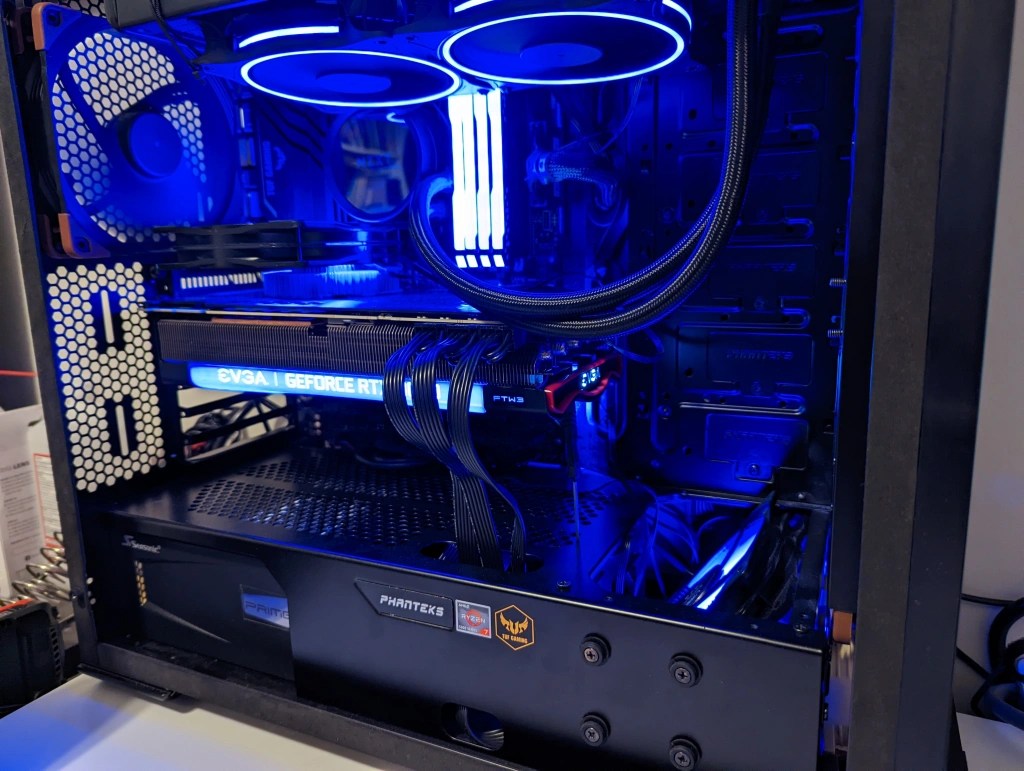
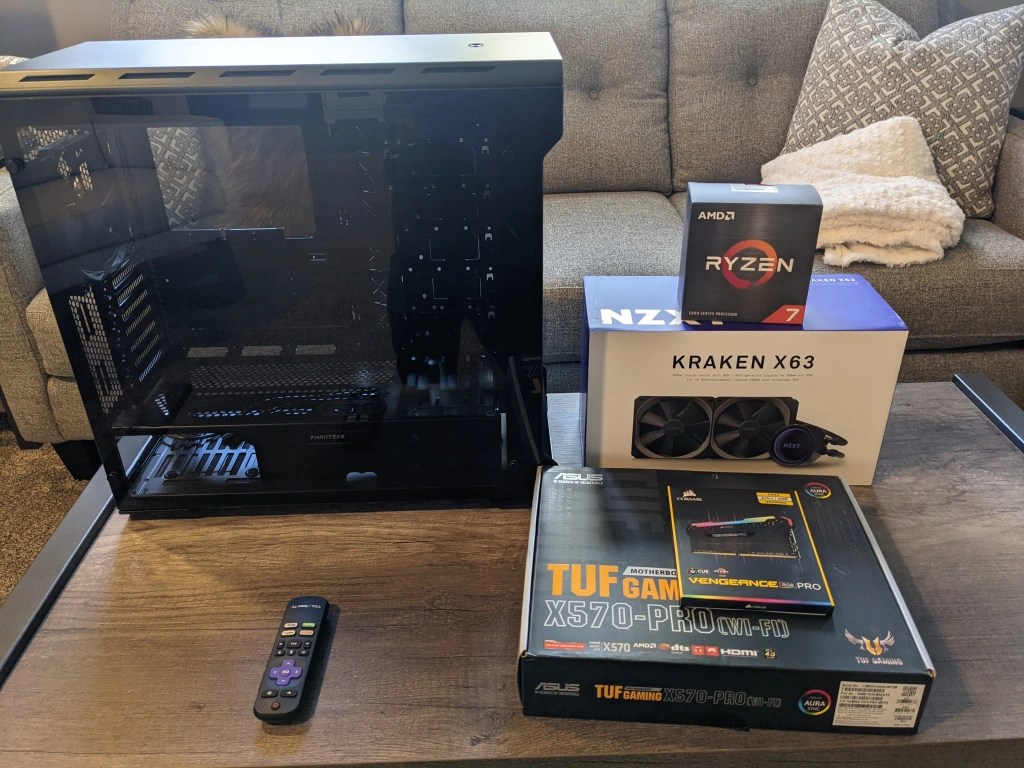
- Phanteks Evolv ATX Case
- EVGA GeForce RTX 3090 FTW3 Ultra Gaming
- Seasonic PX1300 Platinum Power Supply (1300w)
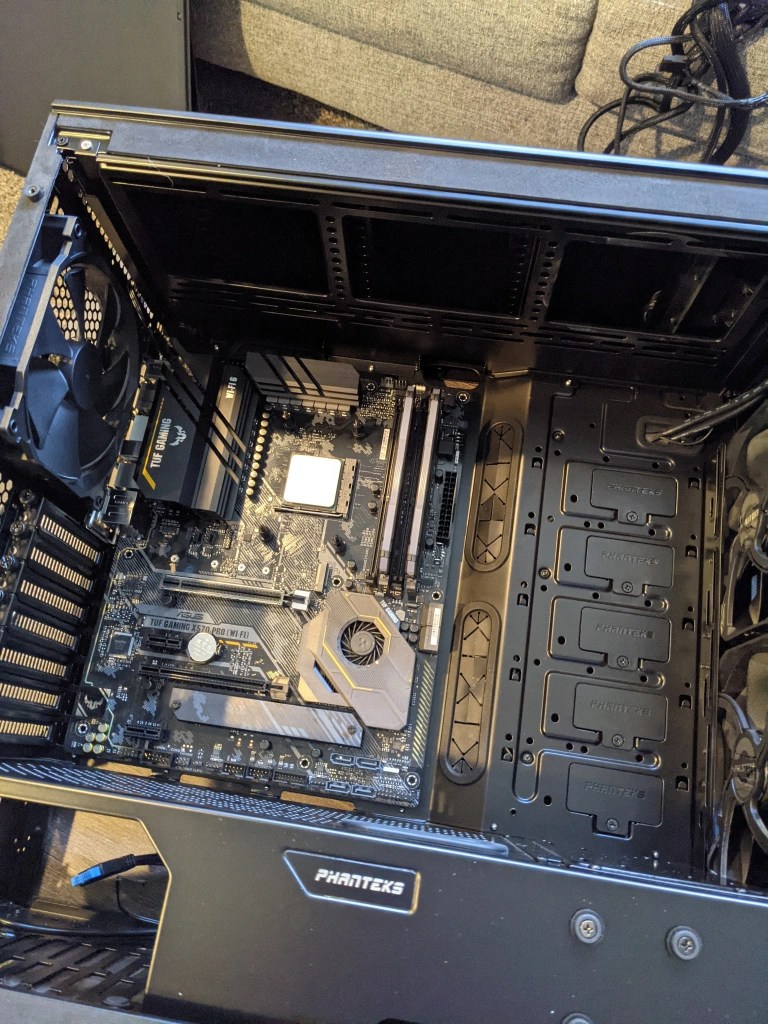
- TUF Gaming X570-Pro (Wi-Fi 6)
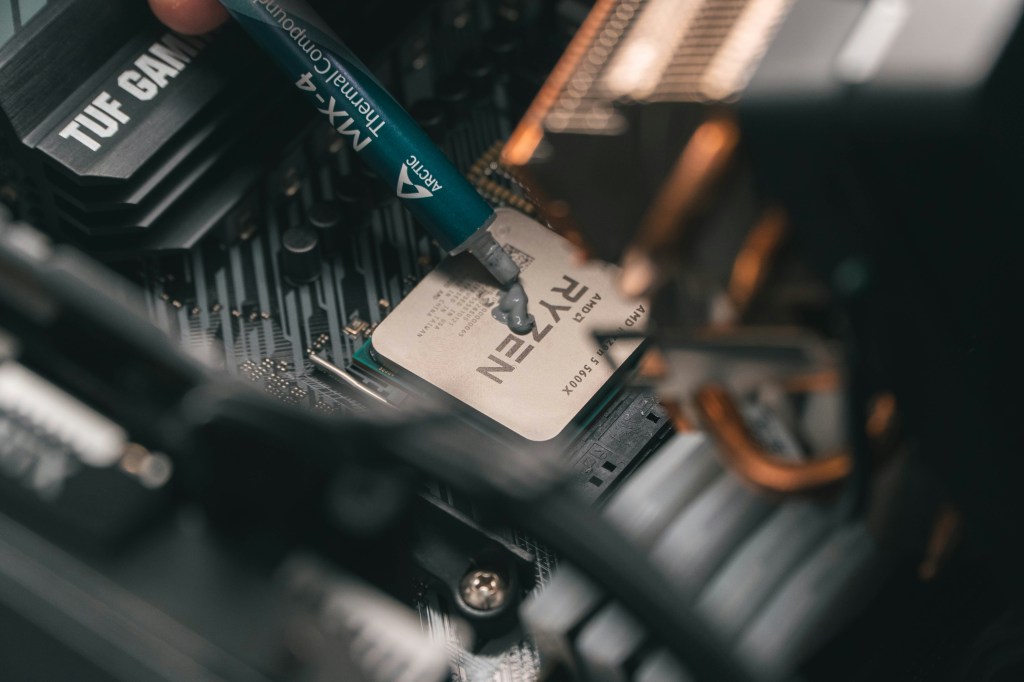
- AMD Ryzen 7 5800X
- NZXT Kraken X63 AIO 280mm (Push/Pull Fans)
- 3 DeepCool RF120 RGB Fans
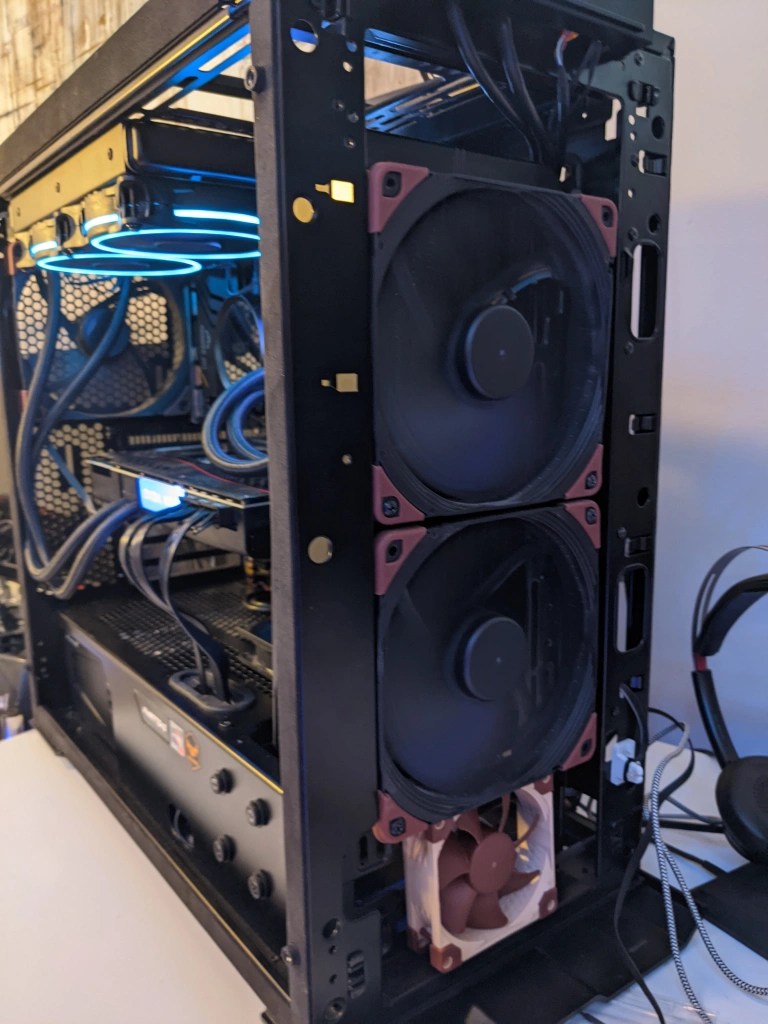
- 3 Noctua 140mm NF-A14 iPPC-3000 PWM, Heavy Duty Cooling Fans (3000 RPM)
- Noctua 80mm NF-A8 PWM Premium Quiet Fan (2200 RPM)
- DeepCool 80mm Fan mounted on an old Intel CPU heatsink (mounted on GPU)
- 32GB Corsair Vengeance RGB Pro DDR4-3600
- Samsung 970 EVO SSD 1TB – M.2 NVMe
- WD Blue 1TB HDD
- WD Blue 5TB HDD (Backup)
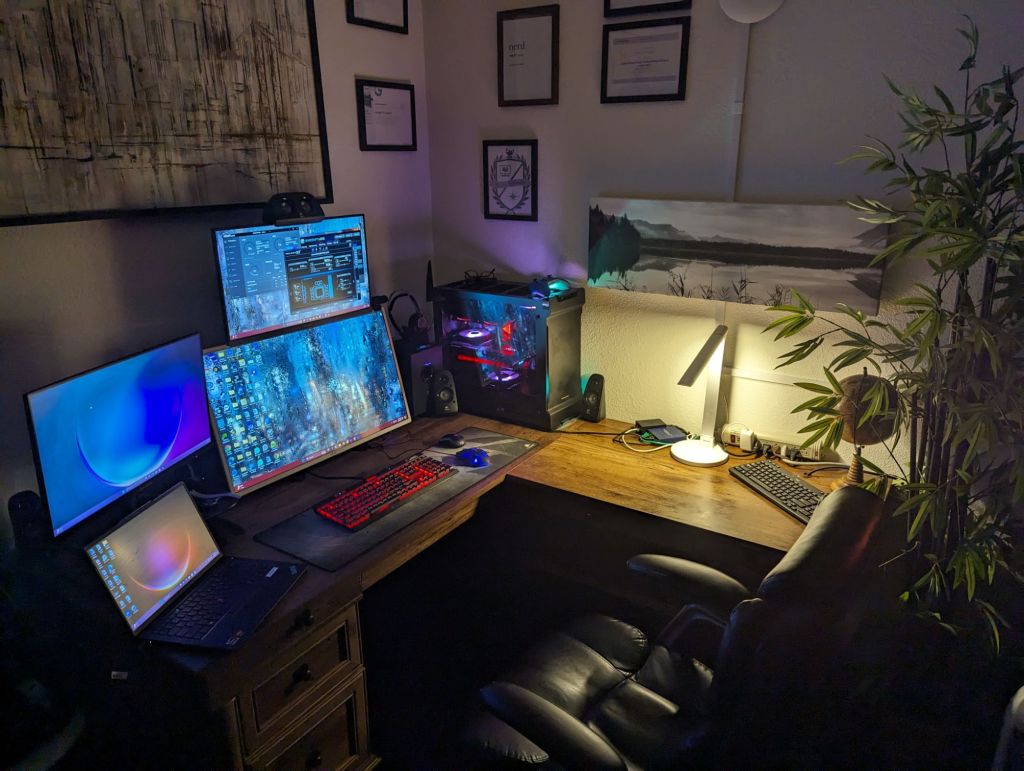
- 32″ 165Hz 1440P Curved
- 31.5” 1080p 60hz
- Few other cheaper monitors
- Corsair Keyboard, Mouse, Headset, etc.
Future Plans:
1. Graphics Card (GPU)
Current: EVGA GeForce RTX 3090 FTW3 Ultra Gaming
- Review: The RTX 3090 is still an excellent card, but the performance-to-cost ratio has shifted, especially with the introduction of newer GPUs like the RTX 4090 and RTX 4080; these cards offer a massive performance boost, particularly for gaming at 4K, 1440p, and high-refresh-rate displays.
- Upgrade Suggestions:
- RTX 4090: The latest and greatest from NVIDIA. Provides significant performance improvements over the 3090, especially in demanding workloads like 4K gaming, ray tracing, and content creation.
- Cost: ~$1,600 – $2,000 (prices fluctuate)
- RTX 4080: Slightly less powerful than the 4090 but still offers incredible performance for high-end gaming.
- Cost: ~$1,200 – $1,400
- Alternative: AMD Radeon RX 7900 XTX offers competitive performance with excellent value for 4K gaming and ray tracing, typically at a lower price point than NVIDIA’s high-end offerings.
- Cost: ~$1,000 – $1,200
- RTX 4090: The latest and greatest from NVIDIA. Provides significant performance improvements over the 3090, especially in demanding workloads like 4K gaming, ray tracing, and content creation.
Recommendation: If you want the ultimate performance, the RTX 4090 is a no-brainer, but the RX 7900 XTX is a strong value option. The RTX 4080 is an excellent middle-ground option.
My Plan: I believe my 3090 will continue to carry me through to the next generation of graphic cards, but once the 5090 is released, I will definitely pick one up.
2. Power Supply (PSU)
Current: Seasonic PX1300 Platinum Power Supply
- Review: This PSU is already excellent, and at 1300W, it’s overkill for most builds unless you’re running multiple GPUs or a very power-hungry system. It’s also 80+ Platinum rated, ensuring high efficiency.
- Upgrade Suggestion: No need for a new PSU unless you’re upgrading to a dual-GPU setup or adding additional power-hungry components. If you’re sticking to a single GPU and your current PSU is in good condition, there’s no immediate need to upgrade.
My Plan: I bought this power supply pretty recently during my mining days, so this part should be able to continue to power everything I end up adding to this PC (long warranty as well).
3. Motherboard
Current: TUF Gaming X570-Pro (Wi-Fi 6)
- Review: This is a solid motherboard, with PCIe 4.0 support, Wi-Fi 6, and good power delivery for the Ryzen 7 5800X. However, with the release of newer chipsets like the X670 and B650 on the Ryzen 7000 series, I could benefit from a motherboard that supports PCIe 5.0 and DDR5.
- Upgrade Suggestions:
- AMD X670 or B650: These newer motherboards support PCIe 5.0 for next-gen GPUs, storage devices, and DDR5 RAM.
- Example: ASUS ROG Strix X670E-E or MSI MPG B650 Carbon Wi-Fi
- Cost: ~$250 – $350 (X670), ~$150 – $250 (B650)
- Example: ASUS ROG Strix X670E-E or MSI MPG B650 Carbon Wi-Fi
- AMD X670 or B650: These newer motherboards support PCIe 5.0 for next-gen GPUs, storage devices, and DDR5 RAM.
Recommendation: Upgrade to X670 if you plan to future-proof with PCIe 5.0 or DDR5. If you’re looking for a more budget-friendly route, the B650 is an excellent choice.
My Plan: I was initially thinking of sticking with my current motherboard and getting the best processor available, the AMD 5950X, which will give me more cores and better overall performance. I think I may wait one more generation for a full socket upgrade and will continue to look for a cheap 5950X.
4. Processor (CPU)
Current: AMD Ryzen 7 5800X
- Review: The Ryzen 7 5800X is a fantastic 8-core/16-thread processor, but with the release of Ryzen 7000 series (Zen 4), there are significant gains in both gaming and multi-threaded workloads.
- Upgrade Suggestions:
- AMD Ryzen 9 7900X: A 12-core, 24-thread CPU, offering better multi-core performance for gaming and productivity.
- Cost: ~$550
- AMD Ryzen 9 7950X: A 16-core, 32-thread powerhouse, offering incredible performance for gaming and content creation.
- Cost: ~$700
- If you’re looking for something with a slightly lower price tag, the Ryzen 7 7800X3D offers excellent gaming performance thanks to its 3D V-Cache architecture.
- Cost: ~$600
- AMD Ryzen 9 7900X: A 12-core, 24-thread CPU, offering better multi-core performance for gaming and productivity.
Recommendation: The Ryzen 9 7900X offers great performance for gaming and multitasking. If you’re into heavy workloads like video rendering or 3D modeling, the 7950X would be ideal.
My Plan: As mentioned in the motherboard section, I will look for a cheap AMD 5950X, and then fully switch to Zen 4 with an AMD Ryzen 9 7900X unless something else comes out in the meantime.
5. Cooling
Current: NZXT Kraken X63 AIO 280mm (Push/Pull), 3x Noctua 140mm Fans, 1x Noctua 80mm Fan, 3 DeepCool RF120 RGB Fans
- Review: My cooling setup is strong, with an AIO liquid cooler and multiple high-performance fans. However, with the increase in CPU and GPU power, I might want to optimize airflow or even consider upgrading to a newer AIO with improved cooling efficiency.
- Upgrade Suggestions:
- Consider upgrading to a 360mm AIO cooler if upgrading to a higher TDP CPU like the Ryzen 9 7950X or 7900X, as these can get quite hot under load.
- Example: Corsair iCUE H150i Elite Capellix
- Cost: ~$180
- Example: Corsair iCUE H150i Elite Capellix
- If you’re looking for a more DIY approach, a high-end air cooler like the Noctua NH-D15 is a great choice for heavy overclocking or quiet operation.
- Cost: ~$90
- Consider upgrading to a 360mm AIO cooler if upgrading to a higher TDP CPU like the Ryzen 9 7950X or 7900X, as these can get quite hot under load.
Recommendation: Consider a 360mm AIO if you’re opting for the Ryzen 9 7900X or 7950X for extra cooling headroom. Stick with your current fans, as Noctua fans are top tier in terms of performance and noise.
My Plan: I am quite happy with my current cooling solutions, as I built and modified the PC to have better thermals during my mining days. I will eventually swap cases and use my current Phanteks case and cooling solutions for my son’s build, so when I do that, I will opt for a 360mm AIO and full Noctua fans to really take things to the next level.
6. Memory (RAM)
Current: 32GB Corsair Vengeance RGB Pro DDR4-3600
- Review: 32GB of RAM is more than enough for gaming and multitasking. However, DDR5 is now the standard for next-gen CPUs (Ryzen 7000 series), and it offers better performance and higher speeds.
- Upgrade Suggestions:
- DDR5: Upgrade to DDR5 memory if you’re switching to a Ryzen 7000-series CPU and motherboard (e.g., Corsair Vengeance DDR5-6000 or G.Skill Ripjaws DDR5-6000).
- Cost: ~$150 – $200 for 32GB (2x16GB)
- DDR5: Upgrade to DDR5 memory if you’re switching to a Ryzen 7000-series CPU and motherboard (e.g., Corsair Vengeance DDR5-6000 or G.Skill Ripjaws DDR5-6000).
Recommendation: DDR5 is the way to go for futureproofing, especially if you’re moving to a Ryzen 7000 setup. If you’re sticking with Ryzen 5000, your current DDR4 setup is excellent.
My Plan: I will stick with my current RAM until I upgrade my motherboard to allow for DDR5, then will most likely go with 64GB of Corsair Vengeance DDR5-6000.
7. Storage
Current: Samsung 970 EVO SSD 1TB (M.2 NVMe), WD Blue 1TB HDD, WD Blue 5TB HDD (Backup)
- Review: The 970 EVO is a fast SSD, and you have a solid backup solution with HDDs. However, SSD prices have dropped, and NVMe Gen 4 storage is becoming more accessible.
- Upgrade Suggestions:
- Gen 4 NVMe SSD: Upgrade to a Gen 4 SSD like the Samsung 980 Pro 2TB or WD Black SN850X for blazing-fast read/write speeds.
- Cost: ~$150 – $250 for 2TB
- Consider adding additional SSD storage if you’re a heavy gamer or content creator.
- Cost: ~$100 – $150 for 1TB NVMe Gen 3 or Gen 4.
- Gen 4 NVMe SSD: Upgrade to a Gen 4 SSD like the Samsung 980 Pro 2TB or WD Black SN850X for blazing-fast read/write speeds.
Recommendation: Consider upgrading your 1TB Samsung 970 EVO to a 2TB NVMe Gen 4 SSD for additional speed and capacity.
My Plan: I don’t feel the need to upgrade anything yet, but with the new build, I will opt for dual Gen 4 NVME drives (one for the OS and one for games storage), and keep my 5 TB as a backup.
8. Case
Current: Phanteks Evolv ATX Case
- Review: The Phanteks Evolv ATX is a beautiful and well-built case with good airflow. If you plan to upgrade to larger components like a 360mm AIO cooler or a new GPU, you may want to make sure there’s enough clearance.
- Upgrade Suggestions:
- If you need better airflow, Fractal Design Meshify 2 or Lian Li PC-O11 Dynamic offer more flexibility and airflow options for large GPUs and radiators.
- Cost: ~$100 – $150
- If you need better airflow, Fractal Design Meshify 2 or Lian Li PC-O11 Dynamic offer more flexibility and airflow options for large GPUs and radiators.
Recommendation: If your case still fits your components well, there’s no need to upgrade. But if you want improved airflow or space for larger cooling setups, consider a Lian Li PC-O11.
My Plan: As mentioned earlier, I love my Evolv, but will need more room to run a 360MM AIO. I believe I will go with a Lian Li this time and use the Evolv for my son’s build.
9. Monitors
Current: 32″ 165Hz 1440P Curved, 31.5” 1080p 60hz, few low-cost 24’s
- Review: My current 32″ 1440P is a cheap Amazon purchase after my Gigabyte 32″ 1440 died, so an upgrade will eventually be needed to run 4k.
- Upgrade Suggestions:
- As a lover of 32″ screens, I will probably stay with that size and instead opt for an IPS or OLED 4k 120hz monitor as my primary screen.
- Cost: ~$600+
- As a lover of 32″ screens, I will probably stay with that size and instead opt for an IPS or OLED 4k 120hz monitor as my primary screen.
Summary of Upgrade Paths
Budget-Friendly Option:
- GPU: AMD RX 7900 XTX
- CPU: AMD Ryzen 9 7900X
- Motherboard: B650 chipset motherboard
- Cooling: Keep current cooler or upgrade to a Corsair H150i (360mm AIO)
- RAM: Keep 32GB DDR4-3600 or upgrade to DDR5-6000
- Storage: Upgrade to 2TB NVMe Gen 4 SSD (e.g., Samsung 980 Pro)
- Case: Lian Li PC-O11 or equivalent (large enough to hold a 360MM AIO)
- Monitor: IPS or OLED 4k 120hz
Mid-Range Option:
- GPU: RTX 4080
- CPU: Ryzen 9 7900X
- Motherboard: X670 motherboard (e.g., ASUS ROG Strix)
- Cooling: 360mm AIO cooler (Corsair iCUE H150i)
- RAM: 32GB DDR5-6000
- Storage: 2TB NVMe Gen 4 SSD
- Case: Lian Li PC-O11 or equivalent (large enough to hold a 360MM AIO)
- Monitor: IPS or OLED 4k 120hz
High-End (Ultimate Performance) Option:
- GPU: RTX 4090
- CPU: Ryzen 9 7950X
- Motherboard: X670E motherboard (e.g., ASUS Crosshair)
- Cooling: 360mm AIO cooler
- RAM: 32GB DDR5-6000
- Storage: 2TB NVMe Gen 4 SSD
- Case: Lian Li PC-O11 or equivalent (large enough to hold a 360MM AIO)
- Monitor: IPS or OLED 4k 120hz
I am still mulling over some decisions, but I believe this will be the right upgrade path which will allow for many of my existing parts to be reutilized for my son’s build and should be somewhat future proof. Now to order parts!
Categories: Hardware


 Securing The Universe