


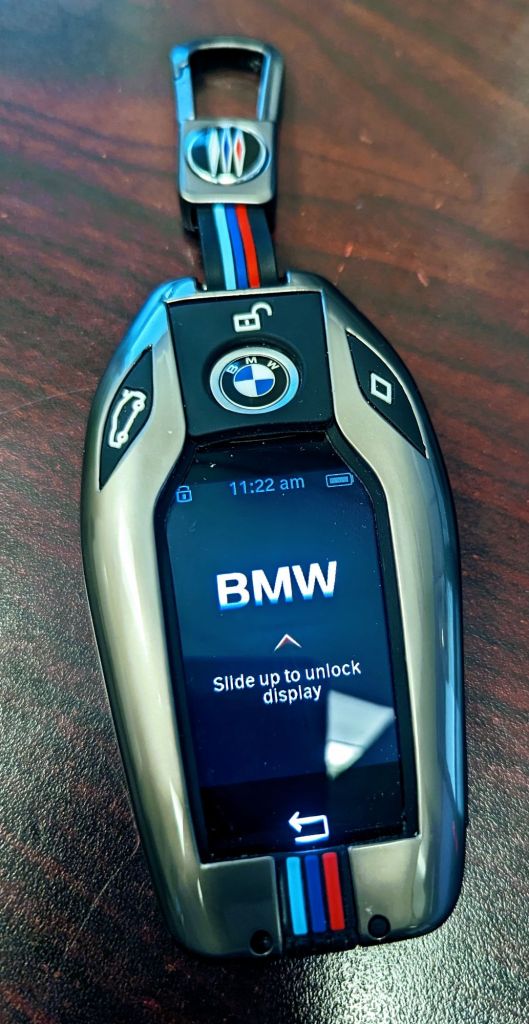
I have been on the fence about whether to use the ‘My BMW’ app from BMW for my 750i since I was pretty sure it was a paid service and due to many of the features and abilities already available to me by simply using my display key. However, I was glad they are giving it for free now (at least in my case), so I figured I would share my thoughts on the app.
Note: the app itself has a ton of features and sections; I chose not to upload a few of these images due to them containing PII.
Review of the My BMW App for a 2017 BMW 750i
The My BMW app is BMW’s official mobile application that connects owners to their vehicles, enabling them to manage various aspects of their cars remotely. It provides many features for enhanced connectivity and control, particularly useful for luxury models like the 2017 BMW 750i. This review examines how the app works, its specific features for the 750i compared to other models, its strengths and weaknesses, and how it stacks up against BMW’s display key.
What is the My BMW App?
- Introduction to the App
The My BMW app is a mobile tool designed to complement BMW vehicles by allowing owners to control various vehicle functions from their smartphones. Available on both iOS and Android platforms, it connects to the car via the internet, creating a seamless link between driver and vehicle. - Compatibility Across BMW Models
While the My BMW app works across most BMW models, it offers an array of features specifically enhanced for luxury vehicles like the 7 Series, including the 2017 BMW 750i. Other models, such as the 3 Series or X1, may lack some premium functionalities available on the app. - Key Selling Points
BMW designed the app with convenience in mind, allowing users to check vehicle status, lock/unlock doors, and even control climate functions from a distance. These capabilities give owners greater peace of mind, knowing they can monitor and interact with their vehicles from anywhere. - Integration with BMW Ecosystem
The app forms a key part of BMW’s ConnectedDrive system, linking up with in-car technology to provide a more connected driving experience. Through the app, owners can access key ConnectedDrive features, making the app an integral part of the overall BMW experience. - Target Audience
BMW drivers who value technology and convenience are the target users of the My BMW app. In particular, owners of high-end models like the 2017 BMW 750i stand to benefit the most from the app’s advanced functionality.
What Does the App Do?
- Remote Vehicle Management
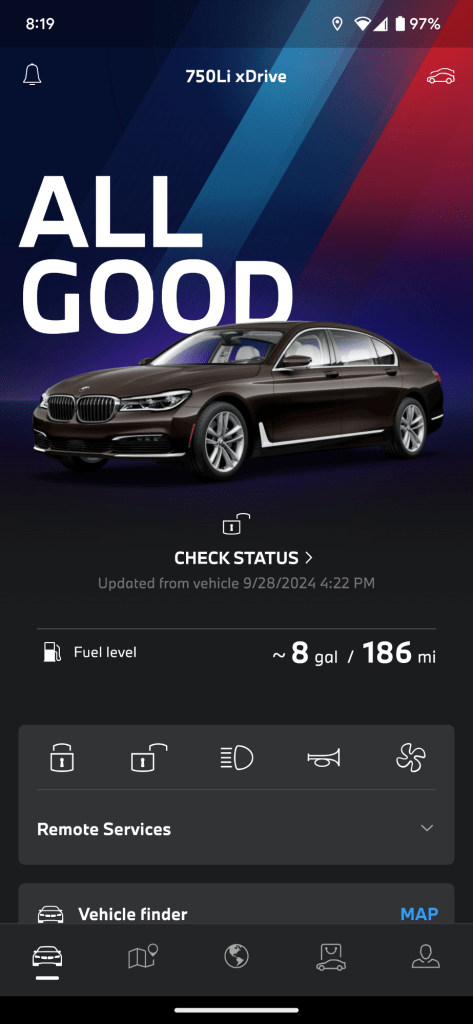
One of the primary features of the My BMW app is its ability to control core vehicle functions remotely. Owners can lock or unlock doors, flash the headlights, or locate their car on a map – a helpful feature for large parking lots or unfamiliar areas. - Climate Control Preconditioning
For the 2017 BMW 750i, the app allows for remote preconditioning of the cabin. Whether it’s a hot summer day or a freezing winter morning, owners can set the climate control before they enter the car, ensuring a comfortable ride from the start. - Vehicle Status Monitoring
The app provides real-time data on the car’s status, including fuel level, range, tire pressure, and whether doors or windows are open. This is especially handy when planning longer trips or simply ensuring the car is ready for the next drive. - Service Notifications and Scheduling
BMW’s app also acts as a concierge for maintenance. It alerts owners when the vehicle needs service, and even allows for easy scheduling of appointments with a nearby BMW dealership. This feature simplifies maintenance and ensures the vehicle remains in optimal condition. - Map and Navigation Support
Drivers can send destinations from the app directly to the car’s navigation system, enabling seamless integration of journey planning. This eliminates the need to manually enter addresses in the car’s navigation system, saving time and reducing distractions.
How the My BMW App Works
- Account Setup and Vehicle Pairing
After downloading the My BMW app, users must set up an account and pair their smartphone with the vehicle. This process requires the Vehicle Identification Number (VIN) and a BMW ConnectedDrive account. Once set up, the app communicates with the car via a cellular connection. - Interface and User Experience
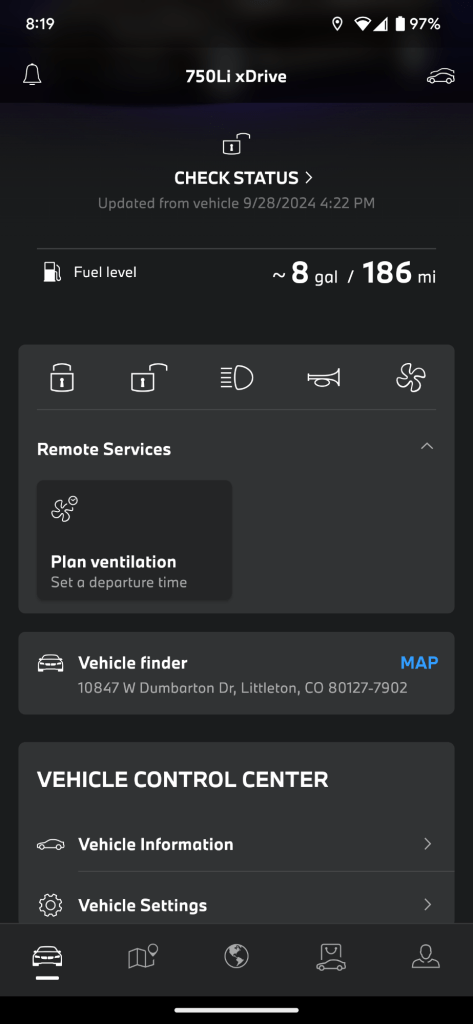
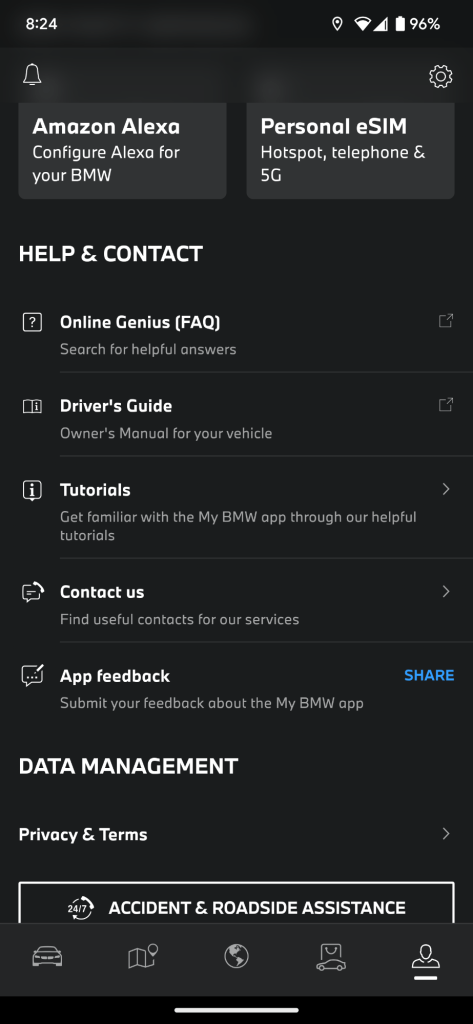
The app features a user-friendly interface with intuitive controls. Information is organized into easily accessible tabs, making it simple to access key functions like locking the car, checking status, or scheduling service. - Communication with the Vehicle
The app relies on an active data connection to communicate with the car. This can occasionally lead to delays or issues if the vehicle is parked in an area with poor signal reception. However, when the connection is stable, commands are executed promptly. - Security and Privacy
BMW has incorporated various security measures into the app to ensure user privacy and data protection. For example, two-step verification is used for sensitive actions like unlocking the car, and location data is encrypted to prevent unauthorized access. - Updates and Continuous Improvement
BMW regularly updates the app to improve its functionality and introduce new features. These updates ensure the app remains relevant and in line with advances in vehicle technology, even for older models like the 2017 750i.
Features Available on the 2017 BMW 750i Compared to Other Models
- Advanced Remote Control Capabilities
The 2017 BMW 750i benefits from more advanced remote capabilities than lower-tier models. Features like remote climate control and the ability to open/close windows remotely are available, which may be absent or limited in less premium models like the BMW 3 Series. - Navigation Integration
While most BMW models offer navigation, the 750i integrates this more deeply with the My BMW app. Users can not only send destinations but also monitor traffic conditions and get real-time updates on routes. This makes trip planning more sophisticated. - Luxury-Centric Features
For the 750i, luxury is a key focus. The app offers specific services related to high-end comfort, such as controlling ambient lighting, accessing detailed maintenance history, and monitoring more specific vehicle diagnostics compared to entry-level models. - Vehicle Finder Functionality
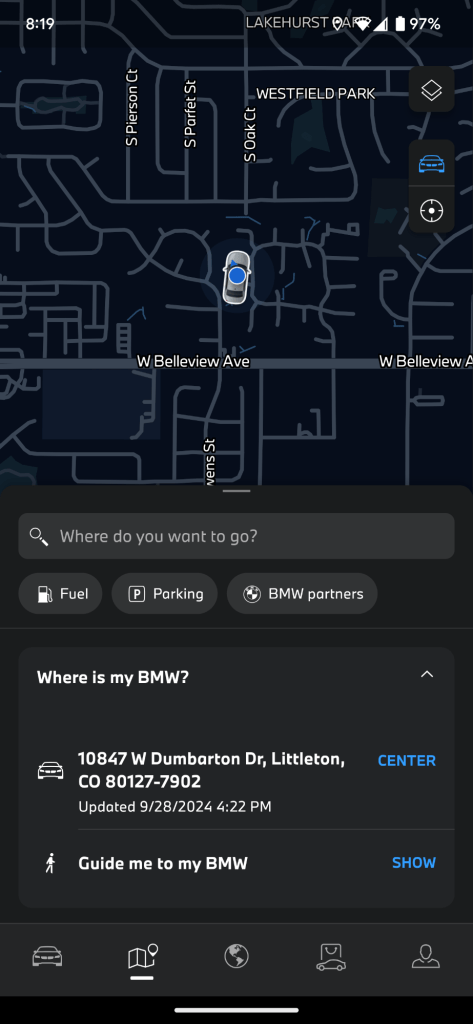
While the car locator feature is available across BMW models, the 750i enhances this with more precise location tracking and integration with the car’s surround-view cameras. This makes it easier to locate the vehicle, especially in large or crowded parking areas. - Keyless Entry and Start
Although many BMWs offer keyless entry, the My BMW app enhances this for the 750i by offering remote engine start capabilities. Owners can start the engine and adjust vehicle settings directly from the app, which is not always available in mid-range models.
Strengths and Weaknesses of the App
- Strength: Convenience
The biggest advantage of the My BMW app is the convenience it offers. Remote control features save time and effort, allowing users to prepare their vehicle before driving and avoid unnecessary trips back to the car. - Strength: Vehicle Monitoring
With the ability to monitor key vehicle metrics, owners can stay informed about their car’s condition in real time. This is particularly useful for keeping track of service needs, fuel levels, and tire pressure. - Weakness: Connectivity Issues
One common complaint is the app’s dependency on a strong cellular signal. In areas with weak coverage, the app may not respond or perform functions as expected, which can be frustrating. - Weakness: Limited Compatibility with Older Models
Although it works with the 2017 BMW 750i, some features of the My BMW app are not available on older BMW models. For instance, remote engine start is not supported on certain earlier versions, which may disappoint owners of these vehicles. - Weakness: Learning Curve
While the app is generally intuitive, it can take time for new users to become familiar with all its features. Some functions are hidden behind menus, and new owners may need a learning period before they can fully leverage the app.
Comparison to BMW Display Key
- Feature Parity
The BMW Display Key, included with the 750i, offers several similar features to the My BMW app, such as locking/unlocking the car, checking vehicle status, and preconditioning the cabin. However, the app provides a broader range of services, especially when it comes to navigation integration and vehicle health monitoring. - Remote Range
The display key operates on a shorter range, usually requiring the user to be within proximity of the vehicle. In contrast, the app can control the car from virtually anywhere, making it far more versatile for remote access. - Connectivity Options
While the display key relies on direct communication with the car, the app leverages cellular networks. This can be both a strength and a weakness—users may struggle with connectivity in low-signal areas, but the app offers greater flexibility overall. - User Experience
The My BMW app provides a more detailed and interactive user experience compared to the display key’s relatively simple interface. For instance, monitoring real-time traffic and scheduling service appointments is far easier through the app than through the display key. - Battery and Power Concerns
One limitation of the display key is its reliance on battery life. If the key’s battery runs out, keyless entry and display functions cease to work. The app does not have this limitation, making it more reliable in certain situations.
Final Thoughts
The My BMW app is a valuable tool for owners of the 2017 BMW 750i, offering an impressive range of features that enhance convenience, control, and connectivity. While it faces some challenges related to connectivity and a slight learning curve, its benefits outweigh the drawbacks. When compared to the BMW display key, the app shines for its versatility and ability to control the vehicle from virtually any location. For tech-savvy BMW owners, this app is an indispensable addition to their driving experience.
I have used the app a few times since the installation, but in most of those situations where I needed more than what a typical, non-display key can provide, my current display key would have been enough. However, it is nice not to always carry this heavy and expensive fob around, especially since my phone is always on me 24/7 (IT life). I haven’t tested too many features or the range of the app yet, and I have a few questions that need answering still, such as whether the phone app will count as my fob and unlock the car as I get close and set my driver profile (seat positions and such). I also like the biometric authentication method the app uses, as with each app I install on my phone, I worry about how secure everything is. Looking forward to exploring the My BMW app more, and seeing another BMW added to the ‘garage’ section of the app once the Subie dies. Pretty soon!
Categories: Reviews


 Securing The Universe