


Hello all,
I am back at it with some more UniFi upgrades; a USG Pro 4 firewall and a rack mount for my Cloud Key+. I still need to purchase an actual rack, but until then, I am piecing together everything I will need. Currently, I am using a UniFi Gateway Lite for a firewall but have always wanted to play with a USG Pro, so I will most likely use it for testing, then go back to the Gateway Lite as the USG Pro is a bit much for a home network, but we will see. But first, let’s explore the differences between these two UniFi security devices.
Comparing the UniFi USG Pro 4 and UniFi Gateway Lite
In the realm of networking, UniFi, a subsidiary of Ubiquiti Networks, is well-known for its robust and scalable networking solutions. Among their offerings are the UniFi USG Pro 4 and the UniFi Gateway Lite, both of which cater to different segments of the market. This post will delve into a comprehensive comparison between these two gateways, examining their specifications, use scenarios, performance, and other critical factors.
1. Specifications
UniFi USG Pro 4

- Processor: Dual-core 1 GHz
- RAM: 2 GB DDR3 RAM
- Storage: 2 GB eMMC
- Network Ports:
- 1 x 10G SFP+
- 2 x 1G Ethernet (WAN)
- 8 x 1G Ethernet (LAN)
- Power: 40W (Power Supply Included)
- Form Factor: Rackmount (1U)
- Dimensions: 19.06 x 1.73 x 6.46″
- Weight: 5.07 lbs.
- Features: Advanced firewall policies, VPN support, deep packet inspection, and application awareness.
UniFi Gateway Lite
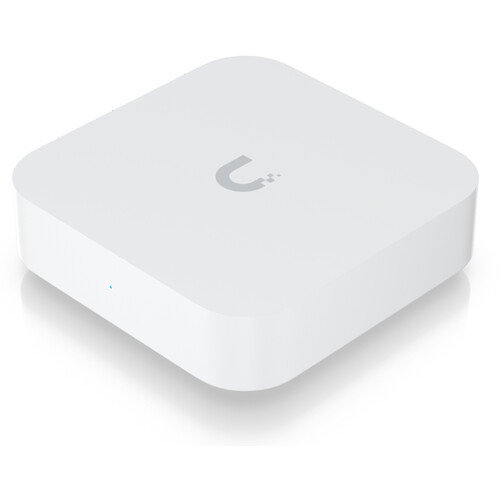
- Processor: Dual-core ARM® Cortex®-A53 at 1 GHz
- RAM: 1 GB DDR3L
- Storage: 256 MB Flash
- Network Ports:
- 1 x 1G Ethernet (WAN)
- 1 x 1G Ethernet (LAN)
- Power: 3.83W Max
- Form Factor: Desktop or Wall-Mount
- Dimensions: 13.1 x 9.4 x 2.5 cm
- Weight: 11.3 oz.
- Features: Basic firewall policies, limited VPN support, no deep packet inspection.
2. Use Scenarios
UniFi USG Pro 4
Enterprise and Large Deployments: The USG Pro 4 is designed for medium to large enterprise environments where advanced networking features and high throughput are crucial. Its multiple LAN ports and SFP+ support make it suitable for complex network setups requiring high-speed uplinks and numerous wired connections.
Data Centers and Managed Services: Its robust hardware and rackmount form factor make it ideal for data centers and managed service providers where a stable and scalable gateway is required. The ability to handle more extensive network traffic and provide detailed network analytics is a significant advantage in these scenarios.
High-Traffic Locations: Businesses with high data throughput needs, such as video streaming services or large-scale file transfers, will benefit from the USG Pro 4’s performance capabilities.
UniFi Gateway Lite
Home and Small Office: The Gateway Lite is aimed at home users and small offices where advanced features are not as critical. Its lower cost and simpler setup make it an attractive option for users who need reliable internet access without the need for extensive networking features.
Cost-Effective Deployments: For organizations on a tight budget or those needing a basic gateway without additional features, the Gateway Lite provides essential functions at a reduced cost. It is also a good choice for those who do not require extensive VPN support or deep packet inspection.
Basic Internet Usage: Suitable for typical internet usage scenarios such as browsing, streaming, and light business applications where advanced security or performance features are not a priority.
3. Speed and Performance
UniFi USG Pro 4
- Throughput: Capable of handling up to 3.5 Gbps of combined throughput across its ports. The inclusion of a 10G SFP+ port allows for high-speed network uplinks.
- Performance: Designed to handle high volumes of data with low latency, making it suitable for environments with demanding network performance requirements.
- Scalability: Can handle more devices and higher bandwidth demands due to its additional LAN ports and higher throughput capabilities.
UniFi Gateway Lite
- Throughput: Supports up to 500 Mbps of throughput, which is suitable for most residential and small office needs.
- Performance: Provides reliable performance for standard internet activities but may struggle with more intensive tasks or multiple high-bandwidth applications running simultaneously.
- Scalability: Limited by its single WAN and LAN port configuration, which could be a bottleneck in growing or more demanding network environments.
4. Thermals and Reliability
UniFi USG Pro 4
- Thermal Management: The USG Pro 4 includes active cooling with a built-in fan, which helps maintain optimal operating temperatures even under heavy load.
- Reliability: Designed for 24/7 operation in enterprise environments. Its rackmount design ensures stability and consistent performance.
UniFi Gateway Lite
- Thermal Management: Passive cooling with no active fan, which makes it quieter but could lead to higher operating temperatures under heavy load.
- Reliability: Suitable for less demanding environments and generally provides reliable performance for small-scale setups. However, its passive cooling means it may experience thermal throttling in high-traffic situations.
5. Conclusion
The UniFi USG Pro 4 and UniFi Gateway Lite serve different purposes and cater to distinct needs. The USG Pro 4 is a high-performance, scalable solution designed for medium to large networks requiring advanced features and high throughput. In contrast, the UniFi Gateway Lite offers a cost-effective and straightforward solution for smaller networks with less demanding requirements.
Choosing between the two depends largely on your specific needs:
- For Enterprise Use: Opt for the USG Pro 4 if you require robust performance, extensive port options, and advanced features.
- For Home or Small Office Use: The Gateway Lite is ideal if you need a basic, reliable gateway without the need for advanced capabilities.
Both devices embody UniFi’s commitment to quality and innovation, ensuring that users can find a solution tailored to their networking requirements.
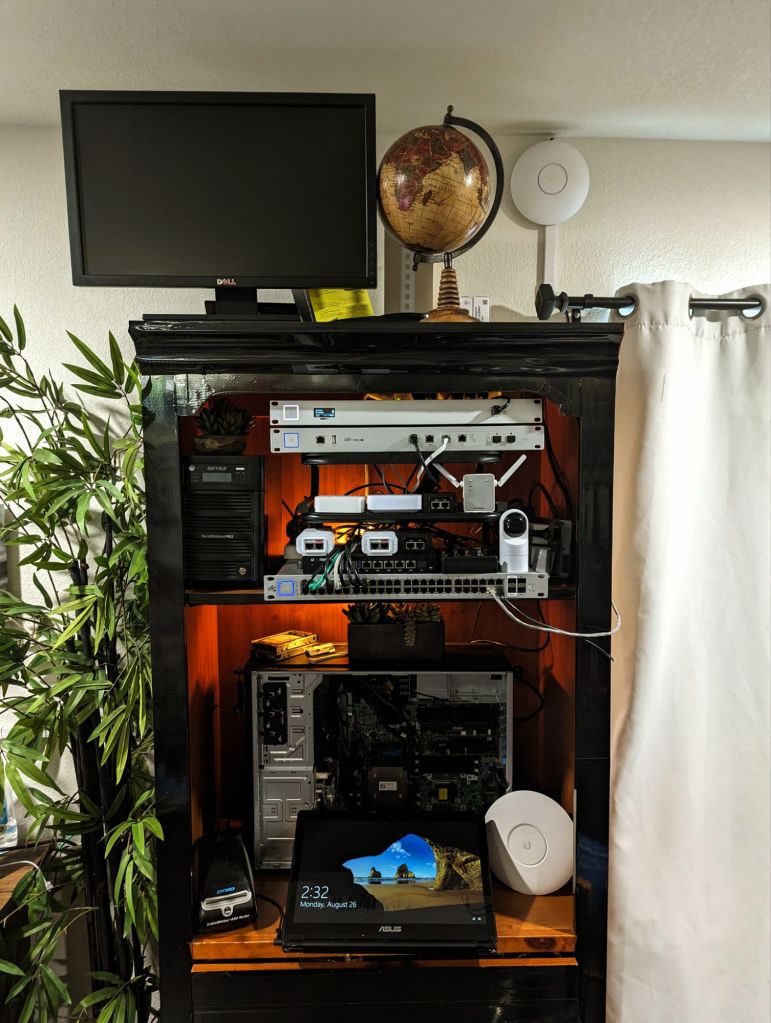
Current Setup
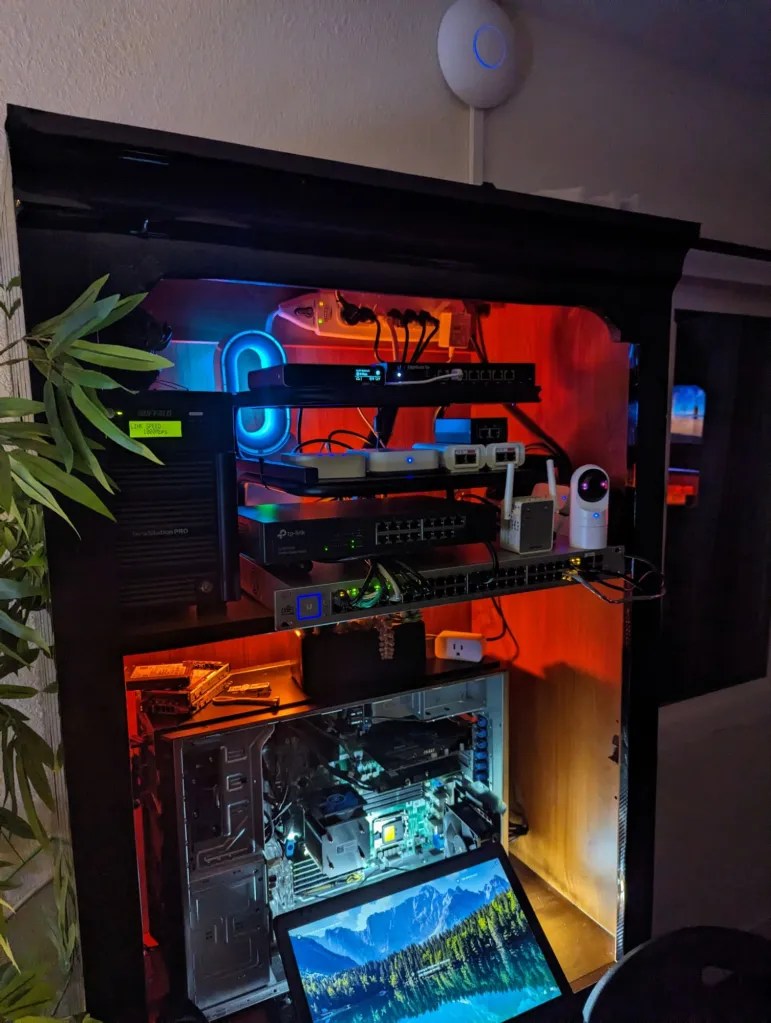
My existing UniFi Cloud Key is just resting on top of my other equipment, so getting the rack mount should clean up the overall look, as well as provide me with some better options for cooling it down.
My current network is shown below, including other equipment not in use.

The (Attempted) Install
I had several issues with the installation, mainly with trying to switch from one gateway to another; it looks like the settings being sent to the new device from the old one were causing problems with adopting the USG Pro. I could get data to flow and have access to the security features of the USG Pro, but it typically kept getting stuck on either adopting or adopting failed. By switching to the legacy interface, I could see many more options for the USG-Pro, and it looks like, for some reason, an existing network from this USG Pro’s past life still exists without the option to remove it (fixed). After many reattempts at everything, I finally reached out to UniFi support, who had me remove my country restrictions (had 150), but that didn’t work as well. I think the problem may be with getting all the devices on the ‘192’ IP range to allow the transfer to complete. In the end, I went back to the UXG Lite for now while I figure out the USG. There are a few more things I can try, but for a device that is already EoL, the multiple hours I already spent trying to get it to work were already pretty wasteful.
I didn’t notice much of a speed increase with the USG while I had it working, but the amount of time needed to get max speeds during a speed test were greatly reduced when compared to the UXG Lite. For example, during a speed test with the UGX Lite, it would take a few seconds to get to 900+ Mbps.
I will keep working on the project, as I will utilize both of the firewalls for my two home networks eventually. Hopefully I will get some free time this weekend!
The (Attempted) Install, Part 2
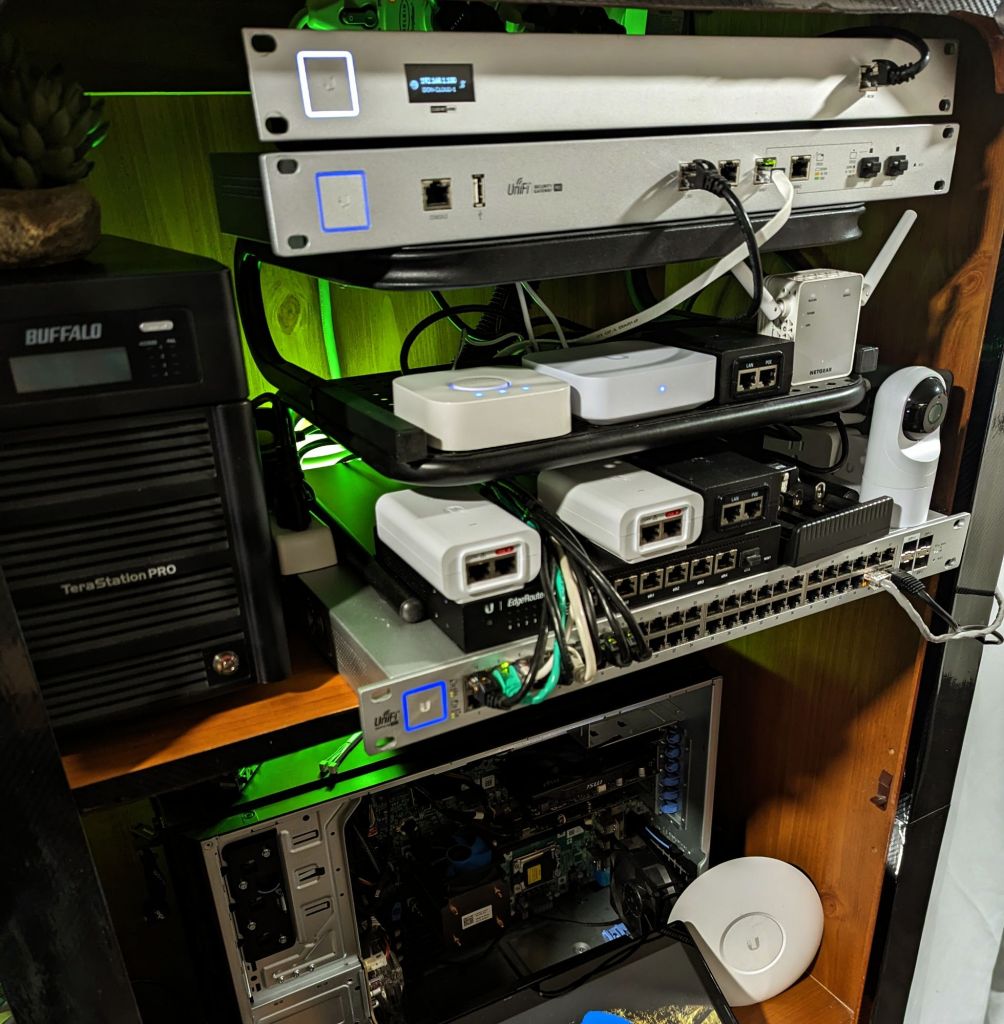
Spent some time yesterday swapping my current Asus gateway with the USG Pro, and it was finally a success. For a few short moments, I have two UniFi gateways (firewalls) on each of my home networks, but the drop in network speed was unfortunately too much to take (like half). Anyways, I reverted back to the original setup, but here are some pics for proof of my struggle !


Future Setup
In the future, I will be replacing my Nighthawk mesh setup with UniFi equipment as well, so having two firewalls may not be such a bad idea since both the home and office networks will still be separated (and can secure them both with my existing Gateway Lite, and the newly picked up USG Pro). I am waiting until Wi-Fi 7 devices get a little cheaper and am looking for a WAP with daisy-chain abilities to prevent the need to run more cables. Many of UniFi’s newer devices do not have two ethernet ports so I may just have to settle for running 2 more lines, but at least I have the holes already drilled and have cable runners with plenty of room left to hide everything.
Here is what I have planned so far for the full-house UniFi project, replacing my existing NETGEAR Nighthawk and Asus equipment.
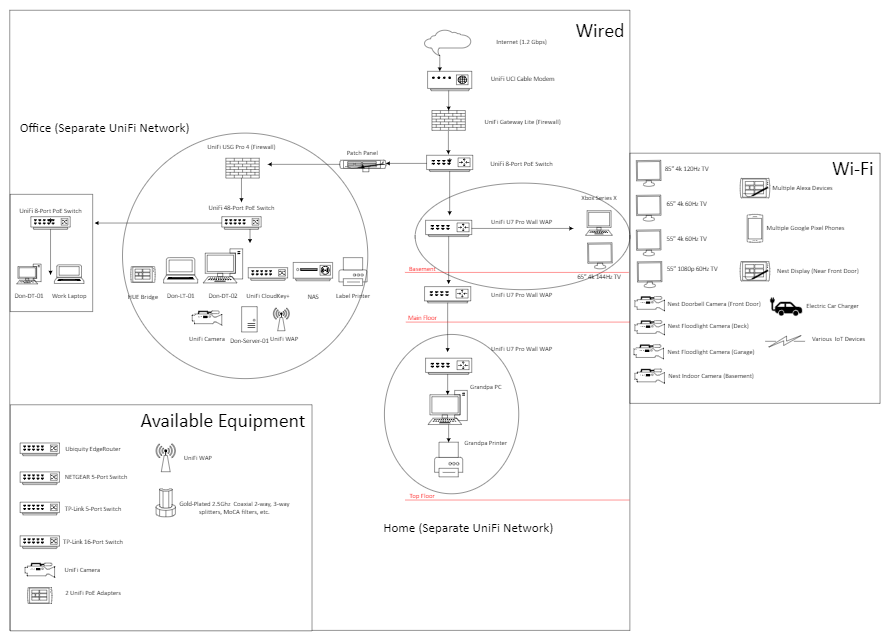
As you can see, I will eventually replace my NETGEAR Nighthawk cable modem and mesh system (3 nodes) with UniFi equipment, as well as the main Asus router I am currently using as a gateway. I believe I will opt for adding another Cloud Key+ as a gateway, an 8-port switch, and then running 2 more ethernet lines for the 2 UniFi U7 Pro Walls, that will most likely be installed using a stand (not wall-mounted). I will protect the home UniFi network with the UniFi Gateway Lite I am using for my office network, as the office will be protected by the UniFi USG Pro 4 I just picked up.
Another thought is to use the Gateway Lite as the current gateway for my office network, and then reassign the existing Cloud Key+ as a gateway for my home network, thus eliminating the need for another Cloud Key+ (I think this will work)?
In the meantime, I am going to see if I can get the UniFi USG Pro, 8-port PoE switch, and an older Cloud Key working on my house’s network, using the USG Pro as a gateway, and the Nighthawk mesh system in WAP mode; I am not too sure if this will work, and if it does, I am wondering what I will be able to see and control within UniFi while using third-party hardware. We will see!
I will also pick up 3 U7 Pro Wall Table Stands for $39 each, as each U7 Pro Wall will be mounted on a flat surface.
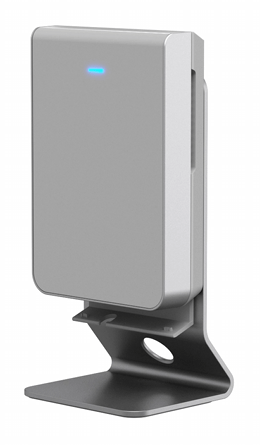

For the cost of this setup, I am looking at around $199 each for the U7s, $279 for the modem, and I think I should be able to source another Cloud Key+ and switch for free. So, all in all, I am looking at around $876 for everything, but I could probably do without the modem as I have heard its performance won’t be an upgrade to my existing Nighthawk one.
After all of this is done, I will turn my attention to replacing my current Google Nest camera setup (2 floodlight cameras, 1 doorbell, 1 interior, and a display near the front door acting as a control center).
After everything is complete, I should have high-performing home and office networks using all UniFi equipment, thus allowing me to use a single management application instead of the 3 different ones I use currently (UniFi, NETGEAR, Asus). I will also have my home network actually protected with its own dedicated firewall, as currently, only the office network is covered. I have software firewalls/AV on every machine (Windows, Webroot), and the Asus router I am using as a gateway (and my Nighthawk mesh setup) currently has a wide range of security features, so not having a dedicated firewall for TVs and such was not too big of a deal. This project will also greatly expand on my Wi-Fi coverage and speeds as I get to experience Wi-Fi 7 for the first time. Wish me luck, and happy tinkering!
Categories: Hardware


 Securing The Universe