


At home, in case you are not caught up, I utilize both UniFi and NETGEAR Nighthawk products. UniFi is utilized in my office (separate network), and I have a Nighthawk mesh system (with 2 satellites and a separate ASUS router in WAP mode) to spread Wi-Fi to each house floor. I have been trying to figure out how to improve the Wi-Fi signal as the two satellites I have on each of the top floors often disconnect or give me an orange indicator light notifying me that the signal isn’t optimal. After many weeks of planning cable runs, I believe I will give some easier options a chance, such as MoCA (for the living room WAP), and then powerline adapters (top floor, no cable hookup for another MoCA).
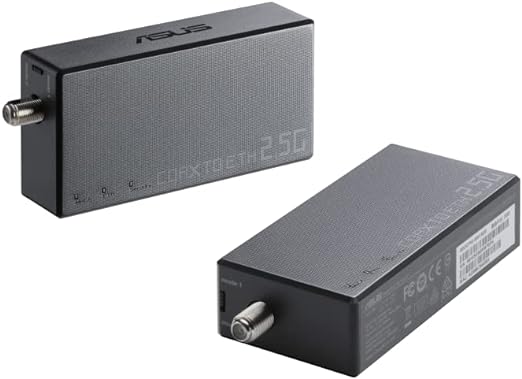
After researching this issue, I landed on ASUS’s MA-25 Coax-to-Ethernet MoCA Adapter, offering speeds up to 2.5Gbps. I know running cables would be the best choice and I am sure in the future this will happen, but after spending hundreds of thousands on the new house’s remodel, cutting anything in the house is something that can wait!
Tech Specs
| MoCA standard | MoCA 2.5/ MoCA 2.0/ MoCA 1.1 |
| MoCA Channels | Up to 5 bonded channels, D-band (1125~1675MHZ) |
| Nodes of MoCA network | Up to 16 nodes |
| Throughput speed | Up to 2.5 Gbps (MoCA to MoCA). Up to 2.5 Gbps (MoCA to Ethernet). |
| Security | MPS with unique password |
| MoCA interface | F-type female |
| Ethernet | 2.5Gb Ethernet LAN port |
| LEDs | MoCA, Ethernet, Security |
| Button | MPS (MoCA Protected Setup) |
| Other Interfaces | Slide switch for D-band bonded channels selection. DC power connector. Wall-mounting holes. |
| Power Adapter | Input: 100-240 V (50 / 60 Hz) Output: 12VDC |
| Dimensions | 108 x 54 x 23.2 mm (W x H x D) |
| Weight | 93 g |
| Operating Environment | Temperature: 0 to 40°C, Relative Humidity: 10% ~ 90% (non-condensing) |

Now, I will share my thoughts on the ASUS MA-25 Coax-to-Ethernet MoCA Adapter.
My Review
Speed tests before installing the coax adapter, upgraded spitters, and MoCA filter:
On wired connections, I get around 970 Mbps download and 40 Mbps upload speeds regardless of whether I am in my office (UniFi equipment) or other spots in the house (Nighthawk equipment). Wi-Fi, however, varies on each floor. For peak download speeds, I can get to around the 500s in my basement and office, 400s in the middle room, and 300s on the top floor; generally, depending on how many people are home, 300 Mbps down is pretty average for the middle and basement, except for the top floor that often loses mesh connection.
Speed tests before installing the coax adapter, upgraded spitters, and MoCA filter:
TBD
The ASUS 2.5Gbps Ethernet-to-Coax Adapter is a revolutionary solution for extending network connectivity over existing coaxial cables, delivering high-speed internet access where traditional Ethernet cabling may be impractical or costly to install; this adapter offers a myriad of use scenarios, from residential setups to commercial environments, where a reliable and high-speed network connection is essential.
Specifications:
- Speed: Capable of delivering speeds up to 2.5Gbps, this adapter ensures swift data transfer, ideal for bandwidth-intensive tasks such as gaming, streaming, and large file transfers.
- Compatibility: Designed to work seamlessly with existing coaxial infrastructure, it eliminates the need for extensive rewiring, making it an ideal choice for retrofitting older buildings or expanding network coverage.
- Plug-and-Play: With its simple plug-and-play setup, users can quickly establish a stable network connection without the need for specialized technical knowledge.
- Multiple Adapter Support: Users can easily expand their network coverage by adding additional adapters, creating a robust mesh network that blankets the entire premises with high-speed connectivity.
Strengths:
- Versatility: The ASUS 2.5Gbps Coax-to-Ethernet Adapter excels in various environments, including residential homes, multi-story buildings, and commercial establishments, offering unparalleled flexibility in network deployment.
- Cost-Effective: By leveraging existing coaxial infrastructure, this adapter eliminates the need for costly cabling installations, providing a cost-effective solution for extending network coverage.
- High-Speed Connectivity: With support for 2.5Gbps speeds, users can enjoy lag-free gaming, smooth 4K streaming, and rapid data transfers, enhancing overall network performance.
Weaknesses:
- Dependence on Coaxial Infrastructure: While the reliance on existing coaxial cables is advantageous in many scenarios, it may pose limitations in environments where coaxial infrastructure is outdated or incompatible.
- Distance Limitations: Like any network extender, the performance of the ASUS adapter may diminish over longer distances, requiring careful placement to ensure optimal signal strength.
Mesh Network Setup: One of the standout features of the ASUS 2.5Gbps Coax-to-Ethernet Adapter is its suitability for mesh network setups. By deploying multiple adapters throughout a property, users can create a robust mesh network that blankets the entire area with high-speed connectivity; this approach not only ensures seamless coverage across every corner but also enhances network reliability by reducing the risk of dead zones and signal interference. Whether in a residential setting seeking to eliminate Wi-Fi dead spots or in a commercial environment requiring uniform coverage across multiple floors, the ASUS adapter proves to be an invaluable asset in establishing a resilient and high-performance mesh network infrastructure.
In conclusion, the ASUS 2.5Gbps Coax-to-Ethernet Adapter stands as a testament to innovation in networking technology, offering a versatile, cost-effective, and high-speed solution for extending network connectivity over coaxial cables. With its plug-and-play simplicity, robust performance, and compatibility with mesh network setups, this adapter emerges as a compelling choice for individuals and businesses alike seeking to enhance their network infrastructure.
Enhancing Mesh Wi-Fi Networks: The Power of MoCA and Powerline Adapters
In the dynamic landscape of modern connectivity, mesh Wi-Fi systems have emerged as a powerful solution for delivering reliable internet access throughout homes and offices; these systems excel in eliminating Wi-Fi dead zones and providing seamless coverage across multiple floors. However, even the most robust mesh networks can encounter challenges in certain environments, such as thick walls or interference from neighboring networks; this is where MoCA (Multimedia over Coax Alliance) and powerline adapters come into play, offering innovative solutions to enhance the performance and reach of mesh Wi-Fi setups.
What are MoCA and Powerline Adapters?
MoCA and powerline adapters are both technologies designed to extend network connectivity using existing infrastructure within a building, such as coaxial cables or electrical wiring.
- MoCA Adapters: MoCA adapters utilize coaxial cables, commonly found in homes with cable TV installations, to transmit data signals; they offer high-speed connectivity and are particularly effective in environments where coaxial wiring is prevalent. MoCA adapters typically support speeds of up to 2.5Gbps, making them suitable for bandwidth-intensive applications such as gaming and streaming.
- Powerline Adapters: Powerline adapters leverage a building’s electrical wiring to transmit data signals between adapters plugged into power outlets; they provide a convenient solution for extending network coverage without the need for additional wiring. Powerline adapters come in various speed options, ranging from 200Mbps to 2Gbps, catering to different bandwidth requirements.
Benefits of Mesh Wi-Fi Systems:
- Enhanced Coverage: By integrating MoCA or powerline adapters into a mesh Wi-Fi network, users can extend coverage to areas where Wi-Fi signals may struggle to penetrate, such as basements, garages, or remote corners of a building.
- Reduced Interference: Coaxial cables and electrical wiring often offer more stable transmission mediums compared to wireless signals, reducing the impact of interference from neighboring networks or electronic devices. This results in a more reliable and consistent internet connection for users.
- Increased Bandwidth: MoCA adapters, in particular, can provide significantly higher speeds compared to traditional Wi-Fi extenders, making them ideal for demanding applications like 4K streaming or online gaming. Powerline adapters also offer substantial bandwidth improvements over wireless extenders, albeit at slightly lower speeds.
- Simple Setup: Both MoCA and powerline adapters feature plug-and-play installation, requiring minimal configuration; this simplicity makes them accessible to users with varying levels of technical expertise, ensuring a hassle-free setup process.
Differences between MoCA and Powerline Adapters:
While MoCA and powerline adapters serve a similar purpose, there are notable differences between the two technologies:
- Infrastructure: MoCA adapters utilize coaxial cables, which are common in homes with cable TV installations, while powerline adapters rely on electrical wiring; the choice between the two depends on the existing infrastructure within a building.
- Speed: MoCA adapters typically offer higher speeds compared to powerline adapters, with top-tier models supporting speeds of up to 2.5Gbps. Powerline adapters, on the other hand, come in a range of speed options, with top speeds reaching 2Gbps.
- Compatibility: MoCA adapters require coaxial cables to function, limiting their compatibility to homes with existing coaxial wiring. Powerline adapters, on the other hand, can be used in any building with standard electrical wiring, making them more versatile in terms of deployment.
In conclusion, MoCA and powerline adapters represent valuable additions to mesh Wi-Fi systems, offering enhanced coverage, reduced interference, and increased bandwidth. Whether extending network connectivity over coaxial cables or electrical wiring, these adapters provide a reliable solution for overcoming the limitations of traditional wireless networks. By leveraging the power of existing infrastructure, users can create robust and high-performance mesh Wi-Fi networks that meet the demands of today’s connected world.
The Install
I began installing the single adapter yesterday evening, thinking my NETGEAR Nighthawk CM2000 cable modem would support MoCA; unfortunately, this wasn’t the case. So, I had to order another adapter and connected it to the main Nighthawk router in the basement (using a two-way splitter). Then, by pressing the sync button, I will connect both adapters together, thus creating a connection using the already installed coax lines. On the cable box outside, I finally have all the lines labeled, but currently, I am only using a 3-way splitter. So, we have 3 live lines (one to the basement to feed my racks/house Wi-Fi), one to a bedroom for cable TV, and one to the living room (where the MoCA adapter will live). In the future, I may try to install a 4 or 5-way splitter and possibly locate a live coax outlet on the top floor, and then put another MoCA adapter there instead of my idea of trying a powerline adapter.
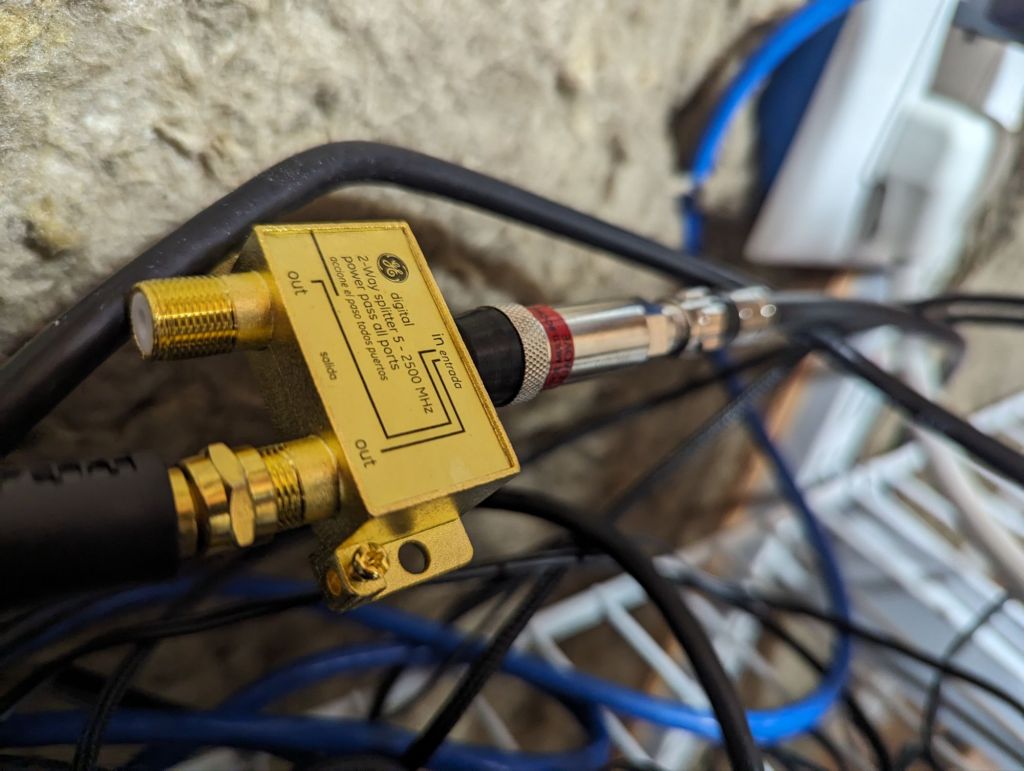
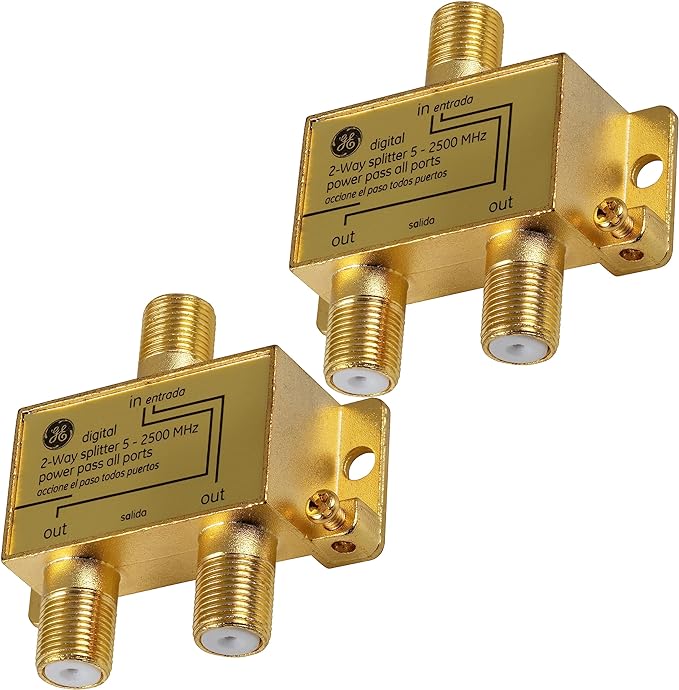
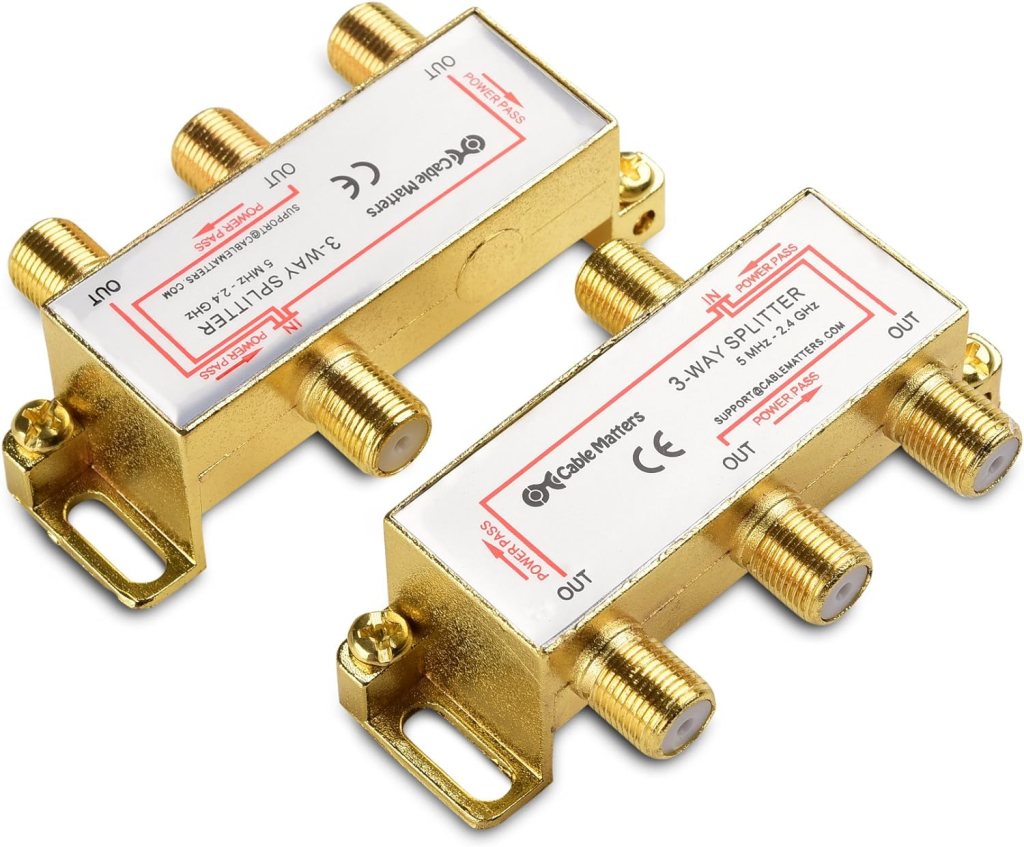
After a quick check outside at the cable box, it appears that I was using a non-compatible MoCA splitter, so I went ahead and upgraded to a gold-plated 2.5G 3-way splitter, then added a gold-plated 2.5G 2-way splitter to the connection before the main router. I also picked up a coax filter that I placed on the main line connecting to my house (before terminating into my modem. I have heard that a second filter may be useful at the demarc point outside of the house, but we will see.



So far, I have around $150 invested in this network upgrade, which is creeping up to the amounts necessary to either install more mesh WAPs or upgrade the entire system; however, before I spend $500+ on a new mesh system (Wi-Fi 7), I would rather just run cables to my existing mesh network, and deal with the wrath from my wife. Hopefully, everything goes well!
Update: Well, this wasn’t a fun project, to say the least. I spent most of last night trying to get the second MoCA adapter working, but I believe the new adapter I bought is defective as it turns on for a few seconds, then turns off. What is worse is that when I was cleaning up everything, my Nighthawk mesh system decided to stop working as well, leading me to wake up early this morning and get the Asus router that I was using in WAP mode set as the primary gateway, then connected the Nighthawk mesh system (with the main router set in WAP mode). I did manage to test the new MoCA adapter by plugging the coaxial cable into each adapter, and then an ethernet cable into a laptop (this worked, but I believe is what caused my problems with the mesh system. I think my setup now will work better for MoCA, and the problem may also relate to the upgraded splitter I was using inside of the house (even though the splitter was sending data to my router fine).
While it took forever to get everything working again, this new setup is actually better as Nighthawk requires a subscription for security features (which I never paid for), and the Asus router offers a plethora of options out of the gate. When I get home today from work, I will try to get the MoCA adapters running again, but honestly, I am pretty close to just returning them both and instead just opting to install more mesh satellites to help reduce the connectivity problems.
I have a suspicion, after some research, that the adapters are using the same IP address as my main router, so possibly changing the IP scheme in the router, or the address of the adapters is needed. I guess some Asus models use 192.168.50.1 as the default, which is what the adapters supposedly use as well. I will also try not using a splitter before the connection to my modem, and instead, just run the adapter right before the modem.
I always forget how annoying networking can be, especially when utilizing old technology (please get fiber internet out to my area!) Dealing with frequencies and such and trying to match them up with different brands makes my brain hurt, but hopefully, I can make something happen this weekend. Wish me luck!
Update 2:
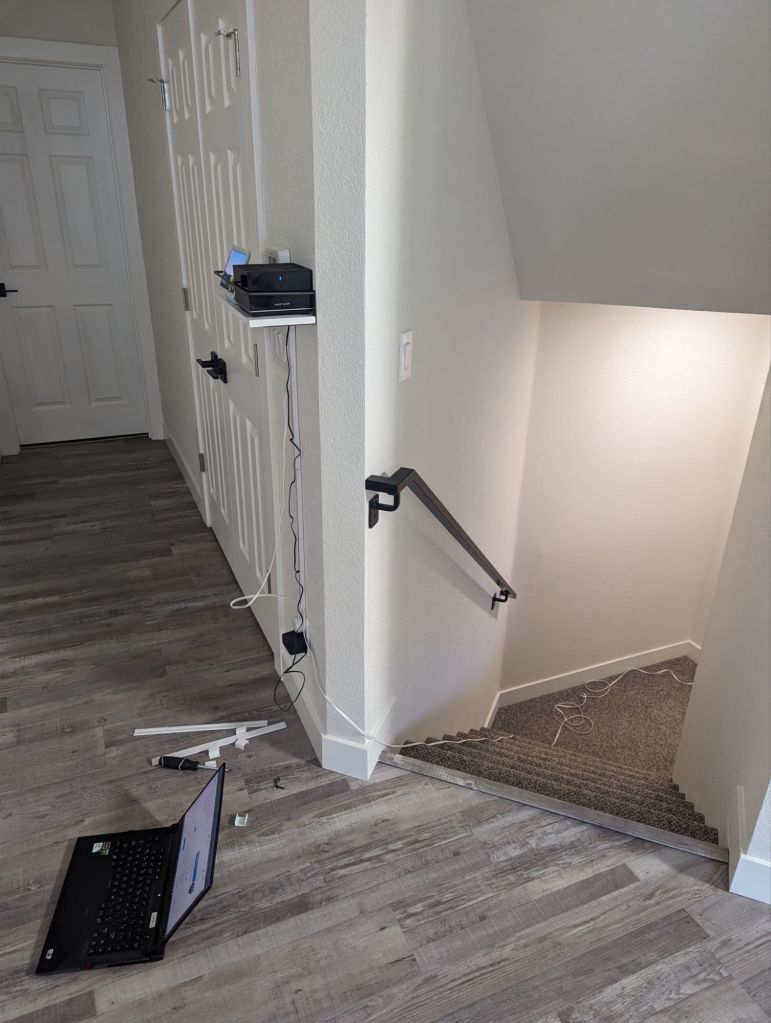
Well, I never want to see a MoCA adapter ever again. After many hours of troubleshooting, I ended up just giving up and ran ethernet cables to each AP, which wasn’t too bad since the house has an open-floor plan, and I could just route the new lines to each floor using the staircase. Now, speeds are much better and have little-to-no problems maintaining connections. I will return both of the MoCA adapters, but it was hard not to destroy them out of frustration!
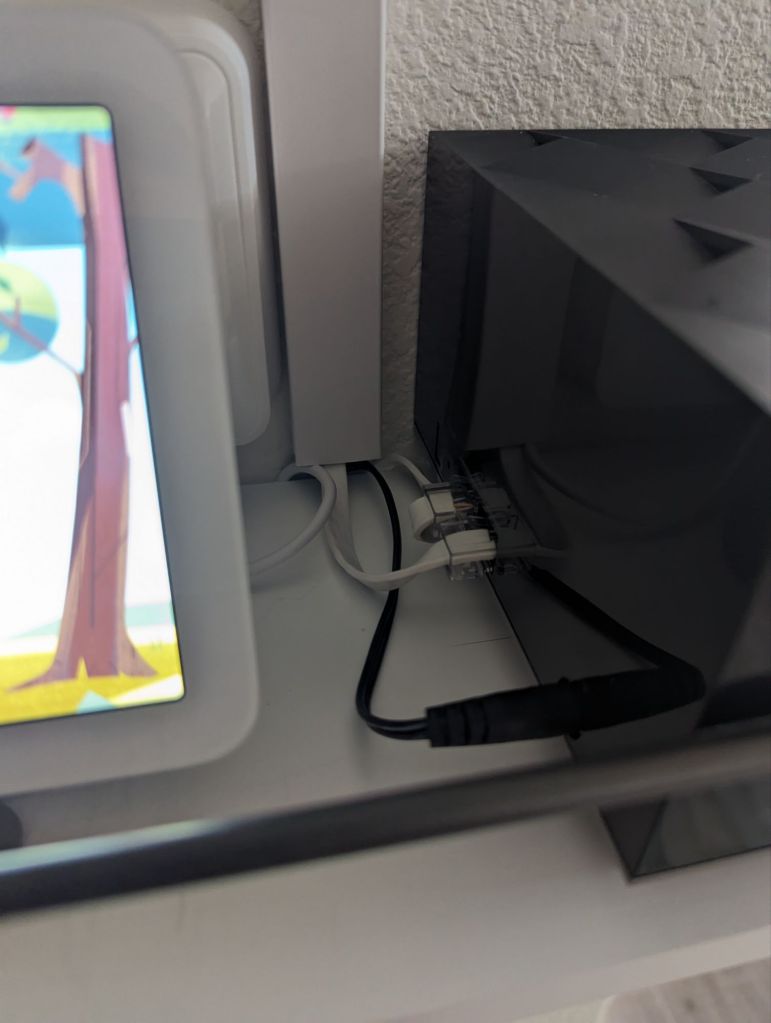
Currently, I am still dealing with a minor issue with the upstairs AP showing a wired backline connection, even though the speeds from the direct-connected PC up there seem to be correct; this could be a wiring issue, and I will replace that cable with a normal Cat 6 (do not buy flat cables, never again!)

Categories: Reviews


 Securing The Universe