


I have been having writer’s block lately, so I will just discuss some new hardware and office updates, as well as review the UniFi Gen. 1 48-port Switch.
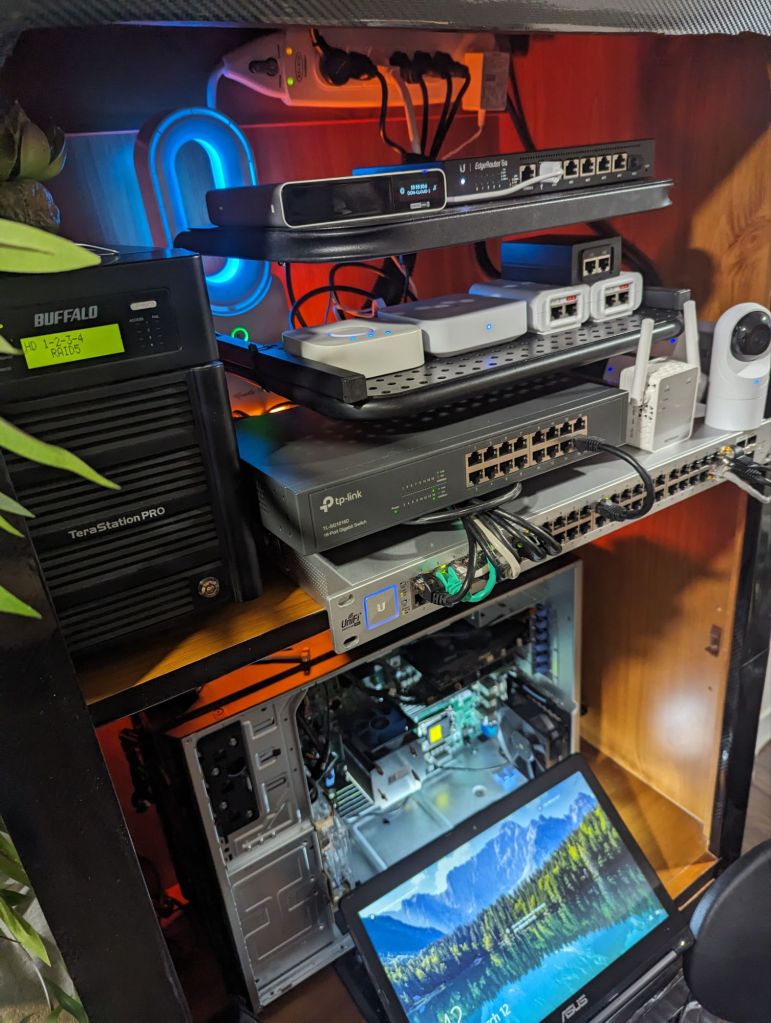
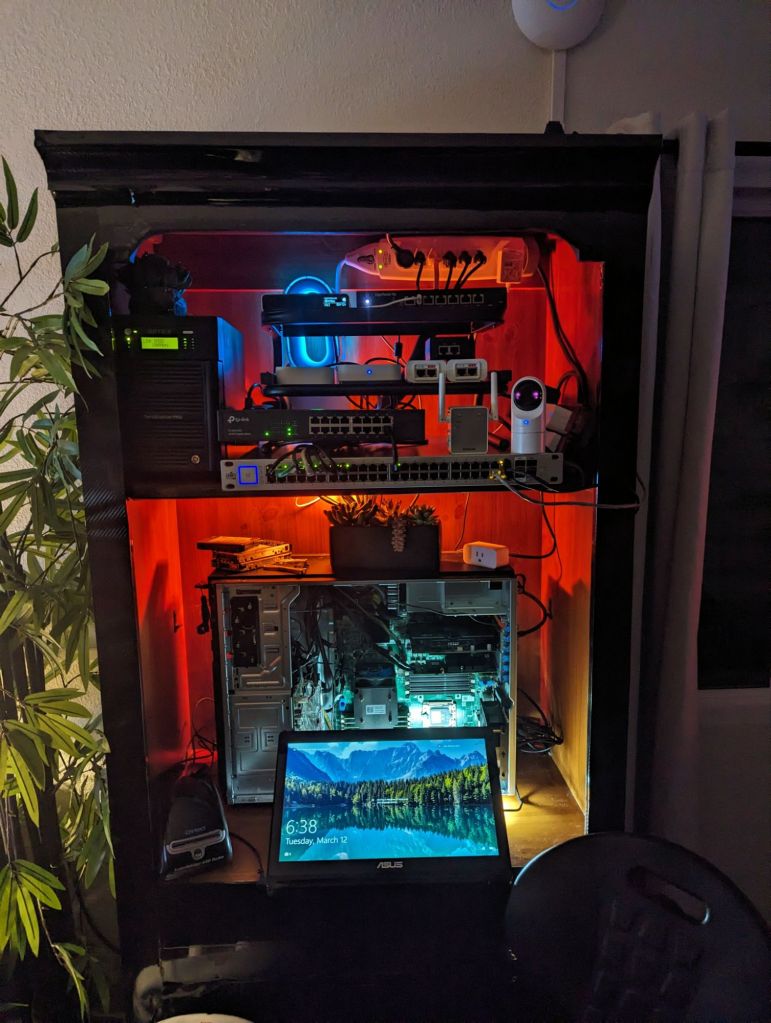
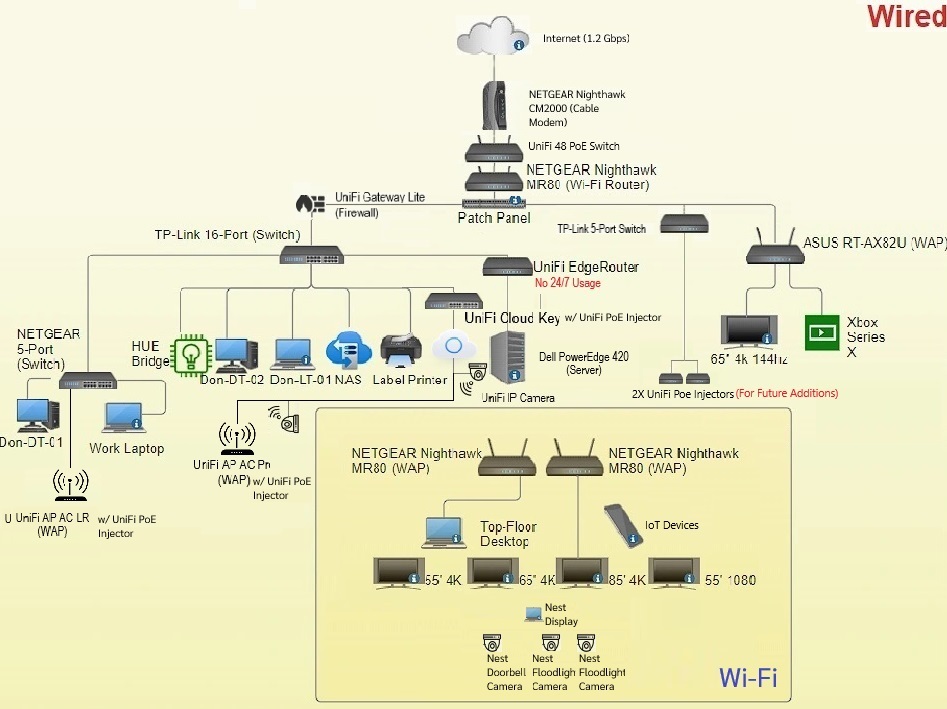
Over the weekend, I finally got a UniFi switch to replace my old NETGEAR 24-port, and like most of my entire setup, I got it used (thanks boss!) I got everything moved over yesterday, but I still need to clean up the cabling by running new ones. I am going to wait until I get an actual network rack before I commit to making everything pretty, but this will have to do for now.
Efficient Power and Connectivity Hub: UniFi Gen 1 US 48 500w PoE Switch Review
The UniFi Gen 1 US 48 500w PoE switch is a robust networking solution designed to meet the demands of modern business environments. Offering a combination of power and connectivity features, this switch delivers reliable performance and seamless integration within UniFi networks. As an integral component of Ubiquiti’s UniFi ecosystem, it enhances network management and scalability while ensuring optimal power distribution for PoE devices.
One of the standout features of the UniFi Gen 1 US 48 500w PoE switch is its ample power capacity, boasting a 500-watt power budget. This robust power supply makes it suitable for supporting a wide range of PoE-enabled devices, including access points, IP cameras, VoIP phones, and other network peripherals. Whether deployed in a small office or a large enterprise environment, this switch provides sufficient power to keep devices running efficiently without the need for additional power sources.
In terms of connectivity, the UniFi Gen 1 US 48 500w PoE switch offers forty-eight Gigabit Ethernet ports, providing ample bandwidth for high-speed data transfer and network traffic management. Additionally, two SFP ports offer fiber connectivity options for long-distance connections, ensuring flexibility in network design and deployment. The switch’s Gigabit Ethernet ports support auto-sensing and auto-negotiation features, simplifying installation and ensuring compatibility with various network devices.
One of the key advantages of the UniFi Gen 1 US 48 500w PoE switch is its seamless integration with the UniFi Controller software. Through the controller interface, administrators gain centralized control over network configuration, monitoring, and management. This unified management approach streamlines network operations, reduces complexity, and enhances overall efficiency. With features such as VLAN support, QoS prioritization, and traffic shaping, administrators have the tools they need to optimize network performance and ensure a seamless user experience.
The build quality of the UniFi Gen 1 US 48 500w PoE switch is another area where it excels. Featuring a sturdy metal construction and a sleek, rack-mountable design, it is built to withstand the rigors of continuous operation in demanding environments. Front-facing LED indicators provide at-a-glance status information, allowing for quick diagnostics and troubleshooting.
In conclusion, the UniFi Gen 1 US 48 500w PoE switch offers a powerful combination of performance, scalability, and manageability, making it an ideal choice for businesses seeking a reliable networking solution. With its robust power supply, ample connectivity options, and seamless integration with the UniFi ecosystem, it provides the foundation for building high-performance networks that can adapt to evolving business needs. Whether deployed in small office environments or large enterprise networks, this switch delivers the performance and reliability that businesses demand.
I don’t have too much negative things to say about the switch, other than the fact that it is quite loud. However, it is not nearly as loud as my old Cisco 48 (which still overheated, shown below on life support).
In the future, I think I will replace the fans with some quiet Noctua’s.

Now enjoy the photo dump!








Categories: Reviews


 Securing The Universe